


LARK M2
Plug-and-play wireless mic for calls, podcasts, and content creation
- USB-C Plug & Play
- ENC Noise Cancellation
- 48kHz / 24-bit
 United States
(English / $
USD)
United States
(English / $
USD)


Video Solutions

Intercom Systems

Wireless Microphones

Cameras
Video Solutions
View all
Video Accessories
Intercom Accessories

Mic Accessories

Camera Accessories
Video Accessories
View all
Hollyland Monitor Calibrator-Wireless Video Transmission System Accessory

Monitor Hood (7-Inch)

Mars 4K Transmitter

Mars 4K Receiver

D-Tap to Locking DC Power Adapter Cable

Crab Clamp

NP-F970 Battery

NP-F550 Battery

Mini HDMI to HDMI Cable

Micro HDMI to HDMI Cable

SDI Cable (1000mm)

SDI Cable (500mm)

Cold Shoe Gimbal

Rotatable Cold Shoe Mount

Side & Bottom Mounted Aluminum Handle

Screw Fitting for Stabilizer

Cylindrical Antenna (2.4GHz & 5GHz)

Paddle Antenna (2.4GHz & 5GHz)

View all


United States / English
USB-C plug-and-play · No drivers required · Compatible with all MacBook models
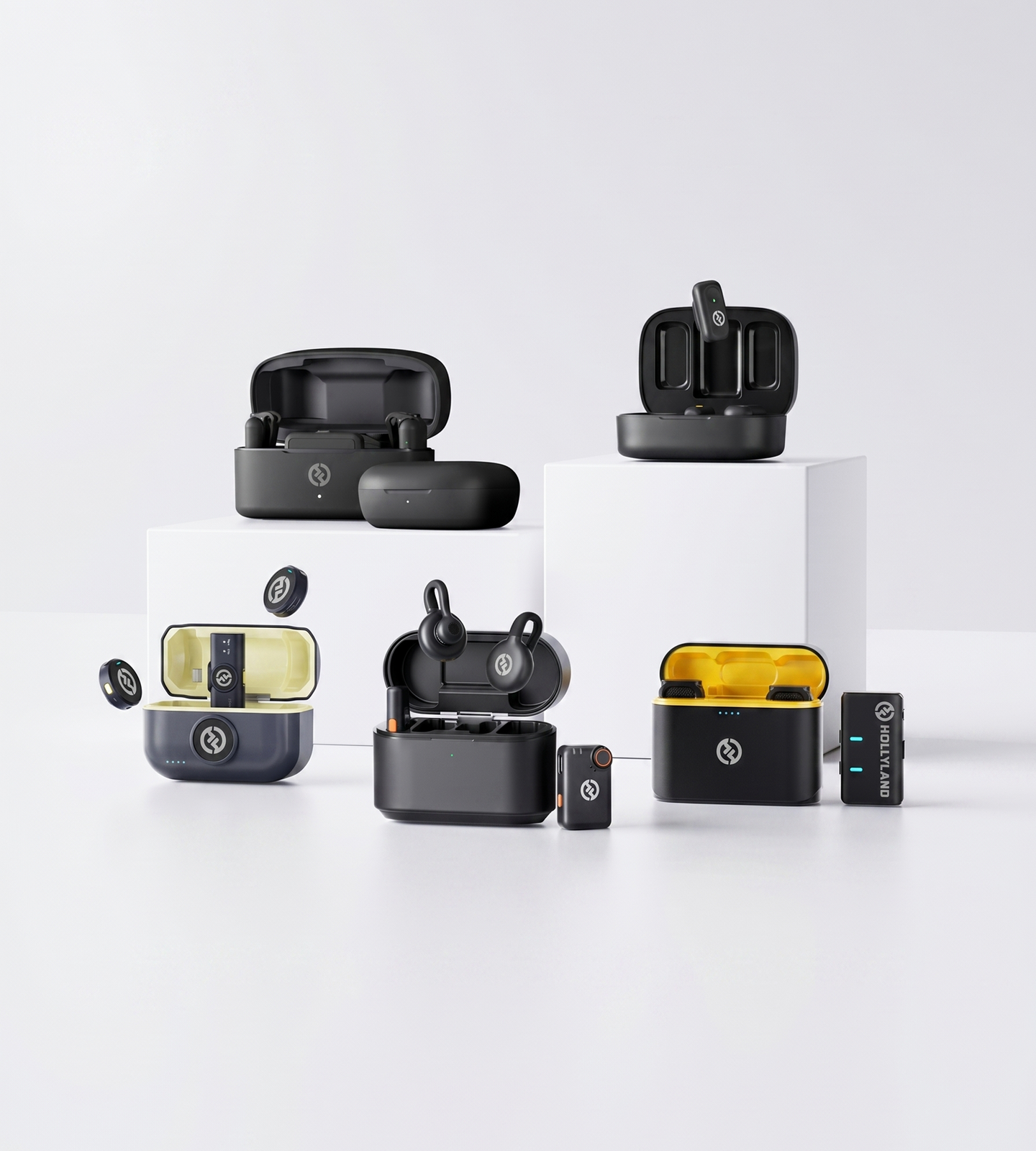
Plug-and-play wireless mic for calls, podcasts, and content creation

Ultralight, logo-free wireless mic for on-camera and professional use

Pro-tier wireless audio for podcasting, streaming, and filmmaking on MacBook

Ultra-compact AI wireless mic for smartphones — clip on, plug in, and go
| Model |
 LARK M2
$68.40
LARK M2
$68.40
|
 LARK M2S
$99.00
LARK M2S
$99.00
|
 LARK MAX 2
$189.00
LARK MAX 2
$189.00
|
 LARK A2
$29.99
LARK A2
$29.99
|
|---|---|---|---|---|
| MacBook Connection | USB-C Plug & Play | USB-C Plug & Play | USB-C Plug & Play | Smartphone Plug & Play |
| Recording Format | 48kHz / 24-bit | 48kHz / 24-bit | 48kHz / 32-bit Float | 48kHz / 24-bit |
| Noise Cancellation | ENC | ENC | AI Noise Cancellation | AI Noise Cancellation |
| Wireless Range | 300m / 1000ft (LOS) | 300m / 1000ft (LOS) | 340m / 1115ft (LOS) | 200m / 656ft (LOS) |
| TX Battery Life | Up to 10 hours | Up to 9 hours | Up to 11 hours | Up to 7 hours (42 hours with case) |
| Transmitter Weight | 9g | 7g | 14g | 8.5g |
| Best For | Video calls, podcasting & content creation | Professional creators & on-screen talent | Professional podcasting, filmmaking & streaming | Smartphone creators, vloggers & on-the-go content |
| Shop | Shop | Shop | Shop |
The first question isn't about audio quality — it's whether the microphone will actually work with your MacBook out of the box.
Modern MacBooks use USB-C ports exclusively. This means you need either a microphone receiver with a native USB-C connection or an adapter to bridge a USB-A input. A native USB-C receiver is the cleaner, more reliable choice — no dongle, no signal conversion, no extra point of failure in your recording chain.
Beyond the physical connector, look for plug-and-play macOS compatibility. The best wireless mics for MacBook require zero driver installation — you plug in the receiver, macOS recognizes it as an audio input device immediately, and you're recording within seconds. This matters more than it might seem: some microphones marketed as 'USB compatible' still require Windows-only software or firmware tools to function fully.
Before buying, confirm:
Once compatibility is confirmed, audio quality is the next critical filter. A handful of core specifications determine whether your recordings sound polished or amateurish — regardless of the software you're using on your MacBook.
Sample rate and bit depth define the resolution of your audio capture. For most use cases — calls, voiceovers, podcasting — 48kHz / 24-bit delivers clean, broadcast-quality audio that holds up in editing. For more demanding workflows where precise gain staging is difficult to control, 32-bit float recording eliminates the risk of clipping entirely, making it the format of choice for filmmakers and advanced podcasters working in unpredictable acoustic environments.
Signal-to-noise ratio (SNR) tells you how clearly the microphone captures your voice above the underlying noise floor. Aim for SNR values above 70dB as a baseline for professional-sounding results — anything lower introduces audible hiss that becomes more apparent the more you process the audio in post.
Frequency response (ideally 20Hz–20kHz) determines how naturally a microphone captures your voice across its full tonal range, from low chest resonance to crisp consonants. A full, flat response avoids the narrow, 'telephone call' quality that characterizes built-in MacBook mics and low-end USB alternatives.
Stepping away from a wired desk setup introduces two new variables that wired microphones never have to worry about: range and latency.
Wireless range matters differently depending on how you work:
Latency is easy to overlook until it causes problems. For live streaming or real-time audio monitoring through headphones plugged into your MacBook, even a small delay becomes noticeable and disruptive to performance. If your workflow involves any live monitoring — not just post-production editing — prioritize systems that specifically advertise ultra-low latency transmission, not just wireless range figures.
Recording in a quiet, acoustically treated space is a luxury most MacBook users don't have. Whether you're on a call from a home office, recording a podcast with an HVAC unit running, or capturing audio outdoors — environmental noise is the most consistent enemy of clean recordings.
Two main approaches to built-in noise reduction are worth understanding:
ENC (Environmental Noise Cancellation) — hardware-level processing that filters ambient background noise at the transmitter, before it ever reaches your MacBook. Effective for consistent, predictable noise sources like fan hum, air conditioning, or light background chatter.
AI Noise Cancellation — algorithmic filtering that actively distinguishes between voice and non-voice sound in real time. Better suited for dynamic or unpredictable noise environments where background sound changes throughout a recording.
For everyday remote work and content creation, ENC delivers strong results with no meaningful processing overhead. For professional productions where noise conditions are less controlled — outdoor interviews, live events, multi-person environments — AI noise cancellation provides a more robust, adaptive layer of protection.
One of the most overlooked buying decisions is how many people you're recording at once.
Single-speaker use cases — solo podcasts, voiceovers, video calls, lecture capture — are well served by any single-transmitter wireless system. These setups are simpler, lighter, and more affordable.
Two-speaker or interview setups require a system that supports two transmitters feeding into a single receiver simultaneously. This allows both speakers to be captured as separate or blended audio channels — critical for interview-format podcasts or on-camera conversations where you want independent tracks in your MacBook editing session.
If you're starting solo but expect to scale to multi-guest recording, prioritize a system that supports dual-TX / single-RX operation from day one. Upgrading mid-workflow means re-learning your setup and potentially replacing accessories that no longer integrate cleanly.
MacBook users are inherently mobile — and a microphone system that dies mid-session or adds significant bag weight works against the portability you're trying to protect.
For transmitters (the clip-on mic worn by the speaker), look for at least 8–10 hours of continuous battery life per charge to cover a full workday without interruption. Total system battery life — including the charging case — becomes the more meaningful number for multi-day travel or back-to-back recording days on location.
Form factor matters equally. A transmitter in the 7–14g range is light enough to clip to a shirt collar and forget about during recording. Heavier transmitters introduce movement noise and create on-camera visibility issues in professional production contexts.
If discretion matters — branded video content, on-camera interviews, client-facing presentations — look specifically for no-logo or minimal-profile transmitter designs that stay invisible on clothing and don't pull focus from the speaker.
The right microphone for your MacBook isn't the one with the most impressive spec sheet — it's the one that fits how and where you actually work.
For remote professionals and hybrid workers focused on video calls and virtual meetings, the priority is simplicity: a compact, plug-and-play wireless mic with reliable ENC that removes keyboard noise, fan hum, and room echo without any manual adjustment between calls.
For smartphone-first creators and mobile vloggers, the LARK A2 is purpose-built for your workflow. Its ultra-compact 8.5g "Clip & Go" transmitter pairs with a plug-and-play receiver for smartphones, delivering 48kHz / 24-bit audio with AI-powered noise cancellation, AI Auto-Limit Clip protection, and a Safety Track — all backed by up to 42 hours of total battery life with the charging case. If your primary shooting device is a smartphone and you need broadcast-quality audio without any setup friction, the LARK A2 is the answer.
For content creators and solo podcasters, audio quality steps up in importance — consistent 48kHz / 24-bit capture, strong SNR, and a lightweight lav or clip design that performs reliably take-to-take. Systems like the LARK M2 or LARK M2S are purpose-built for this kind of compact, high-quality wireless MacBook workflow.
For professional filmmakers, advanced podcasters, and live streamers, the equation shifts toward feature depth: 32-bit float recording for clipping-proof capture in unpredictable environments, AI noise cancellation for cleaner source audio, timecode support for multi-camera sync, and the ability to connect multiple transmitters to a single receiver. The LARK MAX 2 is built for this tier of MacBook-based production.
A practical filter to simplify the decision:
I love my new LARK M2 mics. These were so good, and I really enjoyed testing out the new LARK M2 from Hollyland.
The Hollyland LARK MAX is the wireless microphone system with the clearest and crispest audio of any wireless mic system I have ever tried.
LARK MAX is doing an excellent job of dropping the sound of the air conditioner, which is something l always have to remove and post with our shotgun mic.
 Technical Support:
support.us@hollyland.com
Technical Support:
support.us@hollyland.com
Order Support:
store.us@hollyland.com
Technical Support:
support.us@hollyland.com
Order Support:
store.us@hollyland.com