


LARK M2
Reliable all-day mic for mobile creators on the move
- 40Hr Total Battery
- 300m Range
- App Control
 United States
(English / $
USD)
United States
(English / $
USD)


Video Solutions

Intercom Systems

Wireless Microphones

Cameras
Video Solutions
View all
Video Accessories
Intercom Accessories

Mic Accessories

Camera Accessories
Video Accessories
View all
Hollyland Monitor Calibrator-Wireless Video Transmission System Accessory

Monitor Hood (7-Inch)

Mars 4K Transmitter

Mars 4K Receiver

D-Tap to Locking DC Power Adapter Cable

Crab Clamp

NP-F970 Battery

NP-F550 Battery

Mini HDMI to HDMI Cable

Micro HDMI to HDMI Cable

SDI Cable (1000mm)

SDI Cable (500mm)

Cold Shoe Gimbal

Rotatable Cold Shoe Mount

Side & Bottom Mounted Aluminum Handle

Screw Fitting for Stabilizer

Cylindrical Antenna (2.4GHz & 5GHz)

Paddle Antenna (2.4GHz & 5GHz)

View all


United States / English
Compatible with iPhone 15 USB-C & Lightning models · No drivers · No complicated setup
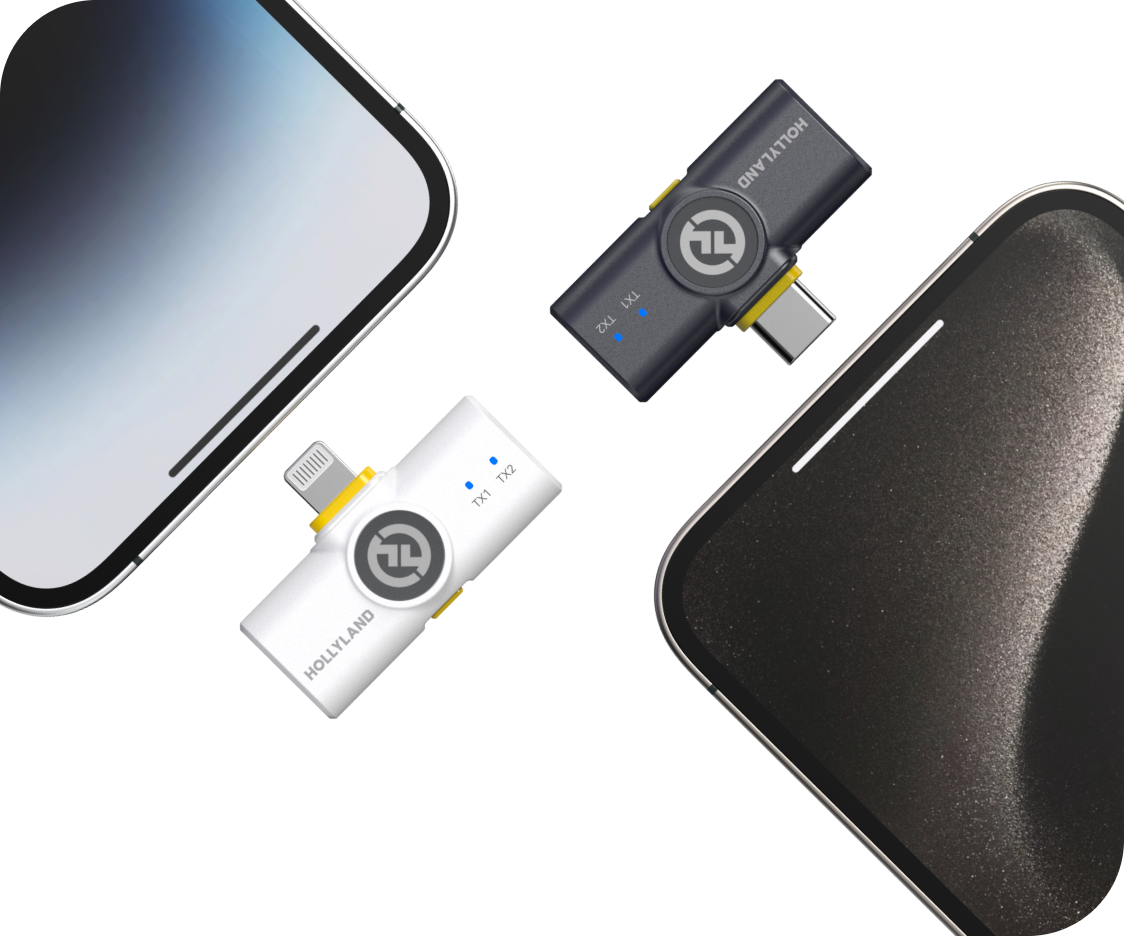
Reliable all-day mic for mobile creators on the move

Ultralight, no-logo mic for creators who film themselves

Pro-grade audio for iPhone and camera hybrid shoots

Best starter mic for solo iPhone recording

Broadcast-grade multi-mic system for creators who demand more

AI-powered clip-and-go mic for smartphone creators
| Model |
 LARK M2
$68.40
LARK M2
$68.40
|
 LARK M2S
$99.00
LARK M2S
$99.00
|
 LARK MAX 2
$189.00
LARK MAX 2
$189.00
|
 LARK A1
$35.90
LARK A1
$35.90
|
 LARK M3
$99.00
LARK M3
$99.00
|
 LARK A2
$29.99
LARK A2
$29.99
|
|---|---|---|---|---|---|---|
| iPhone Compatible | Yes — Mobile & Combo Versions | Yes — Mobile & Combo Versions | Yes (via Combo setup) | Yes — Plug & Play | Yes (via Combo setup) | Yes — Plug & Play (Smartphones / Mobile Devices) |
| Audio Quality | 48kHz / 24-bit | 48kHz / 24-bit | 48kHz / 32-bit Float | 48kHz / 24-bit | 48kHz / 24-bit & 32-bit Float | 48kHz / 24-bit |
| Noise Cancellation | ENC Environmental Noise Cancellation | ENC Environmental Noise Cancellation | AI Noise Cancellation | 3-Level Intelligent Noise Cancellation | Adaptive AI Noise Cancellation | AI-Powered Noise Cancellation & Voice Tuning |
| Wireless Range (LOS) | 300m / 1000ft | 300m / 1000ft | 340m / 1115ft | 200m / 650ft | 300m / 1000ft | 200m / 656ft |
| Total Battery Life | Up to 40 hours | Up to 30 hours | Up to 36 hours | Up to 54 hours | Up to 48 hours | Up to 42 hours |
| Transmitter Weight | 9g | 7g | 14g | 8g | 9g | 8.5g |
| App Control | Yes (Mobile Version) | Yes (Mobile Version) | Yes + Timecode & Monitoring | Yes (EQ, Gain & Reverb) | Yes + 4 Independent Tracks & Custom Voice Tuning | Yes |
| Best For | Everyday creators & vloggers | Style-conscious & on-camera creators | Semi-pro & camera+iPhone workflows | iPhone-first creators & beginners | Multi-mic productions & broadcast-grade creators | Smartphone creators wanting AI audio & ultra-compact design |
| Shop | Shop | Shop | Shop | Shop | Shop |
Before anything else, confirm which port your iPhone uses.
This matters because wireless microphone receivers connect directly to your iPhone via its charging port. Some mics come in a Mobile Version designed specifically for a single port type, while others come as a Combo Version — bundled with both Lightning and USB-C receivers so you're covered regardless of which iPhone you're using.
Pro tip: If you plan to upgrade your iPhone soon, or share your mic between multiple devices, the Combo Version gives you long-term flexibility without buying again.
One of the most common frustrations with mobile audio gear is a complicated setup. For iPhone creators, the ideal wireless mic should be ready to record the moment you plug it in — no drivers, no pairing ritual, no app required to get basic audio working.
Look for microphones that are:
If you're a beginner or just want a mic that stays out of your way, plug-and-play should be non-negotiable.
Audio specifications can be overwhelming. Here's what actually matters for real-world iPhone recording:
Recording format Look for 24-bit / 48kHz audio as a baseline. This delivers broadcast-quality clarity well above what compressed phone audio can produce — and is more than sufficient for social media, YouTube, and podcasting.
Signal-to-noise ratio (SNR) A higher SNR means less hiss and cleaner audio in quiet moments. Anything above 67dB SNR is solid for content creation purposes.
Maximum SPL handling If you record in loud environments — live events, concerts, busy streets — check the maximum SPL rating. A mic rated at 115dB SPL or higher handles loud sources without distorting.
Frequency response A flat 20Hz–20kHz response means the mic captures the full range of the human voice naturally, without artificially boosting or cutting frequencies.
Recording outdoors, in a café, at an event, or near air conditioning? Background noise is one of the biggest quality killers in mobile video audio.
There are two main types of noise reduction to look for:
For most content creators recording in mixed environments, ENC is a strong baseline. For semi-professional use cases — journalism, field reporting, or multi-person shoots in noisy locations — AI noise cancellation offers a meaningful upgrade.
Some microphones also include adjustable noise cancellation levels, letting you dial in how aggressively background sound is suppressed depending on your environment. This kind of flexibility is especially useful if you record across different settings regularly.
The LARK A2 sits between these tiers — it brings AI-Powered Noise Cancellation & Voice Tuning to a compact, smartphone-first form factor, making it a strong choice for creators who want intelligent noise processing without stepping up to a full semi-pro kit.
Wireless range determines how freely you can move while recording.
| Scenario | Recommended Range |
|---|---|
| Selfie-mode or short-distance filming | 10–30m is sufficient |
| Vlogging, interviews, walking shots | 60m+ (NLOS) gives comfortable margin |
| Large spaces, stage presentations, events | 100m+ (LOS) for reliable signal |
LOS (Line of Sight) is the maximum rated range in open air with no obstructions. NLOS (Non-Line of Sight) is the more realistic figure for indoor or urban shooting, where walls, people, and objects interrupt the signal path.
For most iPhone creators, a 60m NLOS range covers the vast majority of real-world shooting scenarios.
Running out of battery is a real problem. When evaluating battery life, consider two figures:
For day-long shoots, travel content, or event coverage, a mic system with a high-capacity charging case is a significant practical advantage. For shorter, controlled sessions, per-charge runtime is usually sufficient.
This is often overlooked but shapes the type of kit you need.
Single transmitter (1-TX) setups are ideal for:
Dual transmitter (2-TX) setups are better for:
Most wireless mic systems for iPhone are available in both single and dual configurations. If you regularly record conversations or interviews, a dual kit eliminates the need to buy a second system later.
Wireless mics for iPhone range from beautifully simple to genuinely professional in terms of adjustability. Match the level of control to your workflow:
Basic users (beginners, casual creators, small business owners) → Look for plug-and-play with automatic gain control. Fewer settings means faster setup and less room for error.
Intermediate creators (regular content creators, vloggers, educators) → Benefit from app-based control — adjust gain, monitor levels, toggle noise cancellation, and fine-tune EQ directly from their iPhone. This adds flexibility without requiring external gear.
Advanced / semi-professional users (journalists, hybrid camera+iPhone workflows, event videographers) → May need features like 32-bit float recording, timecode sync, multi-transmitter support, or wireless audio monitoring. These features protect recordings in unpredictable environments and integrate into more complex production setups.
The LARK M3 is purpose-built for this tier — it supports up to 4 TX & 4 RX with 4 independent isolated tracks, delivers 32-bit float broadcast-grade audio, and packs all of this into a featherweight 9g transmitter with 300m wireless range and up to 48 hours of total battery life.
If you're unsure, start with a mic that offers app control as an option rather than a requirement. You get simplicity by default, and depth when you need it.
For video content, what the mic looks like on camera matters — especially for close-up or talking-head shots.
Key things to consider:
For creators where on-screen aesthetics are a priority — particularly beauty, lifestyle, or fashion content — a no-logo, minimal-profile transmitter is worth specifically seeking out.
I love my new LARK M2 mics. These were so good, and I really enjoyed testing out the new LARK M2 from Hollyland.
The Hollyland LARK MAX is the wireless microphone system with the clearest and crispest audio of any wireless mic system I have ever tried.
LARK MAX is doing an excellent job of dropping the sound of the air conditioner, which is something l always have to remove and post with our shotgun mic.
 Technical Support:
support.us@hollyland.com
Technical Support:
support.us@hollyland.com
Order Support:
store.us@hollyland.com
Technical Support:
support.us@hollyland.com
Order Support:
store.us@hollyland.com