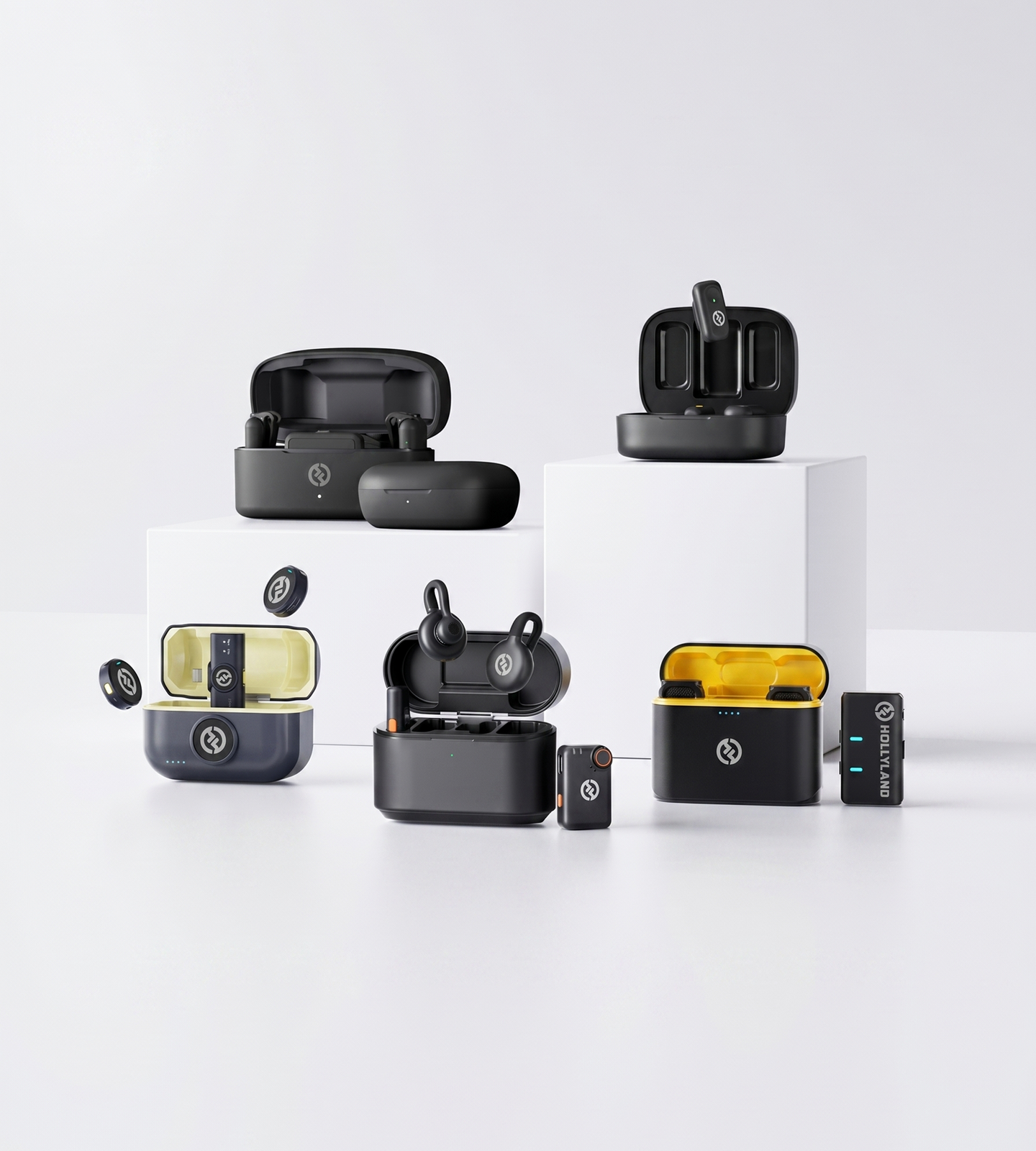
USB Microphones

USB Microphones Built for Every Creator

Plug in and record. Hollyland's wireless USB microphones deliver 24–32-bit studio-quality audio with built-in noise cancellation — no drivers, no audio interface needed. Compatible with iPhone, Android, Mac, PC, and camera. From beginner-friendly clip-ons to professional 32-bit float recorders.
Shop Now Compare Models

Works with iPhone, Android, Mac, PC & camera — no drivers or audio interface required

  • Instant Plug & Play
  • ENC & AI Noise Cancellation
  • Universal Device Compatibility
  • 24–32-Bit Studio Audio
USB Microphones Built for Every Creator
Editor's pickLARK MAX 232-bit Float · AI Noise Cancel
4.7 / 5From 1.5M+ verified creators
Shop Models

Find Your Mic

Plug-and-play USB audio for every creator level — matched to your workflow.
LARK M2

LARK M2

Compact clip-on audio for video and streaming

  • ENC Noise Cancellation
  • 24-bit / 48kHz
  • Plug & Play
$76.00
LARK M2S

LARK M2S

Ultra-discreet wireless for on-screen creators

  • No-Logo Titanium Design
  • ENC Noise Cancellation
  • 7g Ultra-Light
$89.00
LARK MAX 2

LARK MAX 2

Pro-grade 32-bit wireless for demanding productions

  • 32-bit Float Recording
  • AI Noise Cancellation
  • Timecode
$189.00
LARK A1

LARK A1

Plug-and-play wireless for smartphone creators

  • Smartphone USB-C
  • 3-Level Noise Cancellation
  • 54-Hr Total Battery
$35.90
Side-by-side

USB Microphone Comparison

Compare Hollyland's wireless USB mics side by side to find the right fit for your setup.
Model LARK M2 LARK M2 $76.00 LARK M2S LARK M2S $89.00 LARK MAX 2 LARK MAX 2 $189.00 LARK A1 LARK A1 $35.90
Best ForContent creators & multi-device users Style-conscious & discreet creators Pro & semi-pro videographers Mobile-first creators & smartphone users
Recording Quality48kHz / 24-bit WAV 48kHz / 24-bit 48kHz / 32-bit Float 48kHz / 24-bit
Noise CancellationENC Environmental Noise Cancellation ENC Environmental Noise Cancellation AI Noise Cancellation 3-Level Intelligent Noise Cancellation
Wireless Range300m / 1000ft (LOS) 300m / 1000ft (LOS) 340m / 1115ft (LOS) 200m / 650ft (LOS)
Total Battery LifeUp to 40 hours Up to 30 hours Up to 36 hours Up to 54 hours
Transmitter Weight~9g ~7g ~14g ~8g
Works WithMobile, Camera & Universal (Combo version) Mobile, Camera & Universal (Combo version) Camera, Mobile & Multi-TX (up to 4 TX per RX) Smartphones (iOS & Android, USB-C plug and play)
Standout FeatureButton-size mini design + App control No-logo invisible fit + innovative titanium design 32-bit float + Timecode + Low-latency wireless monitoring 6-level gain control + EQ & reverb adjustment
Shop Shop Shop Shop
Buying Guide

How to Choose the Right USB Microphone

USB microphones have evolved well beyond the desk-bound condenser. Today's options span compact wireless clip-ons to pro-grade systems with 32-bit float recording — all with the same plug-and-play simplicity. Use this guide to identify what actually matters for your setup before you buy.
  1. What 'USB Microphone' Means Today
  2. Connection Type and Device…
  3. Audio Quality: What the Specs…
  4. Noise Cancellation: Your Room Is…
  5. Form Factor: Tethered Desk Mic vs.…
  6. Setup Complexity: Is It Actually…
  7. Battery Life and Wireless Range
  8. Matching the Right Mic to Your…

What 'USB Microphone' Means Today

The category covers more ground than most buyers expect. A traditional USB mic is a large-capsule condenser on a stand, cabled directly into a computer. But modern wireless lavalier systems with USB-C or USB dongle receivers deliver the same plug-and-play convenience — with the added freedom of going wireless and wearable. Understanding which format suits your workflow is the first decision to make.


Connection Type and Device Compatibility

Compatibility is the most overlooked spec on any USB microphone. Before buying, map out every device you plan to record with:

  • USB-A dongles work with most laptops and desktop computers, but not natively with smartphones or tablets
  • USB-C connections support modern Android phones, iPads, MacBooks, and many mirrorless cameras
  • Combo receivers (USB-C + USB-A output in one system) cover all of the above — the most flexible choice if you regularly switch between devices

The right question: Does the mic need to work with your phone and your laptop and your camera — or just one?


Audio Quality: What the Specs Actually Tell You

Three numbers do most of the work when comparing audio quality:

  • Bit depth24-bit captures a wide dynamic range suitable for most creators. 32-bit float goes further: it allows you to recover audio from clipping in post-production, making it especially valuable in unpredictable recording situations or professional workflows.
  • Signal-to-Noise Ratio (SNR) — Higher is better. A mic rated ≥70dB SNR delivers clean, low-noise audio with minimal self-hiss. Particularly important in quiet studio environments where background noise is immediately audible.
  • Frequency response — A flat 20Hz–20kHz response means the mic reproduces the full range of the human voice without artificially boosting or cutting certain frequencies.

Noise Cancellation: Your Room Is Part of the Recording

Background noise is the most common frustration for home and office recordists. Look for these active noise-handling features:

  • ENC (Environmental Noise Cancellation) — Filters out consistent ambient noise like air conditioning, fan hum, keyboard clicks, and traffic in real time, before audio reaches your device
  • AI Noise Cancellation — A more advanced layer that uses machine learning to isolate voice from complex, variable noise sources — better suited to unpredictable environments
  • Adjustable noise cancellation levels — Useful when you need to balance noise rejection with natural voice tone, rather than applying a fixed, one-size-fits-all filter

If you record in a noisy or acoustically untreated space, active noise cancellation should be near the top of your priority list — more so than microphone polar pattern.


Form Factor: Tethered Desk Mic vs. Wireless Clip-On

Your recording environment determines which form factor makes sense:

Staying at a desk?

Either format works well. A clip-on lavalier worn close to the mouth often captures more consistent audio than a condenser mic at arm's length — especially when you move your head during recording.

Moving on camera, presenting, or shooting on location?

A compact wireless clip-on with a USB receiver gives you the same zero-setup experience without a cable tethering you to a desk or stand.

Appearing on camera and need discretion?

Look at transmitter weight and size. A unit weighing 7–9g clips under clothing without creating visible bulk or logo marks through fabric. Some systems are specifically designed to disappear on-screen.

Portability tip: If you travel frequently, factor in charging case size and total battery life — not just per-charge runtime.


Setup Complexity: Is It Actually Plug-and-Play?

Genuine plug-and-play means:

  • No drivers to install
  • No audio interface required
  • No software needed to capture audio

The receiver plugs in and immediately registers as a standard audio input on your device. Some systems add an optional companion app for adjusting gain, EQ, or noise cancellation — a useful layer of control, but not required for basic use.

One rule of thumb: If a USB mic requires proprietary software just to function, it defeats the core advantage of the USB format.


Battery Life and Wireless Range

For wireless USB mic systems, these specs directly affect usability in the field:

  • Per-charge transmitter runtime — Aim for 9–11 hours to comfortably cover a full shooting day without needing to recharge mid-session
  • Total battery life with charging case — A case that extends total runtime to 30–54 hours means several days of use between wall charges
  • Wireless range — For indoor desk or studio use, 40–70m NLOS (non-line-of-sight) is more than sufficient. For outdoor, stage, or event use, look for systems rated 300m+ line-of-sight
  • Latency — If you monitor audio through headphones while recording, low-latency wireless transmission is essential to prevent the disorienting delay between speaking and hearing yourself

Matching the Right Mic to Your Workflow

Use Case What to Prioritize
Smartphone creator / mobile-first USB-C plug-and-play, compact form factor, gain control
Podcaster / streamer at a desk Audio quality, SNR, noise cancellation, long battery life
On-camera presenter or interview subject Lightweight clip-on, wireless freedom, discreet no-logo design
Semi-pro / documentary / broadcast 32-bit float recording, AI noise cancellation, timecode support
Frequent traveler / location shooter Compact design, high total battery life, broad device compatibility

The LARK A1 is purpose-built for smartphone-first creators who want a straightforward USB-C upgrade with onboard gain and noise control. The LARK M2 and LARK M2S suit creators who move across devices and locations, offering Combo receiver options, ENC noise cancellation, and transmitters light enough to disappear on-screen. For users who need broadcast-level precision, the LARK MAX 2 brings 32-bit float recording, AI noise cancellation, and timecode into a wireless, plug-and-play system.

Built For Your Workflow

Audio That Fits the Way You Create

From desk setups to on-location shoots, every creator's workflow is different. Hollyland USB mics adapt to yours — plug in, press record, and focus on what matters.

Podcasting & Live Streaming

Deliver broadcast-ready voice audio without a studio setup. Clip-on wireless mics connect directly via USB, keeping your desk clean and your audio focused — even when your recording space isn't acoustically treated.
  • Studio-Quality Voice
  • Noise Cancellation
  • Clutter-Free Desk

Video Content Creation

Clean audio makes or breaks the watch-through on YouTube, TikTok, and Instagram Reels. Compact wireless mics with plug-and-play USB connectivity keep your setup minimal so you can focus on the content, not the cables.
  • YouTube & Social
  • On-Camera Discreet
  • Zero Setup

Remote Work & Video Calls

Built-in laptop mics pick up everything — keyboard clicks, HVAC hum, background chatter. Plug in a Hollyland mic and intelligent noise cancellation ensures the only thing your colleagues hear is your voice.
  • Zoom & Teams Ready
  • Home Office
  • Background Noise Blocked

Mobile & On-Location Recording

No audio interface. No bulky gear. These mics connect directly to your iPhone, Android, or camera via USB-C or wireless dongle, giving you professional audio quality anywhere your shoot takes you.
  • Smartphone Compatible
  • Camera Ready
  • On-Location

Voiceover & Narration

Record broadcast-quality takes from your home setup or out in the field. 24-bit and 32-bit float recording preserves every nuance of your delivery — with the dynamic range that demanding post-production workflows require.
  • Home Studio
  • Broadcast-Quality Takes
  • Post-Production Ready

Interviews & Documentary

Discreet clip-on transmitters stay out of frame while delivering clean, clear audio throughout long shoots. Wireless range and multi-transmitter support keep complex setups manageable — even when subjects are on the move.
  • Field Recording
  • Discreet Clip-On
  • Multi-Mic Setup
Trusted by creators

1.5M+ creators picked LARK microphones for their audio

A decade of wireless engineering for film crews and broadcasters — packaged for modern creator workflows.
  • 4.7 Avg. rating · 120K+ reviews
  • 1.5M+ Verified creators
  • 160+ Countries shipped
  • 98% Would recommend

I love my new LARK M2 mics. These were so good, and I really enjoyed testing out the new LARK M2 from Hollyland.

Sarah GraceSarah GraceTech Creator · 3.2M YouTube subscribers

The Hollyland LARK MAX is the wireless microphone system with the clearest and crispest audio of any wireless mic system I have ever tried.

GoenrockGoenrockCinematographer · 107K Instagram subscribers

LARK MAX is doing an excellent job of dropping the sound of the air conditioner, which is something l always have to remove and post with our shotgun mic.

Film RiotFilm RiotFilmmaking Educator · 2.2M YouTube subscribers
  • No Film School
  • Newsshooter
  • CineD
  • RedShark
  • CAMERA JABBER
  • Photowebexpo
FAQ

USB Microphone Questions, Answered

Do I need an audio interface, drivers, or extra software to use these microphones?
No. Every Hollyland microphone on this page is plug-and-play. Connect via USB-C or USB dongle and your device recognizes it immediately — no drivers to install, no audio interface required, no software to configure before you press record. The **LARK A1** plugs directly into smartphones via USB-C. The **LARK M2** and **LARK M2S** (Combo versions) support phones, computers, and cameras. The **LARK MAX 2** connects to cameras and computers the same way — ready in seconds.
Which devices are Hollyland USB microphones compatible with?
Compatibility varies by model: - **LARK A1** — Designed for smartphones (iOS and Android) via USB-C plug-and-play. - **LARK M2 / LARK M2S** — Available in Mobile (USB-C for phones), Camera (USB dongle for cameras and computers), or Combo versions that support both. - **LARK MAX 2** — Compatible with cameras and computers via USB plug-and-play. If you need one mic that works across multiple device types, the **Combo versions** of the LARK M2 or M2S offer the broadest cross-device compatibility.
Will these microphones pick up background noise from my home or office?
Background noise is addressed at the hardware level across every mic in this lineup — you don't need a treated room to get clean audio. - The **LARK M2** and **LARK M2S** both use **ENC (Environmental Noise Cancellation)** to filter ambient sound in real time. - The **LARK A1** offers **3-level intelligent noise cancellation** you can adjust to match your environment, alongside auto-limit clip protection. - The **LARK MAX 2** applies **AI noise cancellation** for the highest level of background rejection in demanding environments. Because the transmitter clips to your collar — just centimeters from your mouth — the mic captures your voice directly with far less room sound than a desk mic pulling in everything around it.
How does audio quality compare to a traditional USB condenser microphone?
In most real-world use cases, Hollyland wireless USB mics match or exceed what a desktop condenser delivers — and they do it without tethering you to a desk. Every mic in this lineup records at **48kHz / 24-bit**, the same standard used in professional audio production. The **LARK MAX 2** goes further with **32-bit float recording**, giving you a virtually unclippable signal that's significantly easier to correct in post. Signal-to-noise ratios exceed 67dB across the range (the LARK MAX 2 reaches ≥72dB), and all mics cover the full **20Hz–20kHz** frequency spectrum. The practical difference: you get studio-grade quality wirelessly, from a mic that moves with you rather than one that sits on a stand.
Is wireless audio reliable? Will I get dropouts or sync issues?
Hollyland's wireless transmission is engineered for professional dependability. The **LARK M2** and **LARK M2S** reach up to **300m / 1,000ft (line-of-sight)**, and the **LARK MAX 2** extends that to **340m / 1,115ft**. For typical indoor use — a home studio, office, or on-location shoot — the signal holds comfortably well beyond any range you'll realistically need. The **LARK MAX 2** also supports **timecode sync**, keeping audio and video locked frame-accurately in multi-camera setups. Its **low-latency OWS Monitor Earphone** lets you check your audio in real time up to 100m away — so you know exactly what you're capturing as it happens.
How is a Hollyland wireless mic different from a standard USB microphone on a stand?
A traditional USB condenser sits on a desk, tethers you to a cable, and picks up everything in the room with equal indifference. Hollyland's approach is fundamentally different. The transmitter clips to your collar — a few centimeters from your mouth — so it captures your voice directly, with far less room noise regardless of where you're facing or how you move. There's no cable running to a desk, no fixed recording position, and no mic visible in your frame. For content creators, interviewers, streamers, or anyone who moves during a shoot, that proximity and freedom delivers results a stationary desk mic simply can't replicate under the same conditions.
Which Hollyland USB microphone should I choose?
The right choice depends on your device, workflow, and how much you need from your audio: - **LARK A1** — Best for smartphone creators who want a simple, affordable upgrade. Includes 3-level noise cancellation, 6-level gain control, EQ and reverb adjustment, and up to **54 hours** of total battery life with the case. - **LARK M2** — A versatile all-rounder for creators shooting on phones or cameras. ENC noise cancellation, a 9g transmitter, and up to **40 hours** of total battery life. - **LARK M2S** — Same wireless performance as the M2, with a **no-logo titanium design** that's nearly invisible on screen. The right choice if you're on camera and want clean audio without a branded clip in the shot. - **LARK MAX 2** — For creators who need the most from their audio: **32-bit float recording**, AI noise cancellation, timecode sync, and support for up to **4 transmitters on one receiver**. Built for serious productions where audio quality isn't negotiable.
How long do the batteries last?
Battery life is strong across the entire lineup — enough for a full day of recording without stopping to recharge: - **LARK A1**: Up to 9 hours per TX charge; up to **54 hours total** with the charging case. - **LARK M2**: Up to 10 hours per TX charge; up to **40 hours total**. - **LARK M2S**: Up to 9 hours per TX charge; up to **30 hours total**. - **LARK MAX 2**: Up to 11 hours per mic charge, 12 hours for the camera RX; up to **36 hours total**. The OWS Monitor Earphone adds an additional **18 hours** of wireless monitoring battery. The LARK MAX 2 also supports **32-bit float internal recording directly on the transmitter for up to 14 hours** — a reliable backup if you ever need to capture audio independently of the receiver.
Explore further

A few more places to go from here

A curated link map of the surrounding content — related categories, the most useful guides, head-to-head comparisons and setup help.
Ready when you are

Your Audio Upgrade Starts Here.

Plug-and-play setup, built-in noise cancellation, and 24-bit recording — for every device you already own.
Shop Now Compare Models
  • Free shipping over $99
  • 30-day returns
  • 1-year warranty