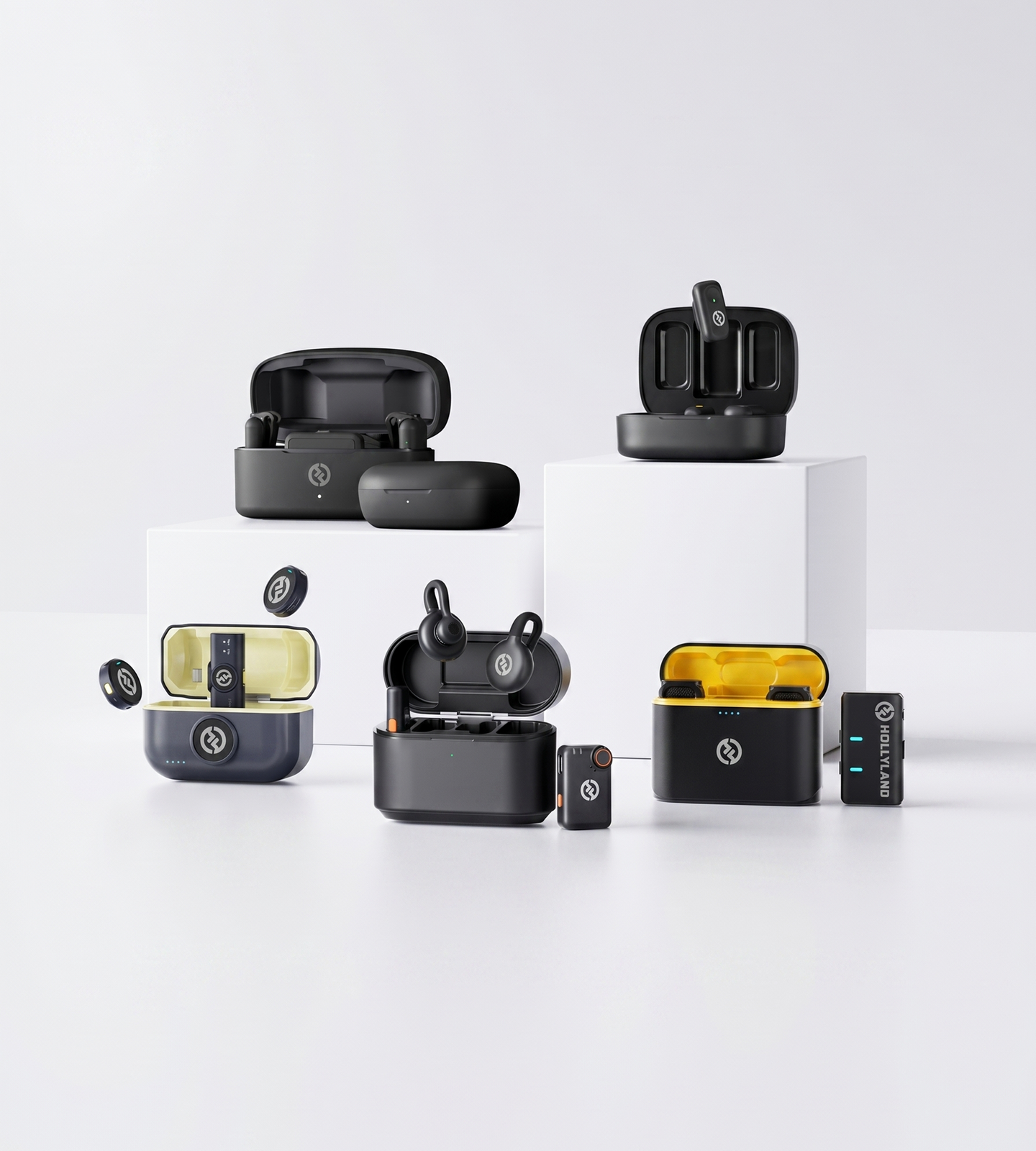
For PC & Mac

Microphones for Computer

Ditch your laptop's built-in mic. Hollyland wireless lapel microphones connect to any PC or Mac via USB or USB-C — plug in and go. Professional voice clarity and intelligent noise cancellation for video calls, podcasting, and live streaming.
Shop Now Compare Models

Works with Windows & Mac · USB & USB-C · No Drivers Required

  • Plug & Play, No Drivers
  • ENC & AI Noise Cancellation
  • USB & USB-C Compatible
  • Stable Wireless Signal Indoors
Microphones for Computer
Editor's PickLARK MAX 2AI Noise Cancellation · 32-bit Float
4.7 / 5From 1.5M+ verified creators
Shop Models

Mics for Every Computer Workflow

Three wireless mics built for computer audio — pick the one that fits how you work.
LARK M2

LARK M2

The everyday pick for calls and content

  • ENC Noise Cancellation
  • Plug & Play
  • USB + 3.5mm
$76.00
LARK M2S

LARK M2S

Sleek and desk-ready for on-camera work

  • Titanium Design
  • ENC Noise Cancellation
  • Plug & Play
$89.00
LARK MAX 2

LARK MAX 2

Pro-grade audio for podcasts and live streams

  • AI Noise Cancellation
  • 32-bit Float
  • Connects Up to 4 Mics
$189.00
Side-by-side

Which Model Is Right for You?

Compare key specs to find the best Hollyland wireless mic for your computer setup.
Model LARK M2 LARK M2 $76.00 LARK M2S LARK M2S $89.00 LARK MAX 2 LARK MAX 2 $189.00
Computer ConnectionUSB / 3.5mm (Combo Version) USB / 3.5mm (Combo Version) USB Receiver
Noise CancellationENC ENC AI Noise Cancellation
Recording Quality24-bit / 48kHz 24-bit / 48kHz 32-bit Float / 48kHz
Internal RecordingYes, up to 14 hrs
Wireless RangeUp to 300m / 1000ft Up to 300m / 1000ft Up to 340m / 1115ft
Mic Battery Life~10 hrs per charge ~9 hrs per charge ~11 hrs per charge
Transmitter Weight~9g ~7g ~14g
Shop Shop Shop
Buying Guide

How to Choose a Computer Microphone

Not all microphones are built for computer use — and even among compatible options, the right choice depends on your setup, environment, and how you plan to use it. Here's what to consider before you buy.
  1. Connection Type: How It Plugs Into…
  2. Wired vs. Wireless: What Actually…
  3. Background Noise: A Critical…
  4. Audio Quality: The Specs That…
  5. Form Factor: Desktop Mic vs.…
  6. Matching Your Microphone to Your…

Connection Type: How It Plugs Into Your Computer

Before anything else, check how the microphone connects to your machine.

  • USB and USB-C are the most reliable options for desktop and laptop setups. They're truly plug-and-play — no audio interface, no drivers, no extra hardware.
  • 3.5mm connections work with computers that have a dedicated audio input jack, but audio quality can vary depending on the device's onboard sound card.
  • Combo receivers (supporting both USB and 3.5mm output) offer the broadest compatibility and are the safest choice if you use multiple devices or aren't sure what ports your laptop has.

Bottom line: If you want zero setup friction, prioritize a microphone system with a USB or combo receiver that works out of the box with both PC and Mac.


Wired vs. Wireless: What Actually Works for a Computer Setup

Many buyers assume a computer microphone means a bulky desktop condenser on a stand. In reality, wireless lapel microphones with a compact USB receiver are a highly practical alternative — and often a better fit.

Wired desktop microphones work well if you:

  • Record at a fixed desk and never need to move
  • Prefer a single-cable setup with minimal components
  • Are building a traditional studio-style recording environment

Wireless lapel systems are worth considering if you:

  • Present, teach, or move during recordings
  • Want a clean, cable-free desk
  • Record video and need a discreet on-camera look
  • Use multiple devices and want one mic that adapts

A wireless system paired with a USB receiver gives you the freedom of wireless movement with the simplicity of a direct computer connection — no interface, no complicated routing.


Background Noise: A Critical Factor for Home and Office Use

Background noise is one of the biggest pain points for computer audio — keyboard clicks, fan hum, HVAC systems, street traffic, and room echo all degrade your recording quality. Two technologies address this directly:

  • ENC (Environmental Noise Cancellation): Filters ambient noise at the microphone level in real time, isolating your voice from the surrounding environment. This is the baseline expectation for any microphone used in a home office or shared workspace.
  • AI Noise Cancellation: Goes further by using intelligent algorithms to distinguish voice from non-voice sounds continuously. The result is a noticeably cleaner signal — especially in unpredictable acoustic environments.

For everyday use (video calls, online classes, casual content): ENC is sufficient and makes a clear improvement over any built-in mic.

For professional use (podcasting, live streaming, voiceover): AI noise cancellation is worth the upgrade — it reduces the need for heavy post-production cleanup and delivers broadcast-quality clarity in real-world environments. The LARK MAX 2 includes AI noise cancellation and is well-suited to this level of demand.


Audio Quality: The Specs That Actually Matter

You don't need to be an audio engineer to evaluate microphone quality. Focus on these three indicators:

  • Sample rate and bit depth: 48kHz / 24-bit is the professional standard for voice recording and is sufficient for podcasting, streaming, and video content. 32-bit float recording captures a significantly wider dynamic range and allows you to recover from volume peaks or clipping in post-production — a major advantage if you record without a dedicated sound engineer monitoring levels.
  • Signal-to-Noise Ratio (SNR): Measured in dB — the higher the number, the cleaner the audio. Look for ≥70dB for professional-sounding results with minimal background hiss.
  • Frequency response: A range of 20Hz–20kHz covers the full spectrum of human hearing and ensures natural, accurate voice reproduction.

If you're producing content you'll edit afterward — podcasts, voiceovers, video commentary — 32-bit float recording gives you considerably more flexibility in post. It's a feature available on higher-tier wireless systems like the LARK MAX 2.


Form Factor: Desktop Mic vs. Clip-On Lapel

The physical style of your microphone affects your workflow, your desk setup, and how you appear on camera.

Desktop condenser microphones:

  • Sit on a stand or boom arm at your desk
  • Require positioning discipline — moving away from the mic noticeably affects audio quality
  • Can pick up desk vibrations, keyboard noise, and room reflections depending on placement
  • Visually prominent on camera

Clip-on (lapel) wireless microphones:

  • Clip to your collar or shirt, staying close to your voice at a consistent distance
  • Minimal desk footprint — nothing between you and the camera
  • Discreet on video — suitable for professional and on-camera use
  • Paired with a USB receiver, they function as a complete plug-and-play computer microphone system

For remote workers, educators, and video creators who appear on camera regularly, a lapel mic offers a cleaner visual and typically more consistent audio — because the distance between mic and mouth stays constant regardless of how you move.

For podcasters and audio-only workflows who prefer a traditional setup, a desktop microphone with a cardioid pattern remains a reliable choice — though it demands a controlled acoustic environment.


Matching Your Microphone to Your Workflow

Once you've assessed your connection needs, environment, and form factor preference, use this as a quick reference:

Use Case What to Prioritize
Video calls and remote work Plug-and-play USB, ENC noise cancellation, minimal setup
Podcasting and voice recording High SNR, 48kHz/24-bit or 32-bit float, stable wireless signal
Live streaming AI noise cancellation, low latency, reliable indoor signal
Voiceover and content creation Clean signal chain, discreet form factor, broadcast-quality audio
Online teaching and education Freedom of movement, clip-on convenience, universal compatibility
Home studio beginners Plug-and-play simplicity, no driver requirements, solid ENC

For most remote workers, creators, and educators: A compact wireless lapel system with a USB combo receiver — such as the LARK M2 or LARK M2S — delivers professional-quality audio with no configuration required. The LARK M2S adds a refined titanium build and no-logo design for professionals who want a more polished on-camera appearance.

For serious podcasters, streamers, and content professionals: The LARK MAX 2 raises the ceiling with AI noise cancellation, 32-bit float recording, and a system that can support up to four transmitters simultaneously — built for complex, high-stakes recording scenarios.

Built for Every Setup

Sound Better, Whatever You're Doing on Your Computer

From morning stand-ups to late-night streams, Hollyland wireless mics plug straight into your computer and deliver clear, professional-grade audio — no studio required.

Video Calls & Remote Meetings

Stop making colleagues strain to hear you. A wireless lapel mic clips on, connects to your USB port, and instantly puts your voice front and center — with ENC cutting out fan noise, keyboard clicks, and room echo before they ever reach the call.
  • Home Office
  • Noise Cancellation
  • Plug & Play

Podcasting & Voice Recording

Record directly into your DAW or recording software with 24-bit audio clarity and an SNR above 70dB. Wireless freedom means you can move, gesture, and speak naturally — without a bulky condenser mic anchoring you to your desk.
  • Studio-Grade Audio
  • Wireless Freedom
  • DAW-Ready

Live Streaming

Your audience hears everything — the good and the bad. Deliver consistently clean voice audio to Twitch, YouTube, or wherever you stream, with AI noise cancellation keeping room ambience and background distractions out of your mix.
  • Twitch & YouTube
  • AI Noise Cancellation
  • Real-Time Audio

Voiceover & Tutorial Content

Record narration for video edits, screen recordings, or step-by-step tutorials without re-takes caused by room noise. A lightweight lapel transmitter keeps you hands-free while your voice stays clear, consistent, and on-mic.
  • Hands-Free Recording
  • Screen Recording
  • Content Creation

Online Teaching & Remote Learning

Whether you're instructing a live class or joining a virtual lecture, a clip-on wireless mic ensures every word lands clearly — even if you move away from your screen, write on a whiteboard, or present from across the room.
  • E-Learning
  • Clear Voice Delivery
  • Distraction-Free

Gaming & Voice Chat

Skip the headset boom arm and clip on a lapel mic instead. Get natural, clear voice pickup during squad calls and in-game chat, with background noise rejection that keeps your setup sounds — typing, fans, game audio — from bleeding into your mic.
  • Voice Chat
  • Low-Profile Setup
  • Background Noise Rejection
Trusted by creators

1.5M+ creators picked LARK microphones for their audio

A decade of wireless engineering for film crews and broadcasters — packaged for modern creator workflows.
  • 4.7 Avg. rating · 120K+ reviews
  • 1.5M+ Verified creators
  • 160+ Countries shipped
  • 98% Would recommend

I love my new LARK M2 mics. These were so good, and I really enjoyed testing out the new LARK M2 from Hollyland.

Sarah GraceSarah GraceTech Creator · 3.2M YouTube subscribers

The Hollyland LARK MAX is the wireless microphone system with the clearest and crispest audio of any wireless mic system I have ever tried.

GoenrockGoenrockCinematographer · 107K Instagram subscribers

LARK MAX is doing an excellent job of dropping the sound of the air conditioner, which is something l always have to remove and post with our shotgun mic.

Film RiotFilm RiotFilmmaking Educator · 2.2M YouTube subscribers
  • No Film School
  • Newsshooter
  • CineD
  • RedShark
  • CAMERA JABBER
  • Photowebexpo
FAQ

Your Questions About Computer Microphones, Answered

How do I connect a Hollyland wireless mic to my computer or laptop?
It's simpler than you might expect. The **LARK M2** and **LARK M2S** both come in a **Combo Version** that includes a receiver with both a USB output and a 3.5mm output — so you can plug directly into virtually any computer, whether it has a full-size USB port, USB-C (with adapter), or a standard headphone jack. The **LARK MAX 2** connects the same way via its USB receiver. Just plug in, and your computer instantly recognizes the mic as a standard audio input device — no adapters required, no configuration needed.
Do I need to install drivers or special software to use these mics on Windows or Mac?
No. The **LARK M2**, **LARK M2S**, and **LARK MAX 2** are all fully **plug-and-play**. Once you connect the receiver to your computer via USB or 3.5mm, it's automatically detected as an audio input device on both **Windows and macOS** — no driver installation, no setup wizard, no configuration files. Plug in and start recording.
Will these mics work with Zoom, Microsoft Teams, Google Meet, and other video call apps?
Yes. Because Hollyland's wireless receivers register as standard system audio input devices, they're compatible with **any application that uses your computer's microphone** — including Zoom, Microsoft Teams, Google Meet, Skype, Discord, OBS Studio, and more. Once connected, simply open your app's audio settings and select the Hollyland receiver as your microphone input. That's all it takes.
How well do these mics handle background noise like keyboard typing, fan noise, or room echo?
Far better than a built-in laptop mic. The **LARK M2** and **LARK M2S** both feature **ENC (Environmental Noise Cancellation)**, which actively filters out ambient sounds so your voice stays front and center. The **LARK MAX 2** goes further with **AI Noise Cancellation**, delivering professional-grade noise rejection suited for home offices, rooms with HVAC noise, or any less-than-ideal acoustic environment. And because these are lapel mics worn close to your collar, they capture your voice at close range — which naturally reduces the impact of distant noise sources that a desk mic would pick up.
Is a wireless lapel mic really better than my laptop's built-in microphone?
Significantly. Built-in laptop microphones are positioned far from your mouth, sit near fan vents, and capture every keyboard click and room reflection along with your voice. Hollyland's wireless lapel mics clip directly to your collar, placing a dedicated microphone just centimeters from the source. The result is cleaner, fuller audio — with an **SNR of >70dB** on the LARK M2 and M2S, and **≥72dB** on the LARK MAX 2 — across a full **20Hz–20kHz frequency response**. The improvement is immediately noticeable on video calls, and clearly audible in recordings.
Will the wireless connection stay stable when I'm sitting at my desk?
Completely. These systems are engineered for range that far exceeds any desktop scenario. The **LARK M2** and **LARK M2S** deliver up to **300m (1000ft) of line-of-sight range**, while the **LARK MAX 2** reaches up to **340m (1115ft)**. At typical indoor distances of a few feet to a few meters from your computer, signal stability is solid and consistent. You can step away from your desk, move around your room, or present from across the space without any dropout.
Can I use these mics to record directly into audio software like Audacity, GarageBand, or Adobe Audition?
Yes. Once the receiver is plugged in, it appears as a USB audio device in any recording software. Select it as your input source in Audacity, GarageBand, Adobe Audition, Logic Pro, Reaper, or any other DAW, and you're ready to record. The **LARK MAX 2** adds another layer of reliability with **32-bit float internal recording** on the transmitter itself — storing up to **14 hours** of audio directly on the device as a safety net, ensuring you never lose a take, even if something goes wrong on the software side.
Which Hollyland computer microphone is right for me?
Here's a quick breakdown: - **LARK M2 (Combo Version)** — Best for remote workers, students, and casual content creators who want a dependable plug-and-play wireless mic. Ultra-light at **9g**, with strong ENC and universal computer compatibility. - **LARK M2S (Combo Version)** — The right choice for professionals and on-camera creators who want polished performance in a more refined package. The **titanium build**, **no-logo design**, and **7g** weight make it virtually invisible on camera — without giving up any audio quality. - **LARK MAX 2** — Built for serious podcasters, streamers, and video producers who demand the best. **AI noise cancellation**, **32-bit float recording**, an **SNR of ≥72dB**, and support for **up to 4 transmitters on a single receiver** make it a professional-grade system for high-output creators.
Explore further

A few more places to go from here

A curated link map of the surrounding content — related categories, the most useful guides, head-to-head comparisons and setup help.
Ready when you are

Your Best-Sounding Computer Setup Starts Here

Plug-and-play wireless mics with noise cancellation — explore models built for real-world computer use.
Shop Now Compare Models
  • Free shipping over $99
  • 30-day returns
  • 1-year warranty