


LARK M2
The everyday wireless mic for streamers, podcasters, and remote workers
- Plug & Play PC
- ENC Noise Cancellation
- 24-bit / 48kHz
 United States
(English / $
USD)
United States
(English / $
USD)


Video Solutions

Intercom Systems

Wireless Microphones

Cameras
Video Solutions
View all
Video Accessories
Intercom Accessories

Mic Accessories

Camera Accessories
Video Accessories
View all
Hollyland Monitor Calibrator-Wireless Video Transmission System Accessory

Monitor Hood (7-Inch)

Mars 4K Transmitter

Mars 4K Receiver

D-Tap to Locking DC Power Adapter Cable

Crab Clamp

NP-F970 Battery

NP-F550 Battery

Mini HDMI to HDMI Cable

Micro HDMI to HDMI Cable

SDI Cable (1000mm)

SDI Cable (500mm)

Cold Shoe Gimbal

Rotatable Cold Shoe Mount

Side & Bottom Mounted Aluminum Handle

Screw Fitting for Stabilizer

Cylindrical Antenna (2.4GHz & 5GHz)

Paddle Antenna (2.4GHz & 5GHz)

View all


United States / English
USB Plug & Play · Windows & macOS Compatible · No Drivers Required
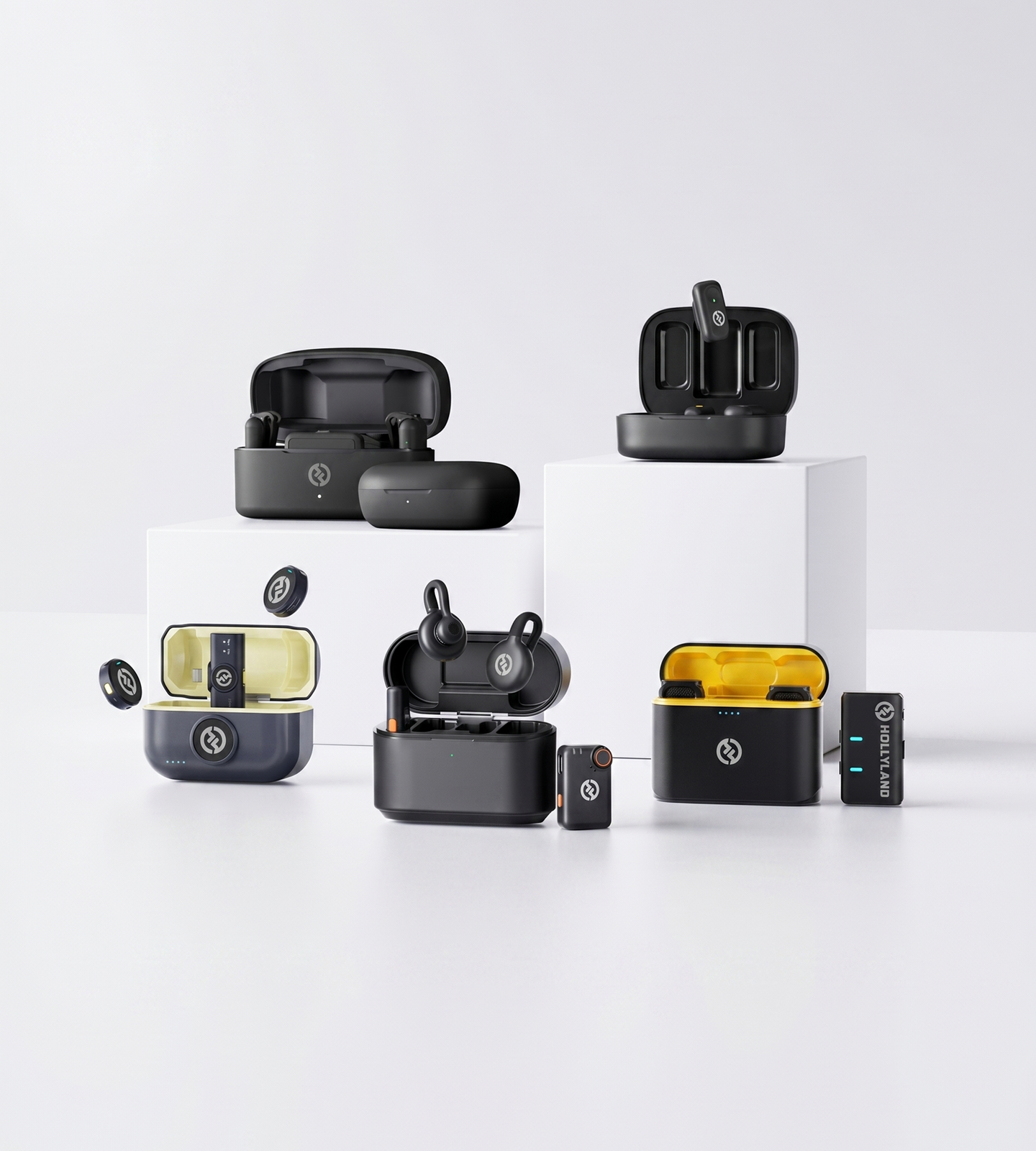
The everyday wireless mic for streamers, podcasters, and remote workers

Studio-grade clarity in a titanium clip-on built for polished PC setups

Professional wireless system for serious PC creators and high-end streaming
| Model |
 LARK M2
$76.00
LARK M2
$76.00
|
 LARK M2S
$99.00
LARK M2S
$99.00
|
 LARK MAX 2
$189.00
LARK MAX 2
$189.00
|
|---|---|---|---|
| PC Compatibility | Plug & Play via USB (Combo Version) | Plug & Play via USB (Combo Version) | Plug & Play via USB (Universal) |
| Audio Quality | 24-bit / 48kHz | 24-bit / 48kHz | 32-bit Float / 48kHz |
| Noise Cancellation | ENC | ENC | AI Noise Cancellation |
| Wireless Range | Up to 300m (LOS) | Up to 300m (LOS) | Up to 340m (LOS) |
| Battery (Per Charge) | ~10 hrs (TX) | ~9 hrs (TX) | ~11 hrs (TX) |
| Total Battery Life | Up to 40 hrs | Up to 30 hrs | Up to 36 hrs |
| Internal Recording | — | — | Yes — 32-bit Float, up to 14 hrs |
| Best For | Streamers, remote workers & everyday creators | Style-conscious creators & premium desk setups | Professional streamers & studio-level recording |
| Shop | Shop | Shop |
This is the first question to answer — and the one most buyers overlook.
Wireless microphones connect to a PC in three main ways:
For most PC creators, a USB dongle receiver is the safest, most stable choice.
If you're working across a desktop and a laptop — or between a PC and a smartphone — look for a Combo or Universal version that includes both USB-A and USB-C receiver outputs in the box. This gives you true cross-device flexibility without adapters.
Setup complexity is a bigger deal than it sounds.
A plug-and-play wireless mic is recognized by your PC as a standard audio input device the moment you connect the receiver — no software installation, no manual configuration, no compatibility troubleshooting. You plug it in, select it as your input in your streaming app, video call, or DAW, and you're done.
Driver-dependent systems can introduce friction: software conflicts, update issues, and added steps before every session.
If you want a frictionless experience — especially across different machines — prioritize systems that are explicitly advertised as plug and play with no drivers required.
When comparing specs, focus on these:
If you're recording in a home office, bedroom, or anywhere with ambient noise — fans, air conditioning, keyboard clicks, street noise — noise cancellation is non-negotiable.
Two types to know:
For most streamers, podcasters, remote workers, and educators, ENC provides excellent results in typical home or office settings.
If you're producing content in a louder or less controlled environment — or working at a higher production standard — AI noise cancellation gives you significantly more headroom for clean audio.
Maximum range specs (often quoted as LOS — line of sight, outdoors) rarely reflect real-world indoor conditions.
What matters more is NLOS (non-line-of-sight) performance — how well the system holds a signal through walls, furniture, and the obstructions typical of a home or office environment.
Wireless freedom disappears fast if your mic dies mid-stream.
What to look for:
Latency is the delay between speaking and the audio being processed.
If real-time monitoring or live streaming is a core part of your workflow, specifically look for systems that advertise low-latency wireless transmission.
Clip-on (lavalier) wireless transmitters are the dominant format for PC-based workflows — and for good reason:
Handheld transmitters suit interview formats, live presentations, or multi-speaker setups where passing the mic makes sense.
For the vast majority of PC use cases — streaming, recording, calls, screen tutorials — a compact clip-on system is the practical default.
Once connection type, audio quality, and battery life are checked off, narrow your choice by use case:
Streamers, podcasters, YouTubers, and remote workers who want reliable wireless audio, strong ENC, and instant USB plug-and-play compatibility — a compact clip-on wireless system like the LARK M2 (Combo Version) is purpose-built for this workflow, balancing performance and simplicity at an accessible level.
Creators who care about desk aesthetics alongside audio performance — the LARK M2S (Combo Version) offers the same plug-and-play PC compatibility in a premium titanium build with a no-logo, camera-ready design.
Professional streamers, audio producers, or multi-mic setups that demand 32-bit float audio, AI noise cancellation, and advanced system control — the LARK MAX 2 is built for creators who need a professional-grade wireless system that performs at the highest level, even in demanding recording environments.
I love my new LARK M2 mics. These were so good, and I really enjoyed testing out the new LARK M2 from Hollyland.
The Hollyland LARK MAX is the wireless microphone system with the clearest and crispest audio of any wireless mic system I have ever tried.
LARK MAX is doing an excellent job of dropping the sound of the air conditioner, which is something l always have to remove and post with our shotgun mic.
 Technical Support:
support.us@hollyland.com
Technical Support:
support.us@hollyland.com
Order Support:
store.us@hollyland.com
Technical Support:
support.us@hollyland.com
Order Support:
store.us@hollyland.com