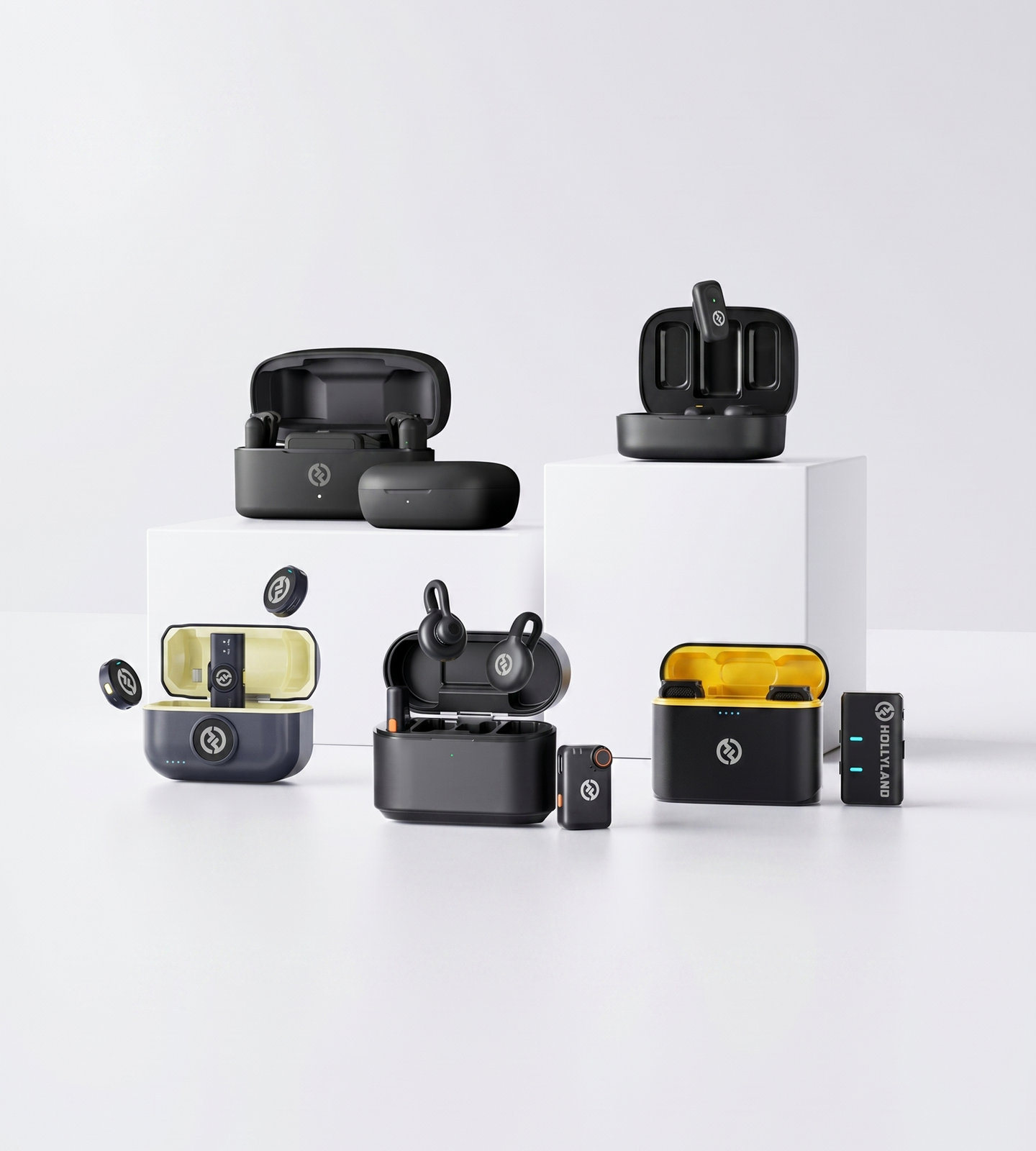
Wireless Lavalier

Lavalier Microphones for Computer

Upgrade your PC or Mac audio for video calls, content creation, and online teaching. Hollyland wireless lavalier mics connect plug-and-play — no drivers, no adapters. Lightweight, noise-canceling clip-on design that sounds pro and stays invisible on camera.
Shop Now Compare Models

Plug-and-play compatible with PC & Mac — no drivers or adapters needed.

  • Plug & Play for PC & Mac
  • ENC & AI Noise Cancellation
  • All-Day Battery Life
  • 7g Invisible Clip-On
Lavalier Microphones for Computer
Editor's pickLARK M2S7g · No-Logo Invisible Fit
4.7 / 5From 1.5M+ verified creators
Shop Models

Lavalier Mics for Your Computer

Plug-and-play wireless clip-ons built for PC and Mac — from daily calls to pro content.
LARK M2

LARK M2

Everyday wireless clarity for calls and content

  • Plug & Play
  • ENC Noise Cancellation
  • 9g Transmitter
$76.00
LARK M2S

LARK M2S

The invisible upgrade for on-camera professionals

  • 7g No-Logo Design
  • ENC Noise Cancellation
  • Titanium Build
$89.00
LARK MAX 2

LARK MAX 2

Pro-grade audio for creators and long recording sessions

  • 32-bit Float Recording
  • AI Noise Cancellation
  • 11h Battery Life
$189.00
Side-by-side

Compare Models

See how each Hollyland lavalier mic stacks up for computer calls, streams, and recordings.
Model LARK M2 LARK M2 $76.00 LARK M2S LARK M2S $89.00 LARK MAX 2 LARK MAX 2 $189.00
Computer CompatibilityPlug & Play (Combo Version) Plug & Play (Combo Version) Plug & Play
Noise CancellationENC Environmental Noise Cancellation ENC Environmental Noise Cancellation AI Noise Cancellation
Recording Format48kHz / 24-bit 48kHz / 24-bit 48kHz / 32-bit Float
Mic Weight9g 7g 14g
Battery Life (Mic)~10 hrs ~9 hrs ~11 hrs
Total Battery LifeUp to 40 hrs Up to 30 hrs Up to 36 hrs
Internal Recording32-bit Float, up to 14 hrs
Best ForVideo calls & everyday content creation On-camera use & premium video calls Pro content creation & podcasting
Shop Shop Shop
Buying Guide

How to Choose a Lavalier Mic for Your Computer

Not every lavalier mic is built for computer use — and the differences between models matter more than they might appear. Here's what to focus on so you buy once and buy right.
  1. Computer Compatibility: Start Here
  2. Wired vs. Wireless: What Works…
  3. Noise Cancellation: Essential for…
  4. Audio Quality: What the Specs…
  5. On-Camera Appearance: Staying…
  6. Battery Life: Planning Around Your…
  7. Matching the Right Mic to Your…

Computer Compatibility: Start Here

Before evaluating audio quality or design, confirm the mic will actually work with your computer.

Look for:

  • Plug-and-play USB connectivity — the receiver should connect directly to your PC or Mac's USB-A or USB-C port and be recognized instantly as an audio device, with no driver installation required
  • A computer-compatible version — some wireless lavalier systems ship in smartphone-only or camera-only configurations; if you're buying for computer use, look specifically for a combo or universal version that includes a USB receiver designed for computers
  • Cross-platform support — confirm compatibility with both Windows and macOS if you switch between systems or share equipment

This is the most commonly overlooked factor. A mic that sounds great but doesn't connect natively to your computer adds friction and expense before you've recorded a single word.


Wired vs. Wireless: What Works Best at a Desk

Wired lavalier mics connect via 3.5mm or USB and are simple, latency-free, and never need charging. The tradeoff: you're physically tethered to your machine.

Wireless lavalier systems remove cable clutter and give you freedom to move — useful for presenters, educators who pace, or anyone who wants a cleaner desk setup. For computer-based use, wireless is practical as long as:

  • The receiver connects natively via USB (no audio interface required)
  • Transmission latency is low enough for live video calls and synchronized recordings
  • The RF connection is stable at close to mid range — you don't need 300m of range at a desk, but you do need a rock-solid signal at 3–10m

For most desk-based workflows, a reliable wireless system with a compact USB receiver is the more versatile and cable-friendly choice.


Noise Cancellation: Essential for Home and Office Use

A lavalier mic positioned close to your mouth naturally improves audio over a built-in laptop mic — but it won't eliminate keyboard clicks, HVAC hum, or ambient room noise on its own. That's where active noise cancellation matters.

Two technologies to know:

  • ENC (Environmental Noise Cancellation) — hardware-level filtering built into the transmitter itself, processing audio before it reaches your computer. Effective at reducing consistent background noise in moderately controlled environments.
  • AI Noise Cancellation — algorithmic processing that learns to distinguish voice from non-voice sounds in real time, handling more complex or variable noise conditions.

For standard video calls and recordings in a reasonably quiet space, ENC provides a meaningful, audible improvement. If you work in a louder environment, produce professional audio content, or need the cleanest possible signal in unpredictable conditions, AI noise cancellation delivers a noticeably higher level of isolation.


Audio Quality: What the Specs Actually Tell You

When comparing microphones, a few key numbers separate genuinely good audio from marketing claims:

  • Signal-to-Noise Ratio (SNR) — aim for ≥70dB for voice recordings without audible background hiss. Higher SNR means cleaner audio in quieter passages.
  • Frequency response — a full 20Hz–20kHz range captures natural voice tone without artificial narrowing
  • Bit depth and sample rate24-bit / 48kHz is the professional standard for voice and more than sufficient for calls, streaming, and voiceover; 32-bit float recording adds a safety net against clipping in unpredictable acoustic conditions, making it particularly useful for long, unsupervised recording sessions

For most users — video calls, streaming, online teaching — 24-bit / 48kHz with good SNR is all you need. 32-bit float becomes relevant when you're producing content where a clipped take means a ruined recording.


On-Camera Appearance: Staying Discreet

If you're regularly visible on video calls or appear on camera for content, how the microphone looks is a legitimate consideration.

What to look for:

  • Transmitter size and weight — a unit under 10g and roughly button-sized is far less noticeable than a standard lapel pack; lighter also means more comfortable during long sessions
  • Logo and branding on the unit — some transmitters carry visible brand markings; others are designed to be logo-free and blend into clothing without drawing attention
  • Clip profile — a low-profile clip that lies flat against fabric reduces shadows and visual distraction on camera

If your audience will see the microphone in frame — whether in a business meeting, YouTube video, or live stream — a smaller, no-logo design keeps the focus on you, not the equipment.


Battery Life: Planning Around Your Day

For wireless systems, battery life determines whether the mic keeps up with your schedule.

Map your longest continuous use scenario:

  • Back-to-back video meetings — a full workday can easily run 6–8 hours; look for transmitter battery life of at least 9–10 hours per charge
  • Long recording sessions — content creators, podcasters, and educators often record in multi-hour blocks; a charging case that extends total system battery life adds meaningful flexibility
  • All-day events or workshops — if you present for extended, unpredictable periods, a system that combines long battery life with on-board backup recording provides an additional safety net if the wireless connection is interrupted

Battery life is rarely an issue for occasional callers, but it becomes a real constraint for anyone with a dense meeting schedule or a full production day.


Matching the Right Mic to Your Workflow

Your Situation What to Prioritize
Video calls and remote meetings Plug-and-play USB, ENC, lightweight clip
Streaming and YouTube content Audio quality, noise cancellation, wireless freedom
Online teaching / long sessions Battery life, comfort, stable wireless connection
Voiceover, podcasting, or professional production Bit depth, AI noise cancellation, advanced control

For most users who want a reliable, minimal-setup wireless lavalier for everyday computer use, a system with ENC, plug-and-play USB compatibility, and long transmitter battery life covers the essentials — this is where the LARK M2 and LARK M2S Combo versions sit. If your workflow demands the highest audio fidelity — long recordings, professional production, or complex acoustic environments — look for 32-bit float capture and AI noise cancellation, which is what the LARK MAX 2 is built for.

Where It Works

Built for Every Way You Use Your Computer

From morning stand-ups to late-night recording sessions, Hollyland lavalier mics are designed for the audio scenarios that actually happen at a desk — no complicated setup, no compromise on sound.

Video Conferencing

Sound like the most prepared person on the call. ENC noise cancellation filters out keyboard clicks, HVAC hum, and room echo so your voice comes through clean and clear on Zoom, Teams, or Google Meet — without asking everyone to repeat themselves.
  • Zoom & Teams
  • Noise Cancellation
  • Work From Home

Live Streaming & Content Creation

Skip the boom arm. Clip on a wireless lavalier and get consistent, on-axis audio whether you're going live on Twitch or recording your next YouTube video at your desk. Less cable clutter on your set, better sound in every frame.
  • Live Streaming
  • YouTube
  • Cable-Free

Voiceover & Screen Recording

Capture narration at 24-bit / 48kHz quality that holds up in post. Whether you're recording a tutorial, dubbing a course video, or producing a product walkthrough, you get clean, broadcast-grade audio that barely needs editing.
  • Voiceover
  • Screen Recording
  • High Fidelity

Online Teaching & Tutoring

Teach all day without audio fatigue or battery anxiety. Weighing as little as 7g, these mics are light enough to forget you're wearing them — and with up to 10 hours per charge, they hold up through your longest class days.
  • Online Teaching
  • Hands-Free
  • Long Sessions

Home Podcasting

Broadcast-quality voice capture with no mixer, no acoustic panels, and no boom arm. Pair a lavalier with your computer and you have everything you need to record a polished solo episode or remote interview — right from your desk.
  • Podcasting
  • Home Studio
  • Plug & Play
Trusted by creators

1.5M+ creators picked LARK microphones for their audio

A decade of wireless engineering for film crews and broadcasters — packaged for modern creator workflows.
  • 4.7 Avg. rating · 120K+ reviews
  • 1.5M+ Verified creators
  • 160+ Countries shipped
  • 98% Would recommend

I love my new LARK M2 mics. These were so good, and I really enjoyed testing out the new LARK M2 from Hollyland.

Sarah GraceSarah GraceTech Creator · 3.2M YouTube subscribers

The Hollyland LARK MAX is the wireless microphone system with the clearest and crispest audio of any wireless mic system I have ever tried.

GoenrockGoenrockCinematographer · 107K Instagram subscribers

LARK MAX is doing an excellent job of dropping the sound of the air conditioner, which is something l always have to remove and post with our shotgun mic.

Film RiotFilm RiotFilmmaking Educator · 2.2M YouTube subscribers
  • No Film School
  • Newsshooter
  • CineD
  • RedShark
  • CAMERA JABBER
  • Photowebexpo
FAQ

Lavalier Microphone for Computer: Your Questions Answered

Do these lavalier mics work plug-and-play with my laptop or PC — no drivers or adapters required?
Yes. The **LARK M2 Combo** and **LARK M2S Combo** are both built for universal, plug-and-play compatibility with PC and Mac. Connect the receiver to your computer's USB or USB-C port and your operating system recognizes it instantly — no driver downloads, no audio settings to configure. The **LARK MAX 2** also connects directly to computers and supports both 24-bit and 32-bit float recording for more advanced setups. If your laptop has limited ports, check the connection type included with your chosen combo version before ordering.
Will a wireless lavalier mic cause audio delay during live Zoom or Teams calls?
No. All Hollyland wireless lavalier mics on this page are engineered for low-latency transmission, making them reliable for live video calls, real-time streaming, and simultaneous recording. The **LARK M2** and **LARK M2S** both operate on a stable 2.4GHz connection with a wireless range of up to 300m line-of-sight — so even across a larger home office or studio, dropouts and sync issues aren't a concern. The **LARK MAX 2** extends that range to 340m and features 32-bit full-chain audio transmission for the most demanding professional applications.
How well do these mics handle background noise — things like keyboard clicks, HVAC, or room echo?
Significantly better than a built-in laptop microphone. The **LARK M2** and **LARK M2S** both include **ENC (Environmental Noise Cancellation)** that actively suppresses ambient noise — including fan hum, air conditioning, keyboard clicks, and street noise — so your voice stays clear and front and center. The **LARK MAX 2** goes further with **AI Noise Cancellation**, which uses machine learning to separate voice from background interference in real time. For shared home offices, open-plan spaces, or any environment you can't fully control, these features make a decisive difference in call and recording quality.
Will the microphone clip look obvious or unprofessional on camera?
These mics are built to stay out of the frame. The **LARK M2** transmitter has a compact, button-size form factor and weighs just **9g** — easy to tuck inside a collar or clip discreetly on a shirt. The **LARK M2S** goes even further with a **no-logo invisible fit** and slim titanium construction at only **7g**, making it one of the least noticeable lavalier mics available. Whether you're on a video call, teaching a class on camera, or recording content, neither mic draws attention to itself — leaving the focus on you.
How long will the battery last through back-to-back meetings or a full recording day?
Long enough to cover a full workday without reaching for a cable. Here's how each model compares: - **LARK M2** — approx. **10 hours** per charge on the transmitter; up to **40 hours total** with the charging case - **LARK M2S** — approx. **9 hours** per charge; up to **30 hours total** with the charging case - **LARK MAX 2** — approx. **11 hours** per charge on the microphone; up to **36 hours total**, plus up to **14 hours of onboard 32-bit float internal recording** For marathon sessions or multi-meeting days, simply drop the transmitter back in the case between calls to recharge while you take a break.
Can a lavalier mic actually match the audio quality of a desktop condenser microphone?
For voice-forward applications — video calls, voiceovers, podcasting, and online teaching — yes. All three mics on this page record at **48kHz / 24-bit** with a full **20Hz–20kHz frequency response** and an SNR above 70dB, delivering professional-grade voice clarity. The **LARK MAX 2** raises the bar further with **32-bit float recording**, which provides exceptional dynamic range and eliminates clipping even in unpredictable audio environments. There's an added practical advantage to a lavalier, too: because it stays at a consistent distance from your mouth, you often get more even audio than a desktop condenser that picks up every shift in your position.
Which Hollyland lavalier mic is the right choice for my computer setup?
It depends on what you're using it for: - **LARK M2 (Combo)** — The go-to for remote workers, students, and everyday content creators who want reliable, noise-cancelling wireless audio in a true plug-and-play package. Strong performance, straightforward setup, great value. - **LARK M2S (Combo)** — Ideal for on-camera professionals who want an even more discreet profile (7g, no-logo design) and a premium titanium build, without giving up plug-and-play simplicity. A polished step up from the M2. - **LARK MAX 2** — Built for advanced content creators, podcasters, educators, and streamers who need the highest audio fidelity: 32-bit float recording, AI noise cancellation, and support for up to four transmitters on a single receiver for multi-speaker setups. If you're still unsure, the **LARK M2 Combo** covers most use cases and is the lowest barrier to a real audio upgrade.
Explore further

A few more places to go from here

A curated link map of the surrounding content — related categories, the most useful guides, head-to-head comparisons and setup help.
Ready when you are

Your Audio Upgrade Starts Here

Plug-and-play compatibility, noise cancellation, and up to 11 hours of wireless performance — find your fit today.
Shop Now Compare Models
  • Free shipping over $99
  • 30-day returns
  • 1-year warranty