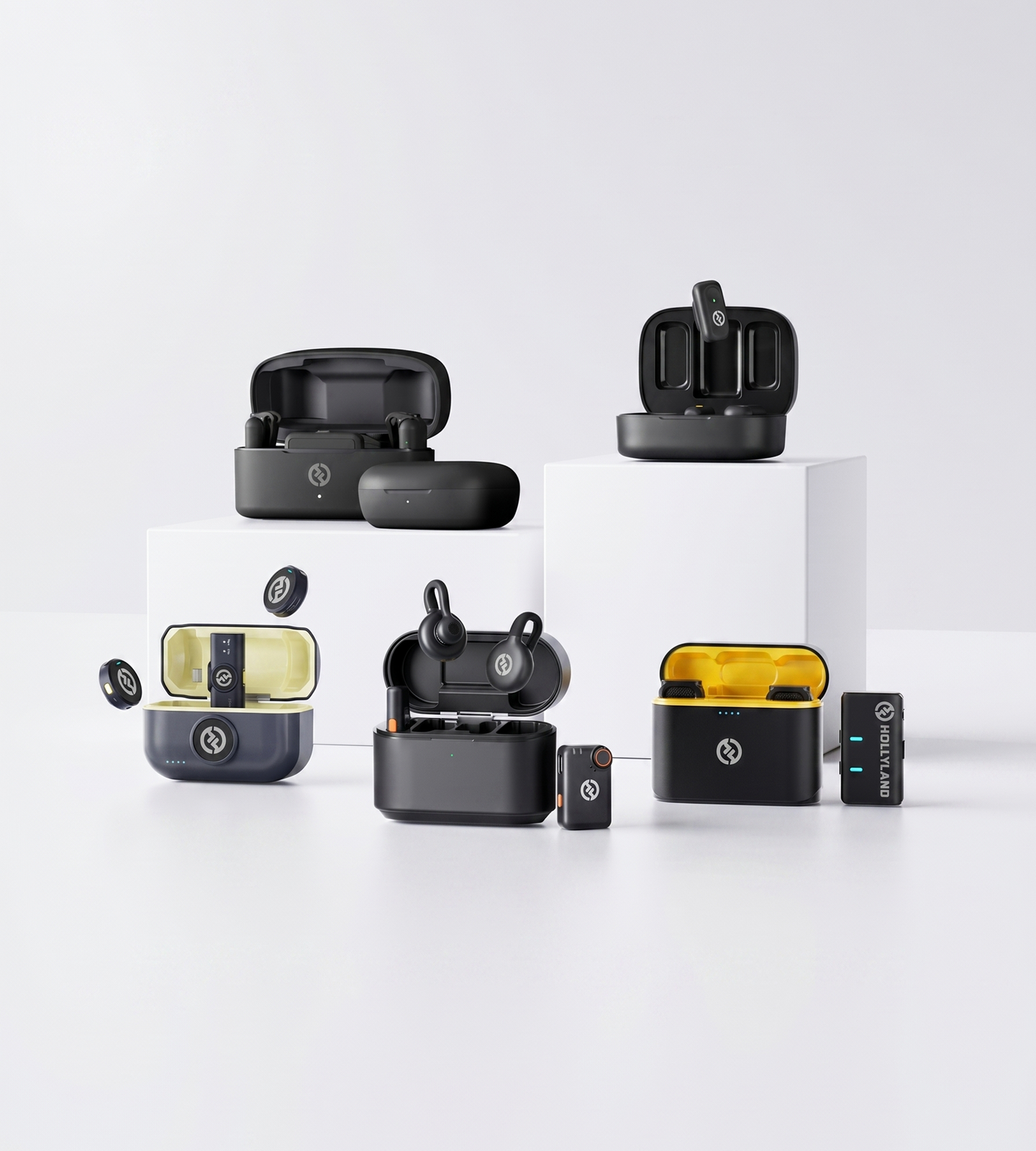
Streaming Microphones

Microphones for Live Streaming

Ditch the cables. Hollyland's wireless streaming microphones deliver broadcast-quality audio wherever you go live — on Twitch, YouTube, TikTok, or the streets. ENC noise cancellation, plug-and-play simplicity, and up to 11-hour battery life keep every stream sounding professional.
Shop Now Compare Models

Compatible with iPhone, Android, and cameras — no audio interface or driver needed.

  • Wireless & Cable-Free
  • ENC & AI Noise Cancellation
  • Plug-and-Play Ready
  • Up to 11-Hr Battery
Microphones for Live Streaming
Editor's pickLARK M2ENC · 10-Hr Battery
4.7 / 5From 1.5M+ verified creators
Shop Models

Find Your Streaming Microphone

Four wireless mics across every tier — from plug-and-play mobile streaming to pro multi-host broadcasts.
LARK M2

LARK M2

Wireless audio for mobile and camera streaming

  • ENC Noise Cancellation
  • 10-Hr TX Battery
  • 9g Design
$76.00
LARK M2S

LARK M2S

Invisible on camera, unmissable on audio

  • No-Logo Invisible Fit
  • ENC Noise Cancellation
  • 7g Titanium Design
$89.00
LARK MAX 2

LARK MAX 2

Pro audio for serious streamers and multi-host shows

  • AI Noise Cancellation
  • 32-Bit Float Audio
  • 4-Mic to 1 RX
$189.00
LARK A1

LARK A1

Plug into your phone and go live

  • 3-Level Noise Cancellation
  • Plug-and-Play
  • 9-Hr Battery
$35.90
Side-by-side

Find the Right Streaming Mic

Compare Hollyland wireless lavalier mics side by side to pick the best fit for your stream.
Model LARK M2 LARK M2 $76.00 LARK M2S LARK M2S $89.00 LARK MAX 2 LARK MAX 2 $189.00 LARK A1 LARK A1 $35.90
Best ForMobile & camera streaming Appearance-conscious on-camera streamers Pro & multi-host streaming Entry-level mobile streaming
Noise CancellationENC Environmental Noise Cancellation ENC Environmental Noise Cancellation AI Noise Cancellation 3-Level Intelligent Noise Cancellation
Audio Format48kHz / 24-bit WAV 48kHz / 24-bit 48kHz / 32-bit Float 48kHz / 24-bit
SNR>70dB >70dB ≥72dB ≥67dB
TX Battery Life~10 hours ~9 hours ~11 hours ~9 hours
Transmitter Weight~9g ~7g ~14g ~8g
Wireless Range (LOS)300m / 1000ft 300m / 1000ft 340m / 1115ft 200m / 650ft
Device CompatibilityMobile & Camera Mobile & Camera Mobile & Camera (up to 4 TX) Smartphones
Shop Shop Shop Shop
Buying Guide

How to Choose a Streaming Microphone

The right streaming mic depends on how you stream, where you stream, and what your audience expects to hear. Work through these key considerations to find the microphone that fits your setup — and your ambitions.
  1. Start with Your Streaming Device
  2. Noise Cancellation Isn't Optional
  3. Battery Life: Will It Outlast Your…
  4. How Your Mic Looks on Camera Matters
  5. Simple Setup or Full Audio Control
  6. Streaming Solo or With Guests
  7. Matching Your Tier to Your Ambitions

1. Start with Your Streaming Device

What are you streaming from? This is the first question to answer, because not every mic works with every device out of the box.

  • Smartphone streamers need a wireless lavalier that connects directly to a phone's USB-C or Lightning port with no audio interface required. A dedicated plug-and-play mobile receiver is non-negotiable.
  • Camera-based streamers (DSLR, mirrorless) need a receiver with a 3.5mm output that fits a camera's audio input or cold shoe mount.
  • Multi-device creators who move between phone and camera benefit from a combo-compatible kit that covers both without buying duplicate hardware.

A note on latency: For live streaming, always choose a wireless mic with a dedicated receiver — not a general-purpose Bluetooth microphone. Dedicated wireless systems are engineered for ultra-low latency, keeping your audio and video locked in sync during a live broadcast.

If you're a smartphone-first streamer, look for mics built specifically for mobile plug-and-play — the LARK A1 is a strong starting point. For flexibility across multiple devices, a Combo kit with both mobile and camera receivers gives you full coverage without compromise.


2. Noise Cancellation Isn't Optional

Streaming environments are rarely quiet. PC cooling fans, mechanical keyboards, air conditioning, ambient street noise — any of it can bleed into your audio and distract your audience mid-stream.

There are two tiers of noise cancellation technology worth understanding:

  • ENC (Environmental Noise Cancellation): Hardware-level filtering built directly into the transmitter that targets consistent background noise before it ever reaches the receiver. Reliable and effective for most controlled indoor streaming environments.
  • AI Noise Cancellation: Algorithm-driven processing that adapts dynamically to complex, layered, or unpredictable noise — significantly better suited for IRL streaming, outdoor events, or environments you simply can't control.

Key point: The more variable your streaming environment, the more you benefit from AI-level noise cancellation over standard ENC. A mic with no noise cancellation pushes the problem back onto your room treatment — which isn't practical for most streamers.


3. Battery Life: Will It Outlast Your Stream?

A 4–6 hour streaming session is common. Running out of battery mid-broadcast doesn't just interrupt your stream — it ends it.

When comparing battery specs:

  • Focus on TX (transmitter) runtime — not total system capacity. The transmitter is the unit actively worn throughout the entire session; its per-charge runtime is what matters most.
  • Aim for at least 8–10 hours of TX runtime to cover long sessions with a safety buffer.
  • Total case battery tells you how many full recharges you get away from a wall outlet — relevant for travel streamers or back-to-back broadcast days.

Unlike USB desktop mics that run off your computer's power, wireless transmitters run on internal batteries. Charge before you go live, and you'll never have to think about it mid-stream.


4. How Your Mic Looks on Camera Matters

If your microphone or cable appears on camera, it competes visually with your content. This is one of the most underrated buying factors for on-camera streamers.

What to consider:

  • Transmitter weight and footprint: Compact, lightweight transmitters — ideally under 10g — sit flatter against clothing and are far easier to hide or position cleanly out of frame.
  • Logo visibility: A branded logo facing the lens becomes an unintended on-screen element. A no-logo or minimally branded design blends cleanly into any outfit or shooting setup.
  • No cables to manage: One of the strongest visual arguments for a wireless lavalier over a wired lapel mic is the complete elimination of the cable connecting you to your device.

If on-camera appearance is a priority, the LARK M2S was designed specifically with a no-logo finish and a slim titanium build for creators who want their audio gear invisible on screen.


5. Simple Setup or Full Audio Control?

Some streamers want their audio to just work. Others want precise, real-time control. Both are valid approaches — but they require different tools.

  • Plug-and-play simplicity: If zero setup friction is the priority, look for a mic that's live-ready the moment you clip it on and plug in. No drivers, no configuration, no app required.
  • App-based control: For streamers who want to fine-tune without a separate mixer or audio interface, a companion app can provide gain adjustment, EQ settings, and noise cancellation level controls directly from their phone.
  • On-device controls: Physical buttons or dials on the transmitter or receiver let you adjust settings — like gain or muting — in real time during a broadcast, without reaching for a second device.

Match the level of control to your experience and how much mental bandwidth you have available to manage audio while also managing a live stream.


6. Streaming Solo or With Guests?

If you always stream alone, a single transmitter-and-receiver pair is all you need. But if your format regularly includes:

  • Interview-style conversations
  • Co-hosted live shows
  • Panel discussions or multi-speaker event coverage

...you need a wireless system that supports multiple transmitters on a single receiver. Trying to sync separate audio systems during a live stream is impractical — one unified, multi-mic setup is the only workable solution for live multi-voice formats.

The LARK MAX 2 supports up to 4 transmitters per receiver, making it the natural choice for multi-host streaming formats or streamed live events.


7. Matching Your Tier to Your Ambitions

Wireless streaming mics span a clear range of capability and investment. Here's a simplified way to think about tiers before you decide:

Tier Best For Key Features to Expect
Entry Beginners upgrading from built-in device mics Plug-and-play setup, ENC noise cancellation, smartphone focus
Mid-Range Regular streamers who care about audio quality and on-screen aesthetics ENC, app control, compact low-profile design, camera compatibility
Pro Serious or multi-format streamers with complex setups AI noise cancellation, 32-bit float audio, wireless monitoring, multi-mic support

The honest take: You don't need a pro-tier system to sound great on stream. But if you're investing in a long-term setup, consider features you'll grow into — like wireless audio monitoring or multi-host support — rather than needing to upgrade again in six months.

BUILT FOR EVERY STREAM

One Mic for Every Way You Go Live

From plugging into your phone at home to streaming live from the streets, Hollyland wireless mics fit every setup, every platform, and every streaming style — no studio required.

Mobile Phone Streaming

Plug directly into your iPhone or Android and go live on TikTok, YouTube, or Instagram in seconds. No audio interface, no driver installation, no setup headache — just connect, clip on, and stream.
  • Plug & Play
  • No Interface Needed
  • Smartphone-First

IRL & Street Streaming

Stream from city streets, live events, or crowded venues without being tied down by cables. Wireless range up to 300m and ENC noise cancellation keep your voice locked in and your movement completely unrestricted.
  • Wireless Freedom
  • ENC Noise Cancellation
  • On-the-Move

Camera-Based Streaming

Pair wirelessly with your DSLR or mirrorless camera for a clean, broadcast-ready stream. No boom arms, no cable runs, no clutter on set — just studio-quality audio routed straight into your camera rig.
  • Camera Compatible
  • Cable-Free Rig
  • Broadcast Quality

Gaming & Desk Streaming

Ditch the boom mic and desktop stand. A clip-on wireless mic keeps your rig clean while AI and ENC noise cancellation filter out fan hum, keyboard clatter, and room echo before they ever touch your stream.
  • Hands-Free
  • Fan & Keyboard Noise Filtered
  • Clean Desk Setup

Co-Streams & Interview Format

Hosting a duo stream, bringing on a guest, or running a multi-speaker panel? Connect up to four transmitters to a single receiver and capture every voice cleanly — no mic sharing, no audio compromise, no awkward cable hand-offs.
  • Up to 4 Transmitters
  • Dual Host Ready
  • Interview Format

Travel & Outdoor Streaming

Weighing as little as 7g with up to 11 hours of battery life per charge, these mics are built to go wherever you do. Stream from a hotel room, a festival stage, or a mountain overlook with audio that keeps pace with the adventure.
  • Ultra-Lightweight
  • Long Battery Life
  • Stream Anywhere
Trusted by creators

1.5M+ creators picked LARK microphones for their audio

A decade of wireless engineering for film crews and broadcasters — packaged for modern creator workflows.
  • 4.7 Avg. rating · 120K+ reviews
  • 1.5M+ Verified creators
  • 160+ Countries shipped
  • 98% Would recommend

I love my new LARK M2 mics. These were so good, and I really enjoyed testing out the new LARK M2 from Hollyland.

Sarah GraceSarah GraceTech Creator · 3.2M YouTube subscribers

The Hollyland LARK MAX is the wireless microphone system with the clearest and crispest audio of any wireless mic system I have ever tried.

GoenrockGoenrockCinematographer · 107K Instagram subscribers

LARK MAX is doing an excellent job of dropping the sound of the air conditioner, which is something l always have to remove and post with our shotgun mic.

Film RiotFilm RiotFilmmaking Educator · 2.2M YouTube subscribers
  • No Film School
  • Newsshooter
  • CineD
  • RedShark
  • CAMERA JABBER
  • Photowebexpo
FAQ

Your Streaming Mic Questions, Answered

Will these microphones work with my phone or camera for live streaming?
Yes — all Hollyland streaming mics are plug-and-play and connect directly to your device without extra hardware. The **LARK A1** is designed for smartphones. The **LARK M2** and **LARK M2S** are available in Mobile and Camera versions (plus a Combo version for both), and the **LARK MAX 2** works with smartphones and cameras alike. No audio interface, drivers, or complicated routing needed — just plug in and go live.
Will it pick up background noise like PC fans, keyboards, or ambient room sound?
Every Hollyland streaming mic includes active noise cancellation to keep your voice clean and your stream distraction-free. The **LARK M2** and **LARK M2S** use ENC (Environmental Noise Cancellation), the **LARK A1** features 3-Level Intelligent Noise Cancellation you can dial in from the app, and the **LARK MAX 2** uses AI Noise Cancellation for the highest level of isolation. The lavalier form factor also works in your favor: because the transmitter clips just inches from your mouth, it naturally captures your voice before room noise even reaches the capsule.
Is a clip-on wireless mic actually good enough for streaming — or do I need a desktop mic?
For most streamers, a wireless lavalier is the better choice. Because it clips directly to your clothing and sits close to your mouth, it captures cleaner voice audio than a desktop mic sitting across a desk — especially in untreated rooms or noisy environments. You also get full cable-free freedom to move naturally on stream without being anchored to a desk setup. All Hollyland streaming mics record at **48kHz / 24-bit**, delivering broadcast-quality audio that sounds professional to your audience.
Will there be audio lag or sync issues during my live stream?
Hollyland's wireless transmission is engineered for real-time streaming use, so you won't experience the kind of delay that causes noticeable lip-sync issues. For streamers who want to actively monitor their audio while live, the **LARK MAX 2** includes a dedicated **OWS wireless monitoring earphone** — so you can hear yourself in real time as you broadcast, with wireless monitoring range up to 100m.
How long will the battery last through a long streaming session?
Long enough for marathon streams. Battery life per transmitter charge across the lineup: - **LARK A1**: ~9 hours TX - **LARK M2**: ~10 hours TX - **LARK M2S**: ~9 hours TX - **LARK MAX 2**: ~11 hours TX Every mic also comes with a charging case that extends total battery life well beyond a single charge — up to **54 hours total** with the LARK A1. For most 4–6 hour streaming sessions, one charge carries you through without interruption.
Do I need technical knowledge or special gear to get set up?
No expertise required. Every Hollyland mic in this lineup is genuinely plug-and-play — clip on the transmitter, plug the receiver into your phone or camera, and you're ready to stream. No audio interface, no drivers, no routing setup. If you want to go further, the **LARK A1** and **LARK M2** offer optional app control for adjusting EQ, reverb, gain, and noise cancellation levels — but the out-of-box defaults are stream-ready for most users.
Will the mic clip show on camera and look unprofessional?
Hollyland's transmitters are engineered to stay out of the shot. The **LARK M2S** is the most discreet option — weighing just **7g** and featuring a **no-logo titanium finish**, it's designed specifically for creators who care about their on-camera appearance. The **LARK M2** weighs only **9g**, and every transmitter in the lineup is compact enough to tuck under a lapel or collar. These aren't the bulky, logo-heavy clip-on mics of a decade ago.
Can I run two microphones at once for a co-host or interview-format stream?
Yes. The **LARK MAX 2** supports up to **4 transmitters connected to a single receiver**, making it purpose-built for multi-host streams, panel discussions, or interview-format content. The **LARK M2** and **LARK M2S** support dual-transmitter setups — two mics, one receiver — which covers most two-person co-streaming or interview scenarios without the need for additional equipment.
Explore further

A few more places to go from here

A curated link map of the surrounding content — related categories, the most useful guides, head-to-head comparisons and setup help.
Ready when you are

Go Live with Confidence

Plug-and-play wireless mics with noise cancellation and up to 11-hour battery life — built for streamers.
Shop Now Compare Models
  • Free shipping over $99
  • 30-day returns
  • 1-year warranty