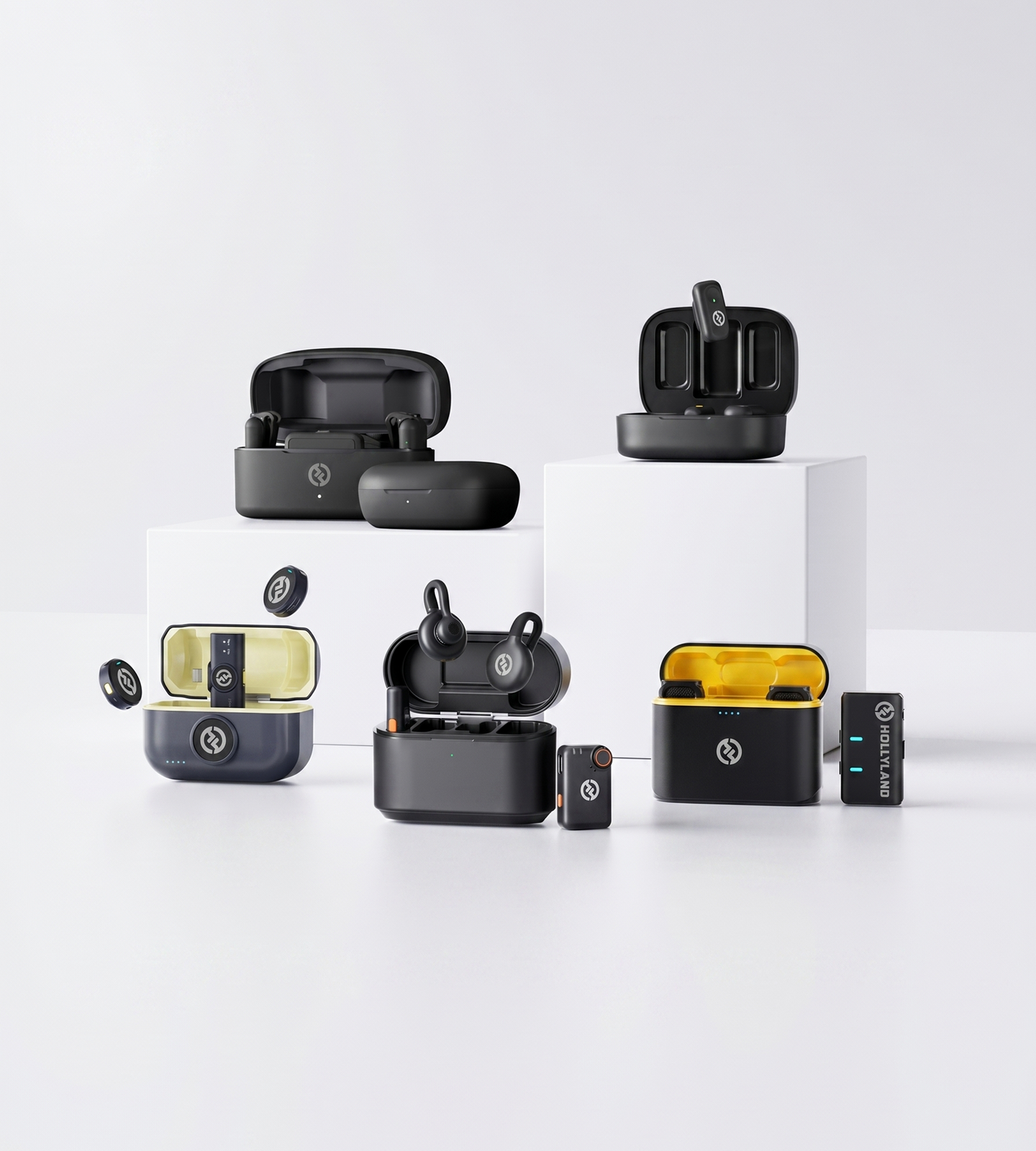
Lapel Mics, Evolved

USB Lapel Microphones

Hollyland's wireless lapel microphones deliver USB-C plug-and-play simplicity for iPhones, Android, MacBooks, and PCs. Clip on, plug in, and capture 24-bit studio-quality audio — no drivers, no audio interface needed. Built for creators, podcasters, and remote workers who want professional sound without the setup.
Shop Now Compare Models

Compatible with iPhone, Android, MacBook & Windows PC — no drivers or audio interface required.

  • True Plug-and-Play
  • 24-Bit / 48kHz Audio
  • AI & ENC Noise Cancellation
  • Works on Any Device
USB Lapel Microphones
Editor's pickLARK A13-Level Noise Cancel · 54-Hr Battery
4.7 / 5From 1.5M+ verified creators
Shop Models

The Right Lapel Mic for Every Creator

Compare plug-and-play USB-C lapel mics — from smartphone-first picks to pro-grade multi-mic systems.
LARK M2

LARK M2

Button-Size Mic, Built for Any Device

  • 9g Button-Size Design
  • ENC Noise Cancellation
  • Universal Compatibility
$106.00
LARK M2S

LARK M2S

Stay Invisible on Camera, Sound Unmistakable

  • 7g Ultra-Light
  • No-Logo Invisible Fit
  • ENC Noise Cancellation
$125.00
LARK MAX 2

LARK MAX 2

Pro-Grade Audio for Podcasters and Multi-Mic Setups

  • 32-Bit Float Recording
  • AI Noise Cancellation
  • 4-Mic System
$266.72
LARK A1

LARK A1

The Smartphone Creator's Plug-and-Play Essential

  • Plug-and-Play USB-C
  • 3-Level Noise Cancellation
  • 54-Hr Total Battery
$50.30
Side-by-side

Find Your Perfect USB Lapel Mic

Compare every LARK wireless lapel mic side by side to match the right model to your device, workflow, and budget.
Model LARK M2 LARK M2 $106.00 LARK M2S LARK M2S $125.00 LARK MAX 2 LARK MAX 2 $266.72 LARK A1 LARK A1 $50.30
Best ForMobile & On-Location Recording Aesthetics-First & Interview Creators Pro Podcasters & Multi-Speaker Setups Smartphone Creators & Vloggers
Recording Quality48kHz / 24-bit WAV 48kHz / 24-bit 48kHz / 32-bit Float 48kHz / 24-bit
Noise CancellationENC Environmental NC ENC Environmental NC AI Noise Cancellation 3-Level Intelligent NC
Transmitter Weight9g 7g 14g 8g
Wireless Range (LOS)300m / 1000ft 300m / 1000ft 340m / 1115ft 200m / 650ft
Total Battery LifeUp to 40 hours Up to 30 hours Up to 36 hours Up to 54 hours
Device CompatibilitySmartphone & Camera (Combo Version) Smartphone & Camera (Combo Version) Smartphone, Camera & Laptop iPhone & Android (USB-C / Lightning)
Standout FeatureButton-Size Mini Design + App Control No-Logo Invisible Fit + Titanium Build 4 TX → 1 RX · 32-bit Internal Recording Auto-Limit Clip Protection + EQ & Gain Control
Shop Shop Shop Shop
Buying Guide

How to Choose the Right USB Lapel Microphone

Whether you're recording solo content, running a podcast, or just trying to sound better on video calls, the right lapel mic depends on more than price. Here's what to evaluate before you buy.
  1. Wired USB vs. Wireless USB-C: Know…
  2. Device Compatibility: Match the…
  3. Audio Quality: The Specs That…
  4. Setup Experience: What…
  5. Form Factor & Visibility: Staying…
  6. Battery Life: Planning Around Your…
  7. Single vs. Multi-Person Recording
  8. When to Consider Stepping Up to a…

Wired USB vs. Wireless USB-C: Know Your Options First

When most people search for a 'USB lapel microphone,' they picture a clip-on mic with a fixed cable running directly to their device. That product exists — but it's worth knowing that a better-performing alternative is available at a comparable price before you commit.

Wireless lapel mics with a USB-C receiver work identically from a setup standpoint: plug a compact receiver into your phone, tablet, or laptop via USB-C, and the device recognizes it instantly as an audio input — no drivers, no configuration. The difference is that the clip-on transmitter worn by the speaker connects wirelessly, so there's no cable running across your body, your desk, or a room.

For video recording, interviews, or any scenario involving movement, a wireless system with a USB-C receiver offers a meaningfully better experience than a tethered wired mic — with no added complexity. Both types are represented in this collection.


Device Compatibility: Match the Mic to Your Setup

This is the first question to answer before evaluating anything else.

  • USB-C Android smartphone → Look for a receiver with a native USB-C connector. Most wireless lapel systems designed for mobile use support this.
  • iPhone → Confirm the kit includes Lightning or USB-C connectivity for your specific model. Some systems offer adapter compatibility for both.
  • MacBook or Windows laptop → A USB-C or USB-A receiver is recognized as a plug-and-play audio device by both macOS and Windows. No drivers or settings changes required.
  • DSLR or mirrorless camera → You'll need a Camera Version receiver with a 3.5mm TRS output rather than a USB connection.

If your workflow spans multiple devices — for example, a smartphone for social video and a laptop for remote work — look for a Combo Version kit that covers more than one connection type in a single purchase.


Audio Quality: The Specs That Actually Matter

Spec sheets can be overwhelming. For voice recording, focus on the following:

Bit Depth & Sample Rate

The current standard for quality voice capture is 24-bit / 48kHz. This records significantly more dynamic detail than consumer-grade 16-bit audio and is the baseline for any mic worth using in professional or semi-professional contexts.

For production environments where audio levels are hard to predict — live events, loud locations, or spontaneous interviews — 32-bit float recording goes one step further. It effectively eliminates clipping regardless of volume spikes, with no manual gain adjustment required.

Signal-to-Noise Ratio (SNR)

A higher SNR means a cleaner signal with less background hiss. >70dB is a solid benchmark for voice recording in most real-world environments.

Noise Cancellation

  • ENC (Environmental Noise Cancellation) reduces ambient sounds like HVAC, street noise, and keyboard clicks — essential for home offices, cafés, and outdoor shooting.
  • AI noise cancellation uses intelligent processing to isolate speech from background noise in real time, handling more complex acoustic environments.
  • Adjustable noise cancellation levels give you control when you want to preserve natural room ambience rather than strip it entirely.

Maximum SPL

If you're recording in loud environments or want protection against sudden volume spikes, a higher Maximum SPL rating (e.g., 128dB) ensures the mic handles peaks without distorting.


Setup Experience: What 'Plug-and-Play' Should Actually Mean

A good USB lapel mic should be ready to record in under 30 seconds. Before buying, confirm:

  • No drivers required — the device is recognized automatically by your phone, tablet, or computer
  • No external audio interface needed — the mic handles analog-to-digital conversion internally
  • Auto-limit or clip protection — prevents distortion if someone speaks loudly without warning
  • Physical controls on the transmitter — mute button, or basic gain adjustment, so you're not reaching for your phone mid-recording

Some systems also support an optional companion app for deeper control: EQ, gain, and noise cancellation adjustments. This is a useful addition for experienced users — not a requirement for everyday recording, and it shouldn't add friction to your basic setup.


Form Factor & Visibility: Staying Out of the Shot

Lapel mics are designed to be unobtrusive — but there's a significant range in how discreet they actually are.

Transmitter size and weight For on-camera use, smaller is almost always better. Look for transmitters under 10g to minimize on-screen visibility. Every gram and millimeter counts when the mic is visible at chest level in a close-up frame.

Logo and branding A no-logo transmitter is worth prioritizing if you're shooting professional interviews or branded content where a visible product logo would look out of place. The LARK M2S is designed specifically with this in mind — a 7g, logo-free titanium finish that blends against most clothing.

Attachment method Magnetic clips attach and remove faster than spring clips, lie flatter against clothing, and are less likely to snag fabric during quick setup changes — a practical advantage for run-and-gun or event recording.

Placement tip For the cleanest pickup, the mic capsule should sit approximately 15–20cm (6–8 inches) below the chin, which corresponds to the standard chest or upper lapel position most clips are designed for.


Battery Life: Planning Around Your Recording Day

Battery life is easy to overlook until it becomes a problem mid-recording. Think about your typical use case:

  • Short-form content or video calls (under 2 hours): Almost any modern wireless lapel system covers this on a single charge without concern.
  • Full-day shoots, events, or long interviews: Look for 9+ hours of transmitter battery life per charge and a charging case that extends total system battery life to 30–50 hours — enough for several days of recording between wall charges.
  • Multi-person setups: Running two or more transmitters simultaneously doubles your battery exposure. Uniform TX battery specs across a multi-mic kit reduces the risk of one transmitter failing mid-session.

Some transmitters also offer internal backup recording — audio saved directly to the transmitter as insurance. For high-stakes recordings where a wireless dropout would be costly, this is a feature worth having.


Single vs. Multi-Person Recording

Recording solo: A standard 1-TX + 1-RX kit is all you need. Most systems ship in this configuration by default.

Two speakers — interviews, co-hosted podcasts, dual-presenter video: Look for a 2-TX + 1-RX system where both transmitters feed audio into a single receiver. Check whether the system records both channels as a single mixed track or as separate channels — separate channels give you more control and flexibility when editing.

Three or more speakers — panels, roundtables, multi-presenter events: This moves into territory that typically requires a multi-channel audio interface or separate recording units. Systems that support multiple transmitters feeding a single receiver — like the LARK MAX 2, which supports up to 4 TX per RX — keep the setup compact and eliminate the need for additional hardware entirely.


When to Consider Stepping Up to a More Advanced System

For most creators, educators, and remote workers, a 24-bit wireless lapel mic with ENC and plug-and-play connectivity is more than sufficient.

Consider a more feature-complete system if:

  • You're recording in loud or acoustically unpredictable environments and need 32-bit float recording and AI noise cancellation as fail-safes
  • You want real-time wireless audio monitoring through an earpiece while filming — to catch issues before they become problems in post
  • You need to run three or more mics into a single device
  • Your production workflow requires timecode sync for multi-camera shoots
  • You want on-transmitter controls for gain, mute, and noise cancellation without relying on a companion app

Knowing these requirements before you buy prevents both under-investing (ending up with clipped or noisy recordings) and over-investing in professional features you'll never use.

Who It's Built For

One Clip-On Mic. Every Recording Scenario.

Whether you're filming a solo vlog or hosting a multi-speaker interview, Hollyland lapel mics plug straight into your device and deliver broadcast-quality audio — no audio interface, no drivers, no learning curve.

Smartphone Content Creation

Clip on the transmitter, plug the receiver into your USB-C port, and you're recording 24-bit audio before your subject finishes adjusting their collar. With ENC noise cancellation and auto-limit protection built in, your voice cuts through clean whether you're in a busy café or a windy rooftop — no post-production rescue needed.
  • Solo Creator
  • Short-Form Video
  • Run-and-Gun

Podcasting & Voice Recording

Forget the audio interface. Plug a USB-C receiver into your laptop and start capturing professional-grade voice with up to 32-bit float recording — a format that captures every dynamic nuance without clipping, even if your guest gets loud. Gain control, EQ, and noise cancellation mean your home office sounds like a studio.
  • Podcasting
  • Voice-Over
  • Home Studio

Remote Work & Video Calls

Built-in laptop mics pick up every keystroke, fan hum, and background distraction on your calls. A lapel mic locks onto your voice and nothing else — giving you instant, professional-sounding audio on Zoom, Teams, and Google Meet without installing a single driver or changing a single system setting.
  • Remote Work
  • Video Conferencing
  • Home Office

Livestreaming

Your audience hears everything — which means bad audio ends streams faster than a buffering wheel. A plug-and-play lapel mic feeds clean, consistent voice directly into OBS or your platform of choice via USB connection, while wireless transmission up to 300m gives you the freedom to move around your space without going dead air.
  • Livestreaming
  • OBS
  • Real-Time Audio

Interviews & Multi-Speaker Recording

Two mics, one device, zero mixer required. Systems supporting up to four transmitters on a single receiver let you mic every speaker independently — critical for interview-style shoots, panel recordings, and documentary field work where missed audio means a missed moment. Lightweight transmitters keep the mic invisible on camera, not distracting in frame.
  • Interview Style
  • Multi-Speaker
  • Field Recording

Online Teaching & E-Learning

Students tune out when audio is muddy. A lapel mic gives educators and course creators clear, consistent voice capture that stays focused no matter how much they move around — whether recording pre-built lessons on a laptop or presenting live to a virtual classroom. Light enough to forget you're wearing it through a full day of sessions.
  • Course Creation
  • Lecture Recording
  • Distance Learning
Trusted by creators

1.5M+ creators picked LARK microphones for their audio

A decade of wireless engineering for film crews and broadcasters — packaged for modern creator workflows.
  • 4.7 Avg. rating · 120K+ reviews
  • 1.5M+ Verified creators
  • 160+ Countries shipped
  • 98% Would recommend

I love my new LARK M2 mics. These were so good, and I really enjoyed testing out the new LARK M2 from Hollyland.

Sarah GraceSarah GraceTech Creator · 3.2M YouTube subscribers

The Hollyland LARK MAX is the wireless microphone system with the clearest and crispest audio of any wireless mic system I have ever tried.

GoenrockGoenrockCinematographer · 107K Instagram subscribers

LARK MAX is doing an excellent job of dropping the sound of the air conditioner, which is something l always have to remove and post with our shotgun mic.

Film RiotFilm RiotFilmmaking Educator · 2.2M YouTube subscribers
  • No Film School
  • Newsshooter
  • CineD
  • RedShark
  • CAMERA JABBER
  • Photowebexpo
FAQ

USB Lapel Microphone Questions, Answered

What devices are these USB lapel microphones compatible with?
Every Hollyland lapel mic in this lineup is designed to work with the devices you already own — no guesswork required. - **LARK A1**: Connects directly to smartphones via USB-C or Lightning. Purpose-built for mobile. - **LARK M2 & M2S**: Available in Mobile Version (USB-C smartphones) and Combo Version, which extends compatibility to cameras and computers. - **LARK MAX 2**: Supports USB-C devices and cameras, with a Camera RX and computer-friendly connection options. Whether you're recording on an iPhone, Android phone, MacBook, Windows laptop, or a mirrorless camera, there's a model that plugs straight in — no adapters or workarounds needed.
Do I need drivers, an audio interface, or extra adapters to set these up?
No — none of the above. Every mic in this range is true plug-and-play. Plug the receiver into your device's USB-C port, clip the transmitter to your collar, and you're recording. There are no drivers to install, no audio interface required, and no complicated routing to configure. Your phone, laptop, or camera recognizes it instantly. If you want more control, the free Hollyland app (available for LARK M2, M2S, and A1) lets you adjust gain, EQ, and noise cancellation — but that's entirely optional. Out of the box, it just works.
Are wireless lapel mics as reliable as wired USB lapel mics?
In day-to-day recording scenarios, yes — and in several ways, wireless is the better choice. Hollyland's 2.4GHz digital transmission delivers wireless ranges of up to 300m line-of-sight for the LARK M2 and M2S, and 340m for the LARK MAX 2. For home studios, classrooms, and typical indoor shoots, dropouts simply aren't a concern. What wireless gives you that wired can't: full freedom of movement, no cable drag between your mic and your phone, no connector wear over time, and cleaner on-camera framing without a cable dangling from your shirt. For extra peace of mind, the **LARK MAX 2** includes 32-bit float internal recording directly on the transmitter — so even in a worst-case wireless scenario, your audio is safely captured locally as a backup.
How well do these microphones handle background noise?
Noise handling is one of the strongest reasons to choose Hollyland over a budget clip-on mic. All four mics feature built-in Environmental Noise Cancellation (ENC) to reduce ambient sounds like HVAC hum, traffic, wind, and crowd noise. Specific highlights: - **LARK A1**: 3-level intelligent noise cancellation — dial in light, medium, or strong suppression depending on your environment. - **LARK M2 & M2S**: ENC with app-based control to tune the level of noise reduction. - **LARK MAX 2**: AI noise cancellation that actively identifies and suppresses non-voice sounds in real time. For home offices, outdoor shoots, busy cafés, or classrooms, you'll hear a clear and immediate difference compared to any built-in phone or laptop microphone.
Will the microphone transmitter be visible on camera?
These are some of the smallest wireless transmitters available — and visibility is something Hollyland has specifically designed around. - **LARK M2S**: 7g, button-sized, with a **no-logo invisible profile** in a refined titanium finish. The most discreet option in the range, built for on-camera talent who want the mic to disappear. - **LARK M2**: 9g, also button-sized — barely larger than a shirt button. - **LARK A1**: 8g with a magnetic clip design that holds flush against fabric and stays secure without bulk. - **LARK MAX 2**: 14g with a skin-friendly nano-coated surface — slightly larger given its pro-grade feature set, but still compact by wireless mic standards. Clipped under a collar, behind a lapel, or against a jacket seam, any of these transmitters can be made essentially invisible in frame.
How long does the battery last?
Long enough for a full day of shooting, with the charging case extending that further: | Mic | Per-Charge (TX) | Total Battery Life | |---|---|---| | LARK A1 | ~9 hours | Up to **54 hours** | | LARK M2 | ~10 hours | Up to **40 hours** | | LARK M2S | ~9 hours | Up to **30 hours** | | LARK MAX 2 | ~11 hours | Up to **36 hours** | All transmitters charge via the included case, which acts as both a power bank and a protective carry case between shoots. The LARK MAX 2 also supports up to **14 hours of internal recording** on the transmitter itself when used in standalone mode.
Can I record two people at the same time with one setup?
Yes. The **LARK M2**, **LARK M2S**, and **LARK A1** all include two transmitters as standard, so both subjects can wear a lapel mic simultaneously. Both audio channels feed into the single receiver connected to your phone, camera, or laptop — perfect for interviews, co-hosted podcasts, or two-person video content. The **LARK MAX 2** goes further: its receiver supports up to **4 transmitters simultaneously**, making it the right choice for panel discussions, multi-guest podcast setups, and professional interview-style productions.
How does the audio quality compare to a budget clip-on microphone?
There's a real and audible difference — especially once you're in post-production. All Hollyland lapel mics record at **48kHz / 24-bit**, the professional standard used in broadcast and film production. The LARK MAX 2 records at **32-bit float**, which captures an even wider dynamic range with no risk of clipping. Signal-to-noise ratios run from ≥67dB (LARK A1) up to ≥72dB (LARK MAX 2) — meaning very low self-noise and clean, hiss-free recordings. Features you won't find on a $15 clip-on: - **Auto-limit clip protection** (LARK A1) to prevent audio from peaking and distorting during loud moments - **AI noise cancellation** (LARK MAX 2) for real-time voice isolation - **32-bit float internal recording** (LARK MAX 2) as a safety net against gain errors The result is voice audio that's cleaner, richer, and more consistent — audio that holds up under editing without heavy noise reduction or EQ work.
Which Hollyland lapel microphone is right for me?
Here's a quick breakdown based on your use case: - **LARK A1** — Best for **smartphone-first creators**. Plug-and-play via USB-C or Lightning, 3-level noise cancellation, auto-limit protection, and up to 54 hours total battery. The most accessible entry point for vloggers, mobile journalists, and social content creators. - **LARK M2** — Best for **versatile creators** who shoot across multiple devices. Button-size 9g design, ENC noise cancellation, optional app control. Combo Version covers smartphones, cameras, and computers in one kit. - **LARK M2S** — Best for **on-camera talent who prioritize aesthetics**. The no-logo titanium design at just 7g is the most discreet option in the range. Same core performance as the M2, refined for those where appearance matters most. - **LARK MAX 2** — Best for **serious and professional creators**. 32-bit float recording, AI noise cancellation, up to 4 transmitters, wireless audio monitoring, and timecode support. The step-up choice for educators, podcasters, and multi-person productions where audio quality is non-negotiable.
Explore further

A few more places to go from here

A curated link map of the surrounding content — related categories, the most useful guides, head-to-head comparisons and setup help.
Ready when you are

Upgrade Your Audio — No Audio Interface Required

Shop plug-and-play wireless lapel mics with 24-bit recording and transmitters as light as 7g.
Shop Now Compare Models
  • Free shipping over $99
  • 30-day returns
  • 1-year warranty