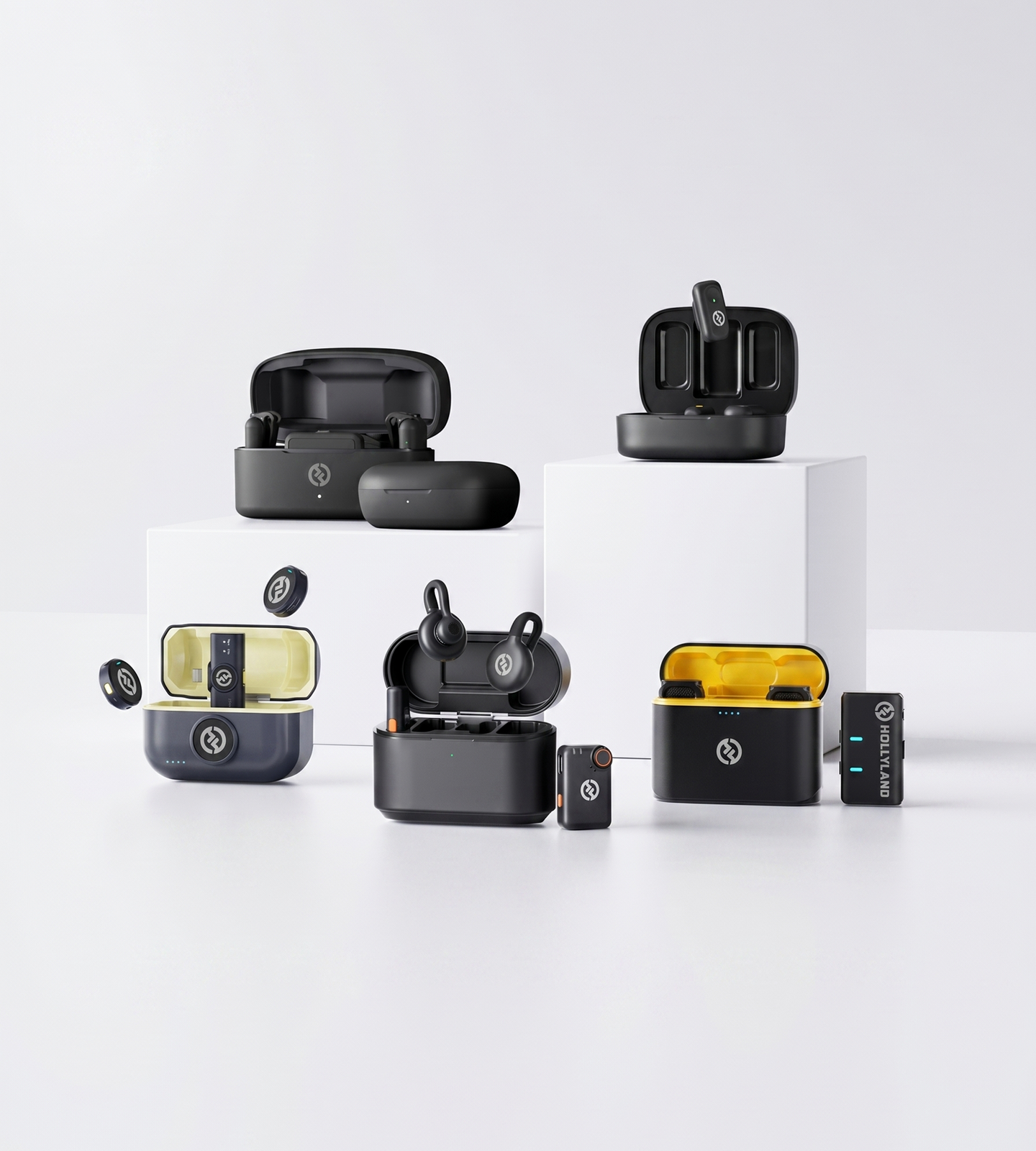
Mobile Podcasting

Podcast Microphones for iPhone

Record podcast-quality audio directly on your iPhone — no interface, no adapters, no fuss. Hollyland wireless mics deliver 24-bit clarity, ENC noise cancellation, and featherweight designs built for solo recording, interviews, and on-the-go content creation.
Shop Now Compare Models

Lightning & USB-C compatible · Plug in and record · No app or interface required

  • iPhone Plug & Play
  • 24-Bit Podcast Audio
  • ENC Noise Cancellation
  • Starts at 7g
Podcast Microphones for iPhone
Editor's pickLARK M29g · Plug & Play
4.7 / 5From 1.5M+ verified creators
Shop Models

Choose Your iPhone Podcast Mic

Three wireless mics built for iPhone podcasting — pick the one that fits how you record.
LARK M2

LARK M2

Plug in, clip on, start recording

  • Plug & Play iPhone
  • ENC Noise Cancellation
  • 10-Hr TX Battery
$106.00
LARK M2S

LARK M2S

The invisible mic your guests won't notice on camera

  • No-Logo Titanium Design
  • 7g Ultralight TX
  • ENC Noise Cancellation
$125.00
LARK A1

LARK A1

Full audio control without leaving your iPhone

  • 3-Level Noise Cancellation
  • EQ & Gain Adjustment
  • 54-Hr Total Battery
$50.30
Side-by-side

Compare iPhone Podcast Mics

Side-by-side specs to help you pick the right wireless mic for your iPhone setup.
Model LARK M2 LARK M2 $106.00 LARK M2S LARK M2S $125.00 LARK A1 LARK A1 $50.30
iPhone CompatibilityPlug & Play + App Control Plug & Play + App Control Plug & Play (Smartphone Native)
Noise CancellationENC Environmental Noise Cancellation ENC Environmental Noise Cancellation 3-Level Intelligent Noise Cancellation
Audio ControlsApp-based control App-based control EQ, Reverb & 6-Level Gain Adjustment
TX Weight9g 7g 8g
Wireless Range (LOS)Up to 300m / 1000ft Up to 300m / 1000ft Up to 200m / 650ft
Total Battery LifeUp to 40 hours Up to 30 hours Up to 54 hours
Design HighlightButton-size mini design No-logo titanium design Magnetic compact design
Shop Shop Shop
Buying Guide

How to Choose a Podcast Microphone for Your iPhone

Not every wireless microphone works seamlessly with an iPhone — and for podcasting, the wrong choice can mean adapter headaches, background noise problems, or audio that doesn't clear the bar for a published episode. Here's what to evaluate before you buy.
  1. iPhone Compatibility: Start Here…
  2. Audio Quality: The Specs That…
  3. Noise Cancellation: The Feature…
  4. Solo Recording vs. Two-Speaker…
  5. Wireless Range: Matching the Mic…
  6. Portability and On-Camera Presence
  7. Battery Life: Planning for a Full…
  8. App Control vs. Plug-and-Play:…

iPhone Compatibility: Start Here Before Anything Else

This is the filter that should come before audio quality, battery life, or any other feature. If the microphone doesn't connect natively to your iPhone, nothing else matters.

Three things to confirm:

  • Connection type — iPhones use either a Lightning port (iPhone 14 and earlier) or a USB-C port (iPhone 15 and later). Make sure the receiver matches your model — or look for a Combo Version that includes both cable types in the box.
  • Mobile Version vs. Camera Version — Many wireless mics are sold in separate configurations. For iPhone use, always select the Mobile Version. Camera Version receivers output audio in a format optimized for camera inputs, not smartphone ports.
  • Plug-and-play vs. app-required — A true plug-and-play mic starts capturing audio the moment you connect it to your iPhone — no app install, no driver setup. This is the lowest-friction entry point for new podcasters. App-based control is an optional upgrade, not a requirement.

Audio Quality: The Specs That Actually Matter for Spoken Word

For podcast recording, you're optimizing for one thing: your voice sounding natural, clear, and broadcast-ready. Here's how to read the numbers:

  • 24-bit / 48kHz recording — This is the professional standard for podcast audio. It captures enough dynamic range and detail to hold up under editing, compression, and streaming encoding.
  • Signal-to-Noise Ratio (SNR) — Look for an SNR above 65dB. A stronger SNR means less audible hiss or static in quieter moments of your recording, and more of your voice sitting cleanly in the mix.
  • Frequency response (20Hz–20kHz) — A full-range frequency response captures the warmth, presence, and texture of the human voice — not just the flat mid-range you get from a phone's built-in mic.

The built-in iPhone microphone technically records your voice. But these specs are why a dedicated wireless mic sounds like a different instrument entirely.


Noise Cancellation: The Feature That Makes Real-World Recording Viable

Most podcasters don't record in acoustically treated studios. They record in home offices, spare bedrooms, hotel rooms, coffee shops, and outdoor locations — all of which introduce ambient noise.

Environmental Noise Cancellation (ENC) filters that background noise at the transmitter level, before it reaches your iPhone. The result: a cleaner vocal track with less reliance on post-production cleanup.

What to look for:

  • ENC — handles common culprits like HVAC hum, wind, ambient chatter, and handling noise
  • Multi-level or adjustable noise cancellation — lets you dial in the right intensity for your environment without over-processing your voice and making it sound thin or artificial
  • Auto-limit / clip protection — automatically prevents distortion if your voice spikes unexpectedly mid-conversation

If you record in unpredictable or noisy environments, prioritize a microphone with intelligent, adjustable noise cancellation over a basic single-mode filter.


Solo Recording vs. Two-Speaker Interviews

How many people are speaking on your podcast? This shapes which microphone configuration you need.

  • Solo podcaster — A single transmitter (TX) clipped to your collar is all you need. One mic, one iPhone, press record.
  • Host + guest (in person) — You need a dual-transmitter system: one TX on you, one on your guest, both feeding into a single receiver connected to your iPhone. Look for a kit that includes two transmitters in the box — buying two separate single-mic kits rarely gives you a clean unified mix.
  • Remote or phone interviews — A single TX on your end is sufficient. Your guest's audio comes in through your recording platform, not through the microphone.

Getting this configuration right before purchasing saves you from having to buy again.


Wireless Range: Matching the Mic to Your Environment

For most iPhone podcasting scenarios, wireless range isn't the deciding factor — but it's worth understanding what you're actually buying.

  • Home or office recording — Even a 30–60m indoor range is far more than you need when your iPhone and your mouth are in the same room.
  • On-location or walking interviews — Prioritize NLOS (non-line-of-sight) range, which accounts for real-world obstacles like walls, furniture, and people between the transmitter and receiver. LOS (line-of-sight) specs in open space are less useful here.
  • Event coverage or field recording — Look for systems with 300m+ LOS range and reliable NLOS performance for maximum movement freedom.

For most podcasters, signal stability and consistency matter more than maximum distance numbers on a spec sheet.


Portability and On-Camera Presence

If your podcast is also filmed — for YouTube, Instagram, or video content — the physical profile of the microphone becomes part of the decision.

  • Transmitter weight — Ultra-light TX bodies in the 7–9g range are barely noticeable when clipped to a guest's collar, which reduces mic-shyness and keeps the visual clean.
  • Form factor — A compact, button-sized transmitter sits discreetly under a lapel without creating visible bulk on camera.
  • No-logo or minimal-branding design — Some models are intentionally designed with a clean, unbranded finish for a more polished on-screen look. If aesthetics matter for your filmed content, this is worth checking.

For podcasters who care about how their setup looks on screen, the LARK M2S specifically addresses this with a titanium no-logo design and the lightest TX body in this lineup at just 7g.


Battery Life: Planning for a Full Recording Day

A microphone dying mid-interview is a recoverable problem — but it's also an avoidable one. Look at two numbers:

  • TX battery per charge — How long the transmitter runs on a single charge without touching the case. 8–10 hours gives you comfortable full-day flexibility.
  • Total battery life with charging case — The combined TX + case capacity tells you how many consecutive sessions you get before you need a wall outlet. For travel or multi-interview days, 30 hours or more total is a meaningful buffer.

If you record long-form episodes or back-to-back sessions, prioritize total battery life over TX runtime alone.


App Control vs. Plug-and-Play: Matching Workflow to Your Skill Level

Different podcasters have different relationships with gear setup. This is worth being honest about.

Plug-and-play is best if you:

  • Are new to podcasting and want to minimize technical friction
  • Record in consistent environments where audio settings don't need to change
  • Prefer to focus on content, not configuration

App control is worth it if you:

  • Record in varying environments and want to adjust noise cancellation intensity on the fly
  • Want to dial in gain levels, EQ, or reverb before the audio hits your recording app — rather than fixing it in post
  • Are upgrading from a basic setup and ready for more hands-on control

For podcasters who want professional-level adjustability directly from their iPhone, look for a mic with multi-level gain adjustment, EQ, and adjustable noise cancellation accessible through a companion app. The LARK A1 is built for this use case, offering 6-level gain control, EQ, reverb, and 3-level intelligent noise cancellation — all smartphone-native and plug-and-play compatible.

Use Cases

Record Everywhere Your iPhone Takes You

Whether you're at your desk or out in the field, these wireless microphones slot straight into your iPhone workflow — no audio interface, no laptop, no compromises on sound.

Solo Podcast Recording at Home

Clip on, plug in, and start recording directly into your iPhone from your home office, spare room, or kitchen table. ENC noise cancellation handles the ambient hum so your voice stays front and center — without treating a single wall.
  • Home Studio
  • Solo Recording
  • Plug & Play

On-Location Interviews

Hand your subject a transmitter and capture broadcast-ready audio wirelessly from up to 300 meters away. Coffee shops, corporate lobbies, outdoor spaces — your iPhone becomes a professional field recorder without the bulk.
  • Field Interview
  • Wireless Freedom
  • Journalist-Ready

Mobile Content Creation

Sub-10g transmitters that vanish on camera. Record YouTube videos, Instagram Reels, or TikToks with podcast-grade 24-bit audio while your iPhone stays on a tripod or in your hand — no extra rig required.
  • Creator-Friendly
  • On-the-Go
  • Camera-Ready

Noisy or Outdoor Environments

Multi-level ENC and AI noise cancellation strip away traffic, wind, crowds, and HVAC noise without touching your voice. Record at events, on busy streets, or in untreated spaces and still deliver audio your listeners want to hear.
  • Noise Cancellation
  • Outdoor Recording
  • Event Coverage

Two-Person Podcast Format

Equip your guest with one transmitter, keep your iPhone as the shared recorder, and capture both voices cleanly in a single take. No mixing board, no cable runs, no complicated routing — just a natural conversation that sounds intentional.
  • Dual Mic Setup
  • Interview Format
  • Guest-Friendly
Trusted by creators

1.5M+ creators picked LARK microphones for their audio

A decade of wireless engineering for film crews and broadcasters — packaged for modern creator workflows.
  • 4.7 Avg. rating · 120K+ reviews
  • 1.5M+ Verified creators
  • 160+ Countries shipped
  • 98% Would recommend

I love my new LARK M2 mics. These were so good, and I really enjoyed testing out the new LARK M2 from Hollyland.

Sarah GraceSarah GraceTech Creator · 3.2M YouTube subscribers

The Hollyland LARK MAX is the wireless microphone system with the clearest and crispest audio of any wireless mic system I have ever tried.

GoenrockGoenrockCinematographer · 107K Instagram subscribers

LARK MAX is doing an excellent job of dropping the sound of the air conditioner, which is something l always have to remove and post with our shotgun mic.

Film RiotFilm RiotFilmmaking Educator · 2.2M YouTube subscribers
  • No Film School
  • Newsshooter
  • CineD
  • RedShark
  • CAMERA JABBER
  • Photowebexpo
FAQ

Everything You Need to Know Before You Hit Record

Are these microphones actually compatible with my iPhone?
Yes — all three microphones on this page are built for iPhone use. The **LARK M2** and **LARK M2S** are each available in a **Mobile Version** that connects directly to your iPhone via Lightning or USB-C with no adapter or audio interface required. The **LARK A1** is plug-and-play compatible with smartphones straight out of the box. If you record on more than one device — iPhone, Android, or camera — the **Combo Version** of the LARK M2 and LARK M2S gives you universal compatibility across all of them.
Do I need to install an app to start recording?
No. All three microphones are true plug-and-play: connect the receiver to your iPhone and start recording immediately in any app you already use — Voice Memos, GarageBand, Riverside, Squadcast, or any other recording platform. The Hollyland app is completely optional, but unlocks additional controls when you want them: gain adjustment, EQ, reverb, and noise cancellation settings for the LARK M2, LARK M2S, and LARK A1. Think of it as a professional mixing panel that lives on your phone — available when you need it, invisible when you don't.
Is the audio quality actually good enough for a published podcast?
Yes. All three microphones record at **48kHz / 24-bit**, which exceeds the quality standard for podcast distribution on Spotify, Apple Podcasts, or anywhere else. The full **20Hz–20kHz frequency response** captures the natural warmth and presence of spoken voice, while signal-to-noise ratios of 67dB and above keep recordings clean and free of hiss. You're getting broadcast-quality audio directly from your iPhone — no mixer, no interface, no post-production workarounds needed.
How well do they handle background noise?
All three models include active noise cancellation built for real-world environments. The **LARK M2** and **LARK M2S** use **ENC (Environmental Noise Cancellation)** to filter out ambient sound like air conditioning, traffic, and crowd noise in the background. The **LARK A1** goes further with **3-level intelligent noise cancellation**, letting you choose the level of filtering that matches your environment — useful if you're recording at home, outdoors, in a café, or on location where conditions change. You stay focused on the voice, not the room.
How long will the battery last during a long recording session?
Long enough to cover a full day of recording without a recharge mid-session. The **LARK M2** transmitter runs for approximately **10 hours per charge**. The **LARK M2S** and **LARK A1** transmitters each deliver approximately **9 hours per charge**. Total battery life across TX and charging case reaches **up to 40 hours for the LARK M2**, **30 hours for the LARK M2S**, and **54 hours for the LARK A1**. Whether you're recording a single episode or back-to-back interviews across a full day, you won't be scrambling for a cable between takes.
How far can the transmitter be from my iPhone while recording?
More than enough range for any podcast or interview scenario. All three microphones deliver a reliable signal up to **60m (NLOS)** in typical real-world conditions when using the Mobile Version — meaning walls, furniture, and obstacles in between are not an issue. Open line-of-sight range extends to **200–300m**. For seated interviews, home studio setups, or moving around a venue during a live event recording, you'll have consistent signal with no dropouts.
Which microphone should I choose for iPhone podcasting?
The right pick depends on how you record: - **LARK A1** — Best for quality-focused podcasters who want maximum control. The 3-level noise cancellation, 6-level gain adjustment, EQ, reverb, and auto-limit clip protection make it the most feature-rich option on this page — ideal if you take audio seriously. - **LARK M2** — Best for portability-first creators. At just 9g with a button-sized form factor, it's built for mobile recording, solo episodes, and quick interview setups where packing light matters. - **LARK M2S** — Best for on-camera podcast recording or guest-friendly setups. Its titanium no-logo design keeps the transmitter visually neutral on clothing, and at 7g it's the lightest TX in the lineup. Not sure which to pick? All three are plug-and-play with iPhone and record at 24-bit quality — any of them is a significant upgrade over your iPhone's built-in mic or a set of earbuds.
Will the clip-on transmitter look obvious on a guest or on camera?
These are designed to be as discreet as possible. The **LARK M2** transmitter is button-sized and weighs just **9g** — small enough to sit on a lapel or collar without drawing the eye. The **LARK M2S** takes discretion further with a **titanium no-logo design** at only **7g**, making it visually neutral against most fabrics and nearly invisible in a video frame. The **LARK A1** weighs **8g** and uses a magnetic compact design for a clean, fuss-free clip. All three are built for creators who care how their setup looks on screen — professional audio without a microphone that steals the shot.
Explore further

A few more places to go from here

A curated link map of the surrounding content — related categories, the most useful guides, head-to-head comparisons and setup help.
Ready when you are

Your Next Podcast Starts Here.

Plug-and-play wireless mics with 24-bit audio, ENC noise cancellation, and all-day battery life for iPhone.
Shop Now Compare Models
  • Free shipping over $99
  • 30-day returns
  • 1-year warranty