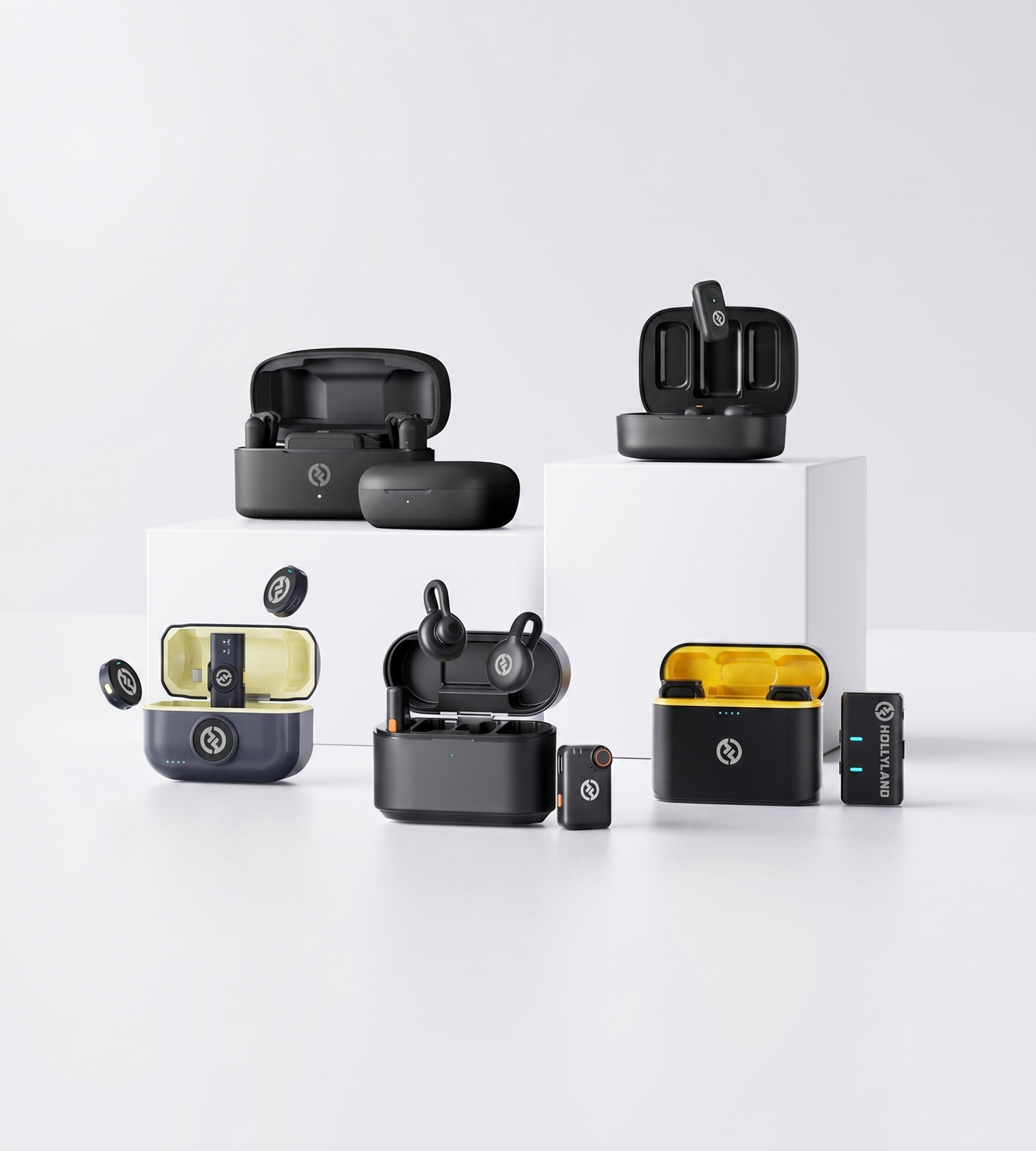
Omni Mic Series

Omnidirectional Microphones

Hollyland's omnidirectional wireless microphones capture clear, natural sound from every direction — no precise aiming required. From featherlight 7g clip-ons to 32-bit float pro recording, find the right omni mic for your smartphone, camera, or live shoot.
Shop Now Compare Models

Compatible with iPhone · Android · DSLR · Mirrorless Camera

  • 360° Omnidirectional Pickup
  • ENC & AI Noise Cancellation
  • Featherlight from 7g
  • 24 to 32-Bit Float Audio
Omnidirectional Microphones
Editor's pickLARK MAX 232-Bit Float · AI Sound
4.7 / 5From 1.5M+ verified creators
Shop Models

Find Your Fit

From smartphone plug-and-play to pro 32-bit float — pick the wireless omni mic built for your workflow.
LARK M2

LARK M2

Reliable all-day wireless for creators and interviewers

  • 9g Transmitter
  • Up to 40h Battery
  • ENC Noise Cancellation
$106.00
LARK M2S

LARK M2S

Featherlight, no-logo wireless for on-camera creators

  • 7g Transmitter
  • No-Logo Design
  • ENC Noise Cancellation
$125.00
LARK MAX 2

LARK MAX 2

Pro-grade wireless for filmmakers and advanced productions

  • 32-bit Float Recording
  • AI Noise Cancellation
  • Timecode Support
$266.74
LARK A1

LARK A1

Smartphone-native wireless for mobile-first content creators

  • Smartphone Plug-and-Play
  • 54h Total Battery
  • 3-Level Noise Cancellation
$50.30
Side-by-side

Find Your Fit

Compare all four omnidirectional wireless mics side by side to pick the right model for your setup.
Model LARK M2 LARK M2 $106.00 LARK M2S LARK M2S $125.00 LARK MAX 2 LARK MAX 2 $266.74 LARK A1 LARK A1 $50.30
Recording Format48kHz / 24-bit 48kHz / 24-bit 48kHz / 32-bit Float 48kHz / 24-bit
Wireless Range (LOS)300m / 1000ft 300m / 1000ft 340m / 1115ft 200m / 650ft
Transmitter Weight9g 7g 14g 8g
Total Battery LifeUp to 40 hours Up to 30 hours Up to 36 hours Up to 54 hours
Noise CancellationENC Environmental Noise Cancellation ENC Environmental Noise Cancellation AI Noise Cancellation 3-Level Intelligent Noise Cancellation
Device CompatibilityCamera / Mobile / Universal Camera / Mobile / Universal Camera Smartphones
Standout FeaturePlug & Play + Optional App Control No-Logo Invisible Fit + Titanium Build 32-bit Float + Timecode + 4 TX per RX Auto-Limit Clip Protection + EQ & Gain Control
Best ForVersatile everyday creators Camera-conscious & style-forward creators Pro filmmakers & advanced content creators Mobile-first creators
Shop Shop Shop Shop
Buying Guide

How to Choose the Right Omnidirectional Wireless Microphone

Omnidirectional wireless mics share the same fundamental pickup advantage — natural, forgiving voice capture from all directions — but they differ significantly in audio quality, noise cancellation, range, and feature depth. Here's what to evaluate before you buy.
  1. Sound Quality: Bit Depth, SNR, and…
  2. Noise Cancellation: The…
  3. Wireless Range and Reliability:…
  4. Device Compatibility: Match the…
  5. Form Factor and On-Camera Discretion
  6. Battery Life: Per-Charge vs. Total
  7. Ease of Use vs. Pro-Level Control
  8. Quick-Reference Summary

Sound Quality: Bit Depth, SNR, and SPL

Audio quality in a wireless mic comes down to three core specifications.

Bit depth determines how much dynamic range your recording captures and how much headroom you have in post-production:

  • 24-bit audio delivers broadcast-quality sound with clean frequency response and is more than sufficient for most content creation, interviews, and professional presentations.
  • 32-bit float recording removes the need to set gain levels manually and eliminates clipping entirely — even if the input signal is too loud. This is the preferred standard for documentary, live events, and any situation where audio levels are unpredictable and reshoots aren't an option.

Signal-to-noise ratio (SNR) measures how clearly the mic captures your voice above the noise floor. An SNR of 70dB or higher is the reliable threshold for clean, low-hiss recordings in most environments.

Maximum SPL tells you how loud a sound source the mic can handle without distorting. A higher SPL rating — particularly anything above 115dB — gives you meaningful headroom during high-volume moments like live events, crowds, or close-range speech bursts.


Noise Cancellation: The Omnidirectional Trade-Off, Solved

Omnidirectional pickup captures sound from every direction, which raises a legitimate concern: will the mic pull in too much background noise?

The answer depends almost entirely on the noise cancellation technology built into the system.

  • ENC (Environmental Noise Cancellation) processes the signal in real time to suppress ambient noise — HVAC hum, crowd chatter, wind rustle — while preserving natural voice tone. This is the standard for professional wireless clip-on mics and performs reliably in moderate-noise environments.

  • AI Noise Cancellation uses machine learning to more precisely separate human voice from background sounds. It's better suited to louder, more unpredictable conditions: outdoor events, busy streets, or multi-person shoots with competing sound sources.

  • Multi-level noise cancellation gives you manual control over how aggressively noise is filtered. This matters when you want to preserve some ambient sound — common in travel content, documentary, or environmental storytelling — while still protecting voice clarity.

If your shoots regularly take place in noisy or outdoor environments, treat noise cancellation capability as a primary filter, not a secondary feature.


Wireless Range and Reliability: The Number That Actually Matters

Most wireless mic spec sheets lead with a headline range figure. That number is almost never the one that determines real-world performance.

Two specs to understand:

  • LOS (Line of Sight) — the range with an unobstructed path between transmitter and receiver. This is the headline number on most product pages.
  • NLOS (Non-Line of Sight) — the range when the direct path is interrupted by walls, bodies, furniture, or equipment. This is what actually determines reliability in the field.

Matching range specs to your environment:

  • Studio, indoor interviews, or conference rooms — NLOS range is the only figure that matters. Even 40–60m NLOS performance comfortably covers most interior spaces.
  • Outdoor events, large venues, or wide-area coverage — LOS range becomes relevant; a higher figure provides a meaningful buffer against edge-case signal loss.
  • Run-and-gun or documentary work — prioritize proven NLOS stability over raw LOS distance, since subjects and camera operators are rarely in unobstructed line of sight.

When comparing systems, always look for the NLOS spec alongside the LOS number. If a spec sheet only cites LOS, treat the real-world range as significantly lower.


Device Compatibility: Match the Mic to Your Gear

Before anything else, confirm the microphone works with the device you're already using — and will continue to work if your gear changes.

Common compatibility configurations:

  • Smartphone-native — connects directly via USB-C or Lightning with no receiver or additional hardware required. Best for mobile-first creators who record, edit, and publish entirely from their phone. The LARK A1 is designed specifically for this workflow.
  • Camera-specific — outputs via 3.5mm TRS to plug directly into DSLR, mirrorless, or video cameras. Best for filmmakers and videographers working with dedicated camera systems.
  • Universal / Combo — includes multiple adapters or switchable output options, enabling use across smartphones and cameras without buying separate systems. The most flexible choice if you regularly switch between devices or share equipment across shoots.

If your workflow spans both a smartphone and a camera, a combo variant is usually worth the marginal price difference over buying two separate systems.


Form Factor and On-Camera Discretion

For wearable, clip-on recording, the physical profile of the transmitter affects both the quality of your audio and the look of your content.

Key form factor considerations:

  • Weight — a lighter transmitter (in the 7–9g range) sits more naturally on clothing, causes less visible drag on thin fabric, and is more comfortable during long shooting sessions. The heavier the transmitter, the more likely it is to shift position and introduce mic rustle.
  • Clip security — a firm, well-designed clip holds the transmitter flush against clothing, keeps the capsule consistently positioned, and minimizes noise from movement.
  • Logo-free design — for shoots where the transmitter is visible on camera, a clean, brandless face reads as professional and unobtrusive. This is a meaningful differentiator for fashion, beauty, lifestyle, and interview content. The LARK M2S is specifically designed with an invisible, no-logo finish for exactly this use case.
  • Build material — for active shoots, outdoor environments, or mics that get handled frequently, durable materials and reinforced construction reduce wear over time.

If your subjects will regularly be on camera with the transmitter visible, treat form factor as a near-equal consideration alongside audio quality.


Battery Life: Per-Charge vs. Total

Wireless mic battery specs typically present two different figures, and it's important to understand what each one means for your workflow.

  • Battery life per charge — how long the transmitter (and receiver) runs on a single full charge. This is the number that determines whether you can complete a full shooting day without interruption.
  • Total battery life (with charging case) — the cumulative hours of use you can get before both the mic and the case are fully depleted. This is the number that matters for multi-day shoots, travel, or any situation where you won't have reliable access to power.

Practical guidance:

  • For single-day shoots with power available at the end of the day: prioritize per-charge battery life. A transmitter with 9–11 hours per charge comfortably covers most standard production days.
  • For extended shoots, travel, or multi-day productions: total battery life with the case becomes the critical figure. Systems offering 30–54 hours of total case capacity can sustain several days of shooting before needing a wall outlet.

Also worth checking: whether the charging case supports USB-C pass-through charging, which allows the case to charge devices while simultaneously being charged itself — a small but practical detail in fast-moving production environments.


Ease of Use vs. Pro-Level Control

Wireless microphones in this category range from fully plug-and-play to configurable professional systems with app-based controls, advanced audio processing, and multi-transmitter support. Choosing the right level means being honest about your workflow.

Plug-and-play — no app, no configuration, no settings to adjust. Clip on, connect, record.

Best for:

  • First-time wireless mic users
  • Creators who prioritize fast setup and minimal friction
  • Business professionals using mics for calls, webinars, or presentations
  • Any scenario where simplicity is more valuable than fine-tuning

App-controlled — adjustable gain, EQ, noise cancellation level, and real-time monitoring through a companion app.

Best for:

  • Intermediate creators who want control over their sound without dedicated audio equipment
  • Mobile creators who need precise settings on the go
  • Anyone who's comfortable with basic audio concepts and wants to optimize for their environment

Pro-level features — 32-bit float recording, AI noise cancellation, timecode sync, multi-transmitter pairing (up to 4 TX per single receiver), and internal backup recording.

Best for:

  • Filmmakers and videographers working on professional or semi-professional productions
  • Multi-camera setups requiring frame-accurate sync
  • High-stakes shoots — events, documentary, client work — where a backup recording is non-negotiable

The LARK MAX 2 is built for this tier, combining the full pro feature set into a wearable wireless system.

A practical rule of thumb: if you've never adjusted audio settings before, start with plug-and-play. If you know what gain staging means, app-controlled options give you meaningful creative control. If you're billing clients or running multi-mic setups, the pro-level feature set will pay for itself on the first critical shoot.


Quick-Reference Summary

Your Priority What to Look For
Recording on a smartphone Smartphone-native compatibility, plug-and-play setup
On-camera invisibility Ultra-light (≤7g), logo-free transmitter design
Noisy or outdoor environments AI noise cancellation, multi-level ENC, high max SPL
Preventing audio clipping 32-bit float recording, auto-limit clip protection
Extended or multi-day shoots High total battery life (with case)
Professional or multi-mic production 32-bit float, timecode, 4 TX per RX, internal backup recording
Fast, beginner-friendly setup Plug-and-play, ENC, universal compatibility
Where Omnidirectional Audio Fits

One Pickup Pattern. Every Scenario.

Omnidirectional mics capture sound from all directions — which means they adapt where directional mics demand compromise. Whether you're clipped on for an interview, running camera at a live event, or recording straight from your phone, the right wireless omni mic keeps your audio consistent, hands-free, and shoot-ready.

Wearable Clip-On Recording

Clip the transmitter to a lapel, collar, or neckline and hit record. Omnidirectional pickup captures clear voice audio even when the mic shifts naturally with movement — no stopping mid-shoot to re-angle or reposition.
  • Lavalier Style
  • Interviews
  • Talking Head

Vlogging & Solo Content Creation

One transmitter, one receiver, no fuss. Whether you're filming a solo talking piece or shooting alongside a second speaker, omni pickup delivers natural, consistent voice capture without precise placement or repeated soundchecks.
  • Solo Creator
  • Duo Setup
  • YouTube & TikTok

Run-and-Gun Filmmaking

On fast-moving shoots — documentary, event coverage, street video — there's no time to re-angle a directional mic. Omnidirectional pickup handles unpredictable framing and subject movement without off-axis coloration or audio drop-outs.
  • Documentary
  • Event Video
  • Fast-Paced Shoots

Smartphone & Mobile Recording

Plug directly into your iPhone or Android and record broadcast-quality audio with no mixer, no audio interface, no extra hardware. Purpose-built for creators who want professional-grade sound from the device already in their hands.
  • Plug and Play
  • Mobile-First
  • No Interface Needed

Live Streaming & On-Stage Events

Lightweight, wearable transmitters keep your hands free during live streams, on-stage presentations, and event hosting. Stable long-range wireless and all-day battery life keep your audio locked from opening remarks to final sign-off.
  • Hands-Free
  • Live Events
  • Stable Wireless

Webinars & Professional Presentations

Step up from weak built-in laptop audio with a wireless mic that captures your voice clearly at a natural speaking distance. Simple enough to set up in seconds, compact and discreet enough to wear on camera without drawing attention.
  • Remote Work
  • Webinars
  • Easy Setup
Trusted by creators

1.5M+ creators picked LARK microphones for their audio

A decade of wireless engineering for film crews and broadcasters — packaged for modern creator workflows.
  • 4.7 Avg. rating · 120K+ reviews
  • 1.5M+ Verified creators
  • 160+ Countries shipped
  • 98% Would recommend

I love my new LARK M2 mics. These were so good, and I really enjoyed testing out the new LARK M2 from Hollyland.

Sarah GraceSarah GraceTech Creator · 3.2M YouTube subscribers

The Hollyland LARK MAX is the wireless microphone system with the clearest and crispest audio of any wireless mic system I have ever tried.

GoenrockGoenrockCinematographer · 107K Instagram subscribers

LARK MAX is doing an excellent job of dropping the sound of the air conditioner, which is something l always have to remove and post with our shotgun mic.

Film RiotFilm RiotFilmmaking Educator · 2.2M YouTube subscribers
  • No Film School
  • Newsshooter
  • CineD
  • RedShark
  • CAMERA JABBER
  • Photowebexpo
FAQ

Your Questions About Omnidirectional Microphones, Answered

What is an omnidirectional microphone, and why does it matter for clip-on use?
A directional microphone (cardioid or supercardioid) captures sound primarily from one angle directly in front of the capsule. An omnidirectional microphone captures sound equally from all directions — 360° around the capsule — with no preferred "sweet spot." For lavalier and clip-on use, that distinction matters significantly. If your mic shifts on your clothing, turns slightly with your movement, or sits a centimeter off-center, an omnidirectional pickup continues capturing your voice clearly. A directional mic in the same situation can lose several decibels the moment you turn away from it. Omni capsules also tend to deliver a more natural, open-sounding frequency response, which suits conversational content, interviews, and ambient recording well.
Won't an omnidirectional microphone pick up too much background noise?
It's the most common concern about omni mics — and every microphone in this collection addresses it with active noise reduction built into the system: - **LARK M2 and LARK M2S** both feature **ENC (Environmental Noise Cancellation)** to filter ambient noise from the wireless signal before it reaches your camera or phone. - **LARK A1** adds **3-level intelligent noise cancellation** with adjustable strength, so you can dial in the right balance for your environment — from a quiet studio to a busy street. - **LARK MAX 2** uses **AI noise cancellation** to separate voice from background noise at a more sophisticated level, designed for noisy event venues, outdoor shoots, and unpredictable environments. In practice, pairing a full-frequency omnidirectional capsule with active noise reduction gives you natural-sounding voice pickup without the ambient bleed you'd get from an unprocessed omni mic.
How reliable is the wireless signal in real-world shooting environments?
Wireless performance depends on two scenarios: **line-of-sight (LOS)** — a clear, unobstructed path between transmitter and receiver — and **non-line-of-sight (NLOS)**, where walls, bodies, or objects interfere with the signal. | Microphone | LOS Range | NLOS Range | |---|---|---| | LARK MAX 2 | 340m / 1,115ft | 70m / 230ft | | LARK M2 | 300m / 1,000ft | 40–60m (varies by version) | | LARK M2S | 300m / 1,000ft | 40–60m (varies by version) | | LARK A1 | 200m / 650ft | — | For indoor shoots, event venues, and busy locations where bodies and furniture block the direct signal path, NLOS range is the number that actually matters on set. All four models are engineered to maintain a stable connection across typical content creation environments, including crowded spaces.
Are these microphones compatible with my smartphone or camera?
Yes — the collection covers smartphones, cameras, and universal setups: - **LARK A1**: Smartphone-native. Plug directly into your iOS or Android device via the included connector — no adapter, no app, no configuration required. - **LARK M2 and LARK M2S**: Available in dedicated **Mobile versions** (for smartphones) and **Camera versions** (for DSLR, mirrorless, and video cameras), as well as a **Combo version** that ships with both receiver types for universal coverage. - **LARK MAX 2**: Connects to cameras via 3.5mm TRS output. Its onboard 32-bit float internal recording also means the transmitter captures audio independently of your device — a useful safety net if you need a backup recording. If you shoot across multiple devices, the Combo versions of the LARK M2 and LARK M2S cover both smartphones and cameras in one package.
How difficult are these microphones to set up?
All four microphones are designed for plug-and-play use. Remove the transmitter and receiver from the charging case, clip the transmitter to your clothing, and connect the receiver to your device. There's no manual pairing procedure, no audio interface, and no mixer required — you're typically recording in under a minute. For users who want more control: - **LARK M2** and **LARK M2S** offer optional **app control** via the Hollyland app, letting you monitor levels, adjust gain, and toggle noise cancellation remotely. - **LARK A1** features onboard **6-level gain adjustment, EQ, and reverb controls** — all accessible directly on the unit without opening an app. - **LARK MAX 2** includes a companion app for advanced settings alongside timecode functionality for multi-camera productions. The depth of control scales with your needs, but none of it is required to get great audio out of the box.
How long will the battery last on a full day of shooting?
There are two battery figures worth knowing: **per-charge life** (a single session) and **total life including the charging case** (how long before you need a wall outlet). | Microphone | TX per Charge | Total with Case | |---|---|---| | LARK A1 | ~9 hours | Up to 54 hours | | LARK M2 | ~10 hours | Up to 40 hours | | LARK MAX 2 | ~11 hours | Up to 36 hours | | LARK M2S | ~9 hours | Up to 30 hours | The charging case functions as a portable power bank for the mics, so you can top up between takes or between locations without carrying a separate charger. The **LARK A1** delivers the highest total battery capacity in the collection at up to 54 hours — strong for high-volume shooting schedules. The **LARK MAX 2** also supports up to **14 hours of onboard 32-bit float internal recording**, independent of your camera — a useful backup if your camera battery dies before your shoot wraps.
How small and discreet are the transmitters — will they show up on camera?
Discretion is a design priority across the entire collection: - **LARK M2S**: At **7g**, it's the lightest transmitter in the range. A **no-logo design** removes any visible branding for truly invisible on-camera placement, and its premium **titanium build** sits flush against clothing without creating a visible bump. - **LARK M2**: **9g** with a button-sized form factor — small enough to hide under a collar or tuck beneath a lapel. - **LARK A1**: **8g** with a magnetic clip for a low-profile, snag-free attachment to fabric. - **LARK MAX 2**: The most feature-rich at **14g**, still light enough for comfortable all-day wearable use. For interviews, vlogs, or any content where you want the mic invisible to the audience, the **LARK M2S** no-logo, 7g transmitter is the most camera-invisible option in the range.
Will the audio distort or clip if someone speaks loudly or unexpectedly?
All four microphones are rated to handle high-volume speech and sudden loud sounds without distortion: - **LARK A1** and **LARK MAX 2** are both rated to a maximum SPL of **128dB** — well above conversational levels and sufficient for even raised voices or sharp sounds at close range. - **LARK M2** and **LARK M2S** are rated at **115dB SPL** and **116dB SPL** respectively, suited to typical interview and content creation scenarios. The **LARK A1** also includes **Auto-Limit Clip Protection**, which automatically pulls back gain before a loud transient causes distortion. On the **LARK MAX 2**, **32-bit float recording** at the transmitter level means audio is captured at such a wide dynamic range that even recordings that would appear clipped can be fully recovered in post-production — no gain-setting required before you hit record.
What is 32-bit float recording, and do I actually need it?
32-bit float is a recording format that eliminates clipping by capturing audio at an extremely wide dynamic range. In practice, it means you can record without setting gain levels beforehand — audio that would be distorted and unrecoverable with standard recording can be brought back to normal levels in editing. For most creators — vloggers, podcasters, social media content, interviews — **24-bit at 48kHz** (the format on the LARK M2, LARK M2S, and LARK A1) produces broadcast-quality audio and is more than sufficient. 32-bit float on the **LARK MAX 2** becomes genuinely valuable when: - You're recording in unpredictable environments where sudden loud sounds are likely - You're running multi-person interviews without time to check individual gain levels - You need a safety net for footage that can't be re-shot - Your audio is going into a professional post-production workflow If any of those apply to your work, the LARK MAX 2's 32-bit float full-chain audio transmission is a meaningful upgrade.
Which omnidirectional microphone is the right fit for my use case?
Here's a quick guide by use case: - **LARK A1** — Best for **smartphone-first creators**. Plug directly into your phone, adjust noise cancellation and gain on the unit, and shoot. Its 54-hour total battery life makes it ideal for creators who shoot frequently and charge rarely. - **LARK M2** — Best for **versatile everyday creators** shooting on both phones and cameras. ENC, app control, and a 10-hour transmitter battery make it a strong all-rounder for YouTube, podcasting, and event video. - **LARK M2S** — Best for **appearance-conscious creators and on-camera talent**. The 7g no-logo transmitter and titanium build prioritize discretion and aesthetics without sacrificing audio quality — ideal for interviews and branded content where the mic must stay out of frame. - **LARK MAX 2** — Best for **professional filmmakers and advanced content creators**. 32-bit float recording, AI noise cancellation, timecode support, and the ability to connect up to **4 transmitters per receiver** make it the right choice for documentary, multi-subject interviews, and high-production shoots.
Explore further

A few more places to go from here

A curated link map of the surrounding content — related categories, the most useful guides, head-to-head comparisons and setup help.
Ready when you are

Find the Right Mic for Your Setup

Plug-and-play wireless audio for every creator — lightweight, ENC-equipped, and compatible with your phone or camera.
Shop Now Compare Models
  • Free shipping over $99
  • 30-day returns
  • 1-year warranty