Wireless Microphones for iPhone
Plug in and start recording. Hollyland's wireless microphones for iPhone deliver studio-grade 24-bit audio, intelligent noise cancellation, and up to 54 hours of battery life — all in a transmitter so compact you'll forget you're wearing it. Shop Now Compare ModelsCompatible with iPhone 15 USB-C & Lightning models · No drivers · No complicated setup
- Plug & Play, Zero Setup
- 24-bit / 48kHz Studio Audio
- Up to 54-Hr Battery Life
- Intelligent Noise Cancellation
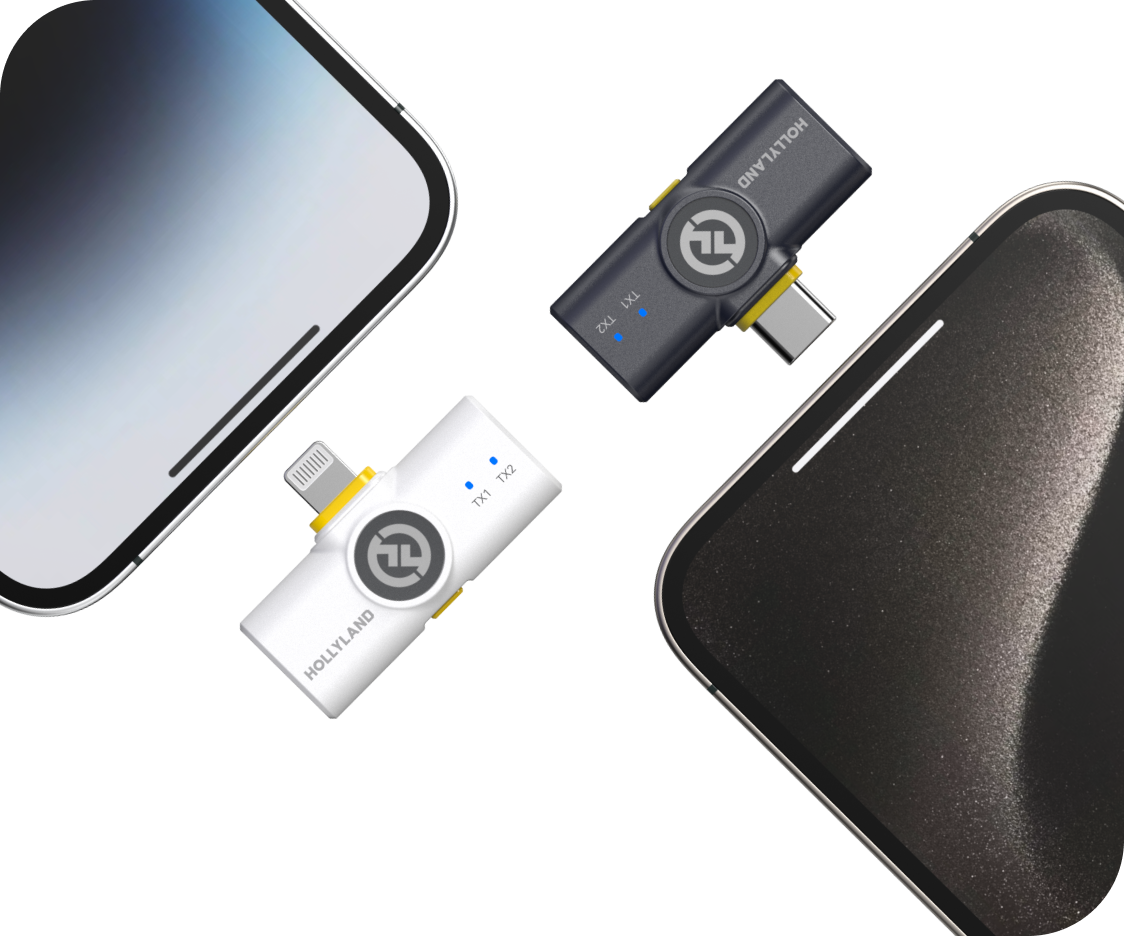 Editor's pickLARK M2Plug & Play · 40-Hr Battery4.7 / 5From 1.5M+ verified creatorsShop Models
Wireless Mics for iPhone Creators
Every mic below works with iPhone — compare by use case and find the right fit.
LARK M2
Reliable all-day mic for mobile creators on the move
- 40Hr Total Battery
- 300m Range
- App Control

LARK A1
Best starter mic for solo iPhone recording
- Plug & Play iPhone
- 54Hr Total Battery
- 3-Level Noise Cancellation

LARK M3
Broadcast-grade multi-mic system for creators who demand more
- 32-Bit Float
- Up to 4 TX & 4 RX
- 9g Featherweight
- 300m Range
- 48Hr Total Battery
- AI Noise Cancellation

LARK M2S
Ultralight, no-logo mic for creators who film themselves
- 7g Transmitter
- No-Logo Design
- ENC Noise Cancellation

LARK MAX 2
Pro-grade audio for iPhone and camera hybrid shoots
- 32-Bit Float
- AI Noise Cancellation
- 340m Range

LARK A2
AI-powered clip-and-go mic for smartphone creators
- AI Noise Cancellation
- 42Hr Total Battery
- 8.5g Ultra-Compact
Compare & Choose
Side-by-side specs to help you pick the right wireless mic for your iPhone setup.| Model |
 LARK M2
$76.00 |
 LARK A1
$39.90 |
 LARK M3
$99.00 |
 LARK M2S
$99.00 |
 LARK MAX 2
$170.10 |
 LARK A2
$29.99 |
|---|---|---|---|---|---|---|
| iPhone Compatible | Yes — Mobile & Combo Versions | Yes — Plug & Play | Yes (via Combo setup) | Yes — Mobile & Combo Versions | Yes (via Combo setup) | Yes — Plug & Play (Smartphones / Mobile Devices) |
| Audio Quality | 48kHz / 24-bit | 48kHz / 24-bit | 48kHz / 24-bit & 32-bit Float | 48kHz / 24-bit | 48kHz / 32-bit Float | 48kHz / 24-bit |
| Noise Cancellation | ENC Environmental Noise Cancellation | 3-Level Intelligent Noise Cancellation | Adaptive AI Noise Cancellation | ENC Environmental Noise Cancellation | AI Noise Cancellation | AI-Powered Noise Cancellation & Voice Tuning |
| Wireless Range (LOS) | 300m / 1000ft | 200m / 650ft | 300m / 1000ft | 300m / 1000ft | 340m / 1115ft | 200m / 656ft |
| Total Battery Life | Up to 40 hours | Up to 54 hours | Up to 48 hours | Up to 30 hours | Up to 36 hours | Up to 42 hours |
| Transmitter Weight | 9g | 8g | 9g | 7g | 14g | 8.5g |
| App Control | Yes (Mobile Version) | Yes (EQ, Gain & Reverb) | Yes + 4 Independent Tracks & Custom Voice Tuning | Yes (Mobile Version) | Yes + Timecode & Monitoring | Yes |
| Best For | Everyday creators & vloggers | iPhone-first creators & beginners | Multi-mic productions & broadcast-grade creators | Style-conscious & on-camera creators | Semi-pro & camera+iPhone workflows | Smartphone creators wanting AI audio & ultra-compact design |
| Shop | Shop | Shop | Shop | Shop | Shop |
How to Choose the Right Wireless Mic for Your iPhone
Not all wireless microphones work the same way with an iPhone — and the right choice depends on more than just compatibility. Use this guide to match the right mic to your recording style, content type, and workflow.- Check Your iPhone Connection Type…
- Prioritize Plug-and-Play Simplicity
- Understand What "Good Sound"…
- Evaluate the Noise Cancellation…
- Think About Range — How Far Are…
- Factor in Battery Life Against…
- Consider Whether You're Recording…
- Decide How Much Control You…
- Don't Overlook Size and On-Camera…
1. Check Your iPhone Connection Type First
Before anything else, confirm which port your iPhone uses.
- iPhone 15 and later — USB-C port
- iPhone 14 and earlier — Lightning port
This matters because wireless microphone receivers connect directly to your iPhone via its charging port. Some mics come in a Mobile Version designed specifically for a single port type, while others come as a Combo Version — bundled with both Lightning and USB-C receivers so you're covered regardless of which iPhone you're using.
Pro tip: If you plan to upgrade your iPhone soon, or share your mic between multiple devices, the Combo Version gives you long-term flexibility without buying again.
2. Prioritize Plug-and-Play Simplicity
One of the most common frustrations with mobile audio gear is a complicated setup. For iPhone creators, the ideal wireless mic should be ready to record the moment you plug it in — no drivers, no pairing ritual, no app required to get basic audio working.
Look for microphones that are:
- Plug-and-play compatible — insert the receiver into your iPhone's port and your camera or voice memo app recognizes it immediately
- Automatic pairing — transmitter and receiver pair out of the box or auto-reconnect when powered on
- App-optional — the mic works without an app, but an app unlocks deeper control when you want it
If you're a beginner or just want a mic that stays out of your way, plug-and-play should be non-negotiable.
3. Understand What "Good Sound" Actually Means in Practice
Audio specifications can be overwhelming. Here's what actually matters for real-world iPhone recording:
Recording format Look for 24-bit / 48kHz audio as a baseline. This delivers broadcast-quality clarity well above what compressed phone audio can produce — and is more than sufficient for social media, YouTube, and podcasting.
Signal-to-noise ratio (SNR) A higher SNR means less hiss and cleaner audio in quiet moments. Anything above 67dB SNR is solid for content creation purposes.
Maximum SPL handling If you record in loud environments — live events, concerts, busy streets — check the maximum SPL rating. A mic rated at 115dB SPL or higher handles loud sources without distorting.
Frequency response A flat 20Hz–20kHz response means the mic captures the full range of the human voice naturally, without artificially boosting or cutting frequencies.
4. Evaluate the Noise Cancellation Capabilities
Recording outdoors, in a café, at an event, or near air conditioning? Background noise is one of the biggest quality killers in mobile video audio.
There are two main types of noise reduction to look for:
- ENC (Environmental Noise Cancellation) — Hardware-level noise suppression built into the microphone. Works passively and requires no settings adjustment. Effective for wind noise, ambient hum, and crowd bleed.
- AI Noise Cancellation — Algorithm-driven processing that intelligently separates voice from background sound. Typically more powerful and better suited to complex or unpredictable noise environments.
For most content creators recording in mixed environments, ENC is a strong baseline. For semi-professional use cases — journalism, field reporting, or multi-person shoots in noisy locations — AI noise cancellation offers a meaningful upgrade.
Some microphones also include adjustable noise cancellation levels, letting you dial in how aggressively background sound is suppressed depending on your environment. This kind of flexibility is especially useful if you record across different settings regularly.
The LARK A2 sits between these tiers — it brings AI-Powered Noise Cancellation & Voice Tuning to a compact, smartphone-first form factor, making it a strong choice for creators who want intelligent noise processing without stepping up to a full semi-pro kit.
5. Think About Range — How Far Are You From Your iPhone?
Wireless range determines how freely you can move while recording.
| Scenario | Recommended Range |
|---|---|
| Selfie-mode or short-distance filming | 10–30m is sufficient |
| Vlogging, interviews, walking shots | 60m+ (NLOS) gives comfortable margin |
| Large spaces, stage presentations, events | 100m+ (LOS) for reliable signal |
LOS (Line of Sight) is the maximum rated range in open air with no obstructions. NLOS (Non-Line of Sight) is the more realistic figure for indoor or urban shooting, where walls, people, and objects interrupt the signal path.
For most iPhone creators, a 60m NLOS range covers the vast majority of real-world shooting scenarios.
6. Factor in Battery Life Against Your Shooting Day
Running out of battery is a real problem. When evaluating battery life, consider two figures:
- Per-charge battery life — how long the transmitter runs on a single charge (typically 7–11 hours depending on model)
- Total system battery life — the combined charge capacity of the charging case plus the transmitter, which can extend usable time to 30–54 hours
- Quick charge support — the LARK A2 supports 1.5H quick charge, so even a short break between shoots can meaningfully top up your kit
For day-long shoots, travel content, or event coverage, a mic system with a high-capacity charging case is a significant practical advantage. For shorter, controlled sessions, per-charge runtime is usually sufficient.
7. Consider Whether You're Recording One Person or Two
This is often overlooked but shapes the type of kit you need.
Single transmitter (1-TX) setups are ideal for:
- Solo vloggers and content creators
- Selfie-mode or walk-and-talk filming
- Podcasters recording their own voice
Dual transmitter (2-TX) setups are better for:
- Interviews and two-person conversations
- Field journalists or documentary-style shoots
- Hosts who need a separate mic for a guest
Most wireless mic systems for iPhone are available in both single and dual configurations. If you regularly record conversations or interviews, a dual kit eliminates the need to buy a second system later.
8. Decide How Much Control You Actually Need
Wireless mics for iPhone range from beautifully simple to genuinely professional in terms of adjustability. Match the level of control to your workflow:
Basic users (beginners, casual creators, small business owners) → Look for plug-and-play with automatic gain control. Fewer settings means faster setup and less room for error.
Intermediate creators (regular content creators, vloggers, educators) → Benefit from app-based control — adjust gain, monitor levels, toggle noise cancellation, and fine-tune EQ directly from their iPhone. This adds flexibility without requiring external gear.
Advanced / semi-professional users (journalists, hybrid camera+iPhone workflows, event videographers) → May need features like 32-bit float recording, timecode sync, multi-transmitter support, or wireless audio monitoring. These features protect recordings in unpredictable environments and integrate into more complex production setups.
The LARK M3 is purpose-built for this tier — it supports up to 4 TX & 4 RX with 4 independent isolated tracks, delivers 32-bit float broadcast-grade audio, and packs all of this into a featherweight 9g transmitter with 300m wireless range and up to 48 hours of total battery life.
If you're unsure, start with a mic that offers app control as an option rather than a requirement. You get simplicity by default, and depth when you need it.
9. Don't Overlook Size and On-Camera Appearance
For video content, what the mic looks like on camera matters — especially for close-up or talking-head shots.
Key things to consider:
- Transmitter weight — lighter is better for on-body wear. Transmitters in the 7–9g range are barely noticeable when clipped to clothing.
- Clip visibility — a large, branded clip draws attention. A discreet, low-profile clip (or no visible logo at all) keeps the focus on your content.
- Magnetic vs. clip attachment — magnetic mounts offer fast, fumble-free attachment and can sit flush against fabric, reducing visible bulk.
For creators where on-screen aesthetics are a priority — particularly beauty, lifestyle, or fashion content — a no-logo, minimal-profile transmitter is worth specifically seeking out.
Who It's Made ForBuilt for Every Scene You Shoot
From spontaneous street interviews to all-day travel shoots, Hollyland wireless microphones for iPhone deliver clean, studio-grade audio wherever your content takes you.Short-Form Social Content
Capture crisp, close-up audio for TikToks, Reels, and YouTube Shorts — even when filming solo in selfie mode. Plug into your iPhone and start recording in seconds, no setup required.- TikTok & Reels
- Selfie-Mode Friendly
- Instant Setup
Vlogging & Travel Video
Move freely without losing signal. With up to 300m of wireless range and transmitters starting at just 7g, you can roam streets, trails, or terminals and never miss a moment worth keeping.- Outdoor Shooting
- Long-Range Wireless
- Ultra-Portable
Interviews & Field Reporting
Record both voices clearly with a dual-transmitter setup. ENC noise cancellation cuts through crowd hum, wind, and background chatter so your subjects always come through front and center.- Two-Person Recording
- Noisy Environments
- Field Reporting
Mobile Podcasting
Produce professional-sounding episodes directly from your iPhone. 24-bit/48kHz audio quality and up to 54 hours of total battery life mean you can record as long as the conversation runs.- On-the-Go Recording
- Studio-Grade Audio
- All-Day Battery
Live Streaming
Your audience hears every word in real time. Ultra-low latency wireless transmission keeps your audio perfectly in sync with your stream — whether you're broadcasting from home or out on location.- Real-Time Audio
- Low Latency
- Mobile Broadcast
Semi-Pro & Hybrid Productions
Running a camera and iPhone in the same shoot? Scale up with multi-transmitter support, 32-bit float recording, and AI noise cancellation built for productions that demand professional-grade results.- Multi-Mic Workflows
- Camera + iPhone
- Advanced Production
1.5M+ creators picked LARK microphones for their audio
A decade of wireless engineering for film crews and broadcasters — packaged for modern creator workflows.- 4.7 Avg. rating · 120K+ reviews
- 1.5M+ Verified creators
- 160+ Countries shipped
- 98% Would recommend
I love my new LARK M2 mics. These were so good, and I really enjoyed testing out the new LARK M2 from Hollyland.
The Hollyland LARK MAX is the wireless microphone system with the clearest and crispest audio of any wireless mic system I have ever tried.
LARK MAX is doing an excellent job of dropping the sound of the air conditioner, which is something l always have to remove and post with our shotgun mic.
- No Film School
- Newsshooter
- CineD
- RedShark
- CAMERA JABBER
- Photowebexpo
Your Questions About Wireless Mics for iPhone, Answered
Will these wireless microphones actually work with my iPhone? Yes — and compatibility is built into the buying decision from the start. **iPhone 15 and later** use USB-C, while **iPhone 14 and earlier** use Lightning. The **Mobile Version** of the LARK M2 and LARK M2S ships with the correct connector for your iPhone model — just select it at checkout. The **LARK A1** is plug-and-play compatible with all current iPhone models out of the box. If you also want to use the same microphone with a DSLR, mirrorless camera, or computer, the **Combo Version** (available for the LARK M2 and LARK M2S) includes adapters for universal connectivity across devices. Do I need to install drivers or software to start recording? No drivers, no installs, no configuration headaches. Every microphone in this collection is **plug-and-play** — connect the receiver to your iPhone and you're recording in seconds. For creators who want more control, the free **Hollyland App** (iOS) lets you adjust gain, EQ, and monitor audio in real time directly from your iPhone. It's a powerful optional tool, but it's never required. If you want to plug in and shoot, you can do exactly that. Will there be audio sync or latency issues in my videos? No noticeable latency. Hollyland wireless mics are engineered for low-latency transmission, keeping your audio perfectly synced with your video footage. This matters most for talking-head content, interviews, and anything where lip-sync accuracy is visible on screen. You can film, import, and edit with confidence — no manual audio drift corrections needed. How well do these mics handle wind and background noise? Very well. Every microphone in this range features built-in **ENC (Environmental Noise Cancellation)**, which actively reduces ambient sound — wind, crowd noise, air conditioning, and traffic — before it reaches your recording. - The **LARK A1** offers **3-level intelligent noise cancellation**, letting you dial in how aggressively background noise is filtered for your environment. - The **LARK MAX 2** adds **AI Noise Cancellation** for the most demanding real-world conditions. For outdoor shooting, using the included windscreen alongside ENC gives you the cleanest possible result. How long will the battery last on a real shooting day? Long enough to outlast most filming sessions — and the charging cases top up your transmitters between takes. Here's what you can expect per kit: - **LARK A1**: Up to **54 hours total** (with case); transmitter ~9 hours per charge - **LARK A2**: Up to **42 hours total** (with case); transmitter ~7 hours per charge - **LARK M2**: Up to **40 hours total** (with case); transmitter ~10 hours per charge - **LARK M2S**: Up to **30 hours total** (with case); transmitter ~9 hours per charge - **LARK MAX 2**: Up to **36 hours total**; mic ~11 hours per charge - **LARK M3**: Up to **48 hours total** (case provides 2 additional full recharges per TX); TX ~8 hours per charge, Camera RX ~9 hours per charge For all-day shoots, events, or travel days where charging isn't always possible, the LARK A1, LARK M2, and LARK M3 offer the longest sustained runtime in the range. Will the microphone be noticeable on camera? Barely — or not at all. The transmitters in this range weigh between **7–14 grams** and are purpose-built to clip discreetly to a collar, lapel, or neckline. The **LARK M2S** is the most camera-discreet option in the lineup: its **7g titanium no-logo design** is specifically engineered for creators who want clean, branded-free footage. There's no Hollyland wordmark visible on the transmitter, making it nearly invisible on screen. If on-camera aesthetics are a priority for your content, the LARK M2S is the one to reach for. What is the difference between the Mobile Version and the Combo Version? **Mobile Version**: The receiver connects directly to your iPhone via USB-C or Lightning for a seamless plug-and-play experience. It supports app control and is purpose-built for iPhone-first workflows. This is the right choice if your iPhone is your primary recording device. **Combo Version**: Includes both the mobile receiver *and* a camera-mount receiver, plus a 3.5mm TRS adapter. This gives you the flexibility to use the same transmitter with your iPhone, DSLR, mirrorless camera, or laptop — without buying a second system. If your workflow is iPhone-only, the Mobile Version is simpler and sufficient. If you ever shoot on a camera alongside your iPhone, the Combo Version is the more future-proof investment. Should I buy a single-mic or two-person kit? It depends on how you record: - **Solo creator** (vlogging, selfie-mode, tutorials, presentations): A **1-TX kit** is everything you need. One transmitter clips to your clothing and delivers clean, wireless audio to your iPhone. - **Interviewer, podcaster, journalist, or co-host**: A **2-TX kit** puts a separate mic on both speakers, capturing each voice on its own channel for clean, independent audio you can balance in editing. The LARK M2, LARK M2S, and LARK MAX 2 are all available in dual-transmitter configurations. If there's any chance you'll record two people — even occasionally — the two-person kit is worth choosing from the start. Which Hollyland wireless mic is right for me? Here's a quick guide based on your use case: - **LARK A1** — Best for iPhone-first creators who want a simple, compact mic with intelligent noise cancellation, long battery life (up to 54 hours total), and strong value. Ideal starting point. - **LARK A2** — Best for smartphone creators who want AI-powered noise cancellation, dual-protection clip safety, and an ultra-compact "Clip & Go" design. 48kHz / 24-bit studio-grade audio, 42 hours total battery, and 1.5H quick charge make it a strong step up from entry level. - **LARK M2** — Best all-around choice for mobile creators. 24-bit/48kHz audio, ENC, app control, and the option to expand to camera use via the Combo Version. - **LARK M2S** — Best for creators where on-camera appearance matters. The 7g no-logo titanium transmitter is the most discreet option in the range, with no compromise on audio quality. - **LARK MAX 2** — Best for semi-professional and dual camera+iPhone workflows. Choose this if you need 32-bit float recording, AI noise cancellation, timecode sync, or the ability to connect up to 4 transmitters simultaneously. - **LARK M3** — Best for broadcast-grade multi-mic productions. Choose this if you need **32-bit float audio**, **up to 4 TX & 4 RX with 4 independent isolated tracks**, **adaptive AI noise cancellation**, a **featherweight 9g transmitter**, **300m wireless range**, and up to **48 hours of total battery life** — all in a scalable system built for demanding shoots. Not sure where to start? The **LARK M2** covers most creators well. Step up to the **LARK MAX 2** or **LARK M3** when professional-grade features and multi-mic scalability become a priority. What happens if audio gets too loud and starts to clip? Clipping protection is built in at every level of the range: - The **LARK A1** includes **Auto-Limit Clip Protection**, which automatically prevents distortion when sound levels spike — useful during live events, loud environments, or unpredictable interview settings. - The **LARK A2** features **Dual-Protection: AI Auto-Limit Clip & Safety Track**, combining intelligent level limiting with a dedicated safety track so you always have a clean backup recording, even when audio peaks unexpectedly. - The **LARK MAX 2** uses **32-bit float recording**, capturing such a wide dynamic range that virtually no audio is ever clipped or unrecoverable, even under extreme conditions. - The **LARK M3** also records in **32-bit float** (as well as 24-bit), with a **125dB SPL maximum** and **≥70dB SNR**, making it equally immune to clipping across all 4 independent isolated tracks — ideal for multi-mic shoots where monitoring every channel in real time isn't always possible. - For the **LARK M2** and **LARK M2S**, the Hollyland App gives you manual gain control so you can set appropriate input levels before recording begins. For anyone recording in unpredictable situations — events, street interviews, live performances — the LARK A1, LARK A2, LARK MAX 2, and LARK M3 offer the most reliable clip protection out of the box. Explore furtherA few more places to go from here
A curated link map of the surrounding content — related categories, the most useful guides, head-to-head comparisons and setup help.Related categories
Buying guides
Comparisons
Support & setup
Find Your Match — Start Creating Today
Every mic on this page is plug-and-play iPhone compatible, with 24-bit studio-quality audio. Shop Now Compare Models- Free shipping over $99
- 30-day returns
- 1-year warranty