Wireless Microphones for PC
Upgrade your PC setup with a wireless mic built for streamers, podcasters, and remote professionals. USB plug-and-play, 24-bit studio audio, and AI noise cancellation — full freedom of movement, zero compromise. Shop Now Compare ModelsUSB Plug & Play · Windows & macOS Compatible · No Drivers Required
- Plug & Play, No Drivers
- ENC & AI Noise Cancellation
- 24-Bit Studio-Grade Audio
- Up to 40H Battery Life
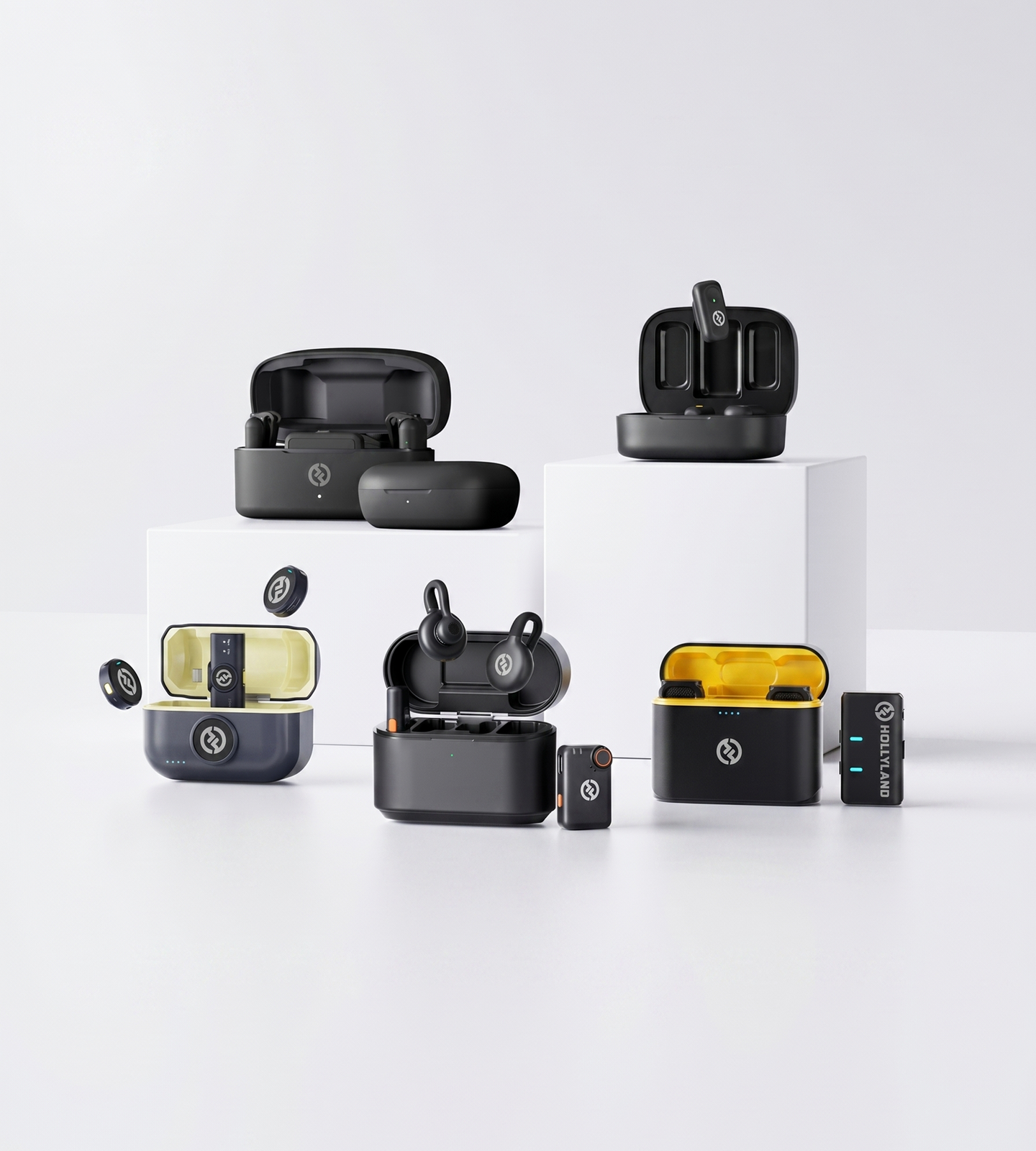 Editor's pickLARK MAX 232-Bit Float · AI Noise Cancel4.7 / 5From 1.5M+ verified creatorsShop Models
Wireless Mics for PC
Match the right mic to your workflow — from daily calls and streaming to professional-grade recording.
LARK M2
The everyday wireless mic for streamers, podcasters, and remote workers
- Plug & Play PC
- ENC Noise Cancellation
- 24-bit / 48kHz

LARK M3
Broadcast-grade 32-bit float wireless mic system — scalable up to 4 mics, featherweight 9g transmitter, 300m range
- 32-bit Float Audio
- Scalable 4-TX System
- Featherweight 9g

LARK M2S
Studio-grade clarity in a titanium clip-on built for polished PC setups
- Titanium Design
- ENC Noise Cancellation
- Plug & Play PC

LARK MAX 2
Professional wireless system for serious PC creators and high-end streaming
- 32-bit Float Audio
- AI Noise Cancellation
- 340m Range

LARK A2
Ultra-compact clip-on wireless mic for smartphones — AI noise cancellation, 24-bit audio, plug and play
- Smartphone Plug & Play
- AI Noise Cancellation
- 48kHz / 24-bit
Compare Wireless Mics for PC
Side-by-side specs to help you pick the right wireless mic for your PC streaming, recording, or call setup.| Model |
 LARK M2
$76.00 |
 LARK M3
$99.00 |
 LARK M2S
$99.00 |
 LARK MAX 2
$170.10 |
 LARK A2
$29.99 |
|---|---|---|---|---|---|
| PC Compatibility | Plug & Play via USB (Combo Version) | Plug & Play via USB (Universal) | Plug & Play via USB (Combo Version) | Plug & Play via USB (Universal) | Plug & Play via Smartphone / Mobile Device (USB-C / Lightning) |
| Audio Quality | 24-bit / 48kHz | 32-bit Float / 48kHz (also 24-bit / 48kHz) | 24-bit / 48kHz | 32-bit Float / 48kHz | 24-bit / 48kHz |
| Noise Cancellation | ENC | Adaptive AI Noise Cancellation | ENC | AI Noise Cancellation | AI Noise Cancellation |
| Wireless Range | Up to 300m (LOS) | Up to 300m (LOS) | Up to 300m (LOS) | Up to 340m (LOS) | Up to 200m (LOS) |
| Battery (Per Charge) | ~10 hrs (TX) | ~8 hrs (TX) / ~9 hrs (Camera RX) | ~9 hrs (TX) | ~11 hrs (TX) | ~7 hrs (TX) |
| Total Battery Life | Up to 40 hrs | Up to 48 hrs | Up to 30 hrs | Up to 36 hrs | Up to 42 hrs |
| Internal Recording | — | Yes — 32-bit Float | — | Yes — 32-bit Float, up to 14 hrs | — |
| Best For | Streamers, remote workers & everyday creators | Multi-mic productions, broadcast creators & scalable wireless setups | Style-conscious creators & premium desk setups | Professional streamers & studio-level recording | Smartphone creators, vloggers & on-the-go content creators |
| Shop | Shop | Shop | Shop | Shop |
How to Choose a Wireless Microphone for Your PC
Not every wireless mic is built to work with a PC. From how it connects to how it handles background noise, these are the factors that matter most — so you can choose with confidence and get straight to creating.- How It Connects to Your PC
- Plug and Play vs. Driver-Dependent…
- Audio Quality: The Numbers That…
- Noise Cancellation: Essential for…
- Wireless Range and Signal Stability
- Battery Life: Planning for Long…
- Latency: Does It Matter for Your…
- Form Factor: What Works Best on a…
- Matching the Right System to Your…
How It Connects to Your PC
This is the first question to answer — and the one most buyers overlook.
Wireless microphones connect to a PC in three main ways:
- USB dongle/receiver — The most reliable option for PC use. A compact receiver plugs into a USB port and the mic pairs instantly. No Bluetooth compression, no pairing headaches. This is the connection type to prioritize.
- 3.5mm audio jack — Some wireless receivers output via a 3.5mm plug. Compatible with most laptops and many desktops, but audio quality through this path can vary depending on your onboard sound card.
- Bluetooth — Convenient for casual calls, but generally not recommended for content creation. Higher latency and audio compression make it a poor fit for streaming, recording, or gaming commentary.
For most PC creators, a USB dongle receiver is the safest, most stable choice.
If you're working across a desktop and a laptop — or between a PC and a smartphone — look for a Combo or Universal version that includes both USB-A and USB-C receiver outputs in the box. This gives you true cross-device flexibility without adapters.
Plug and Play vs. Driver-Dependent Setup
Setup complexity is a bigger deal than it sounds.
A plug-and-play wireless mic is recognized by your PC as a standard audio input device the moment you connect the receiver — no software installation, no manual configuration, no compatibility troubleshooting. You plug it in, select it as your input in your streaming app, video call, or DAW, and you're done.
Driver-dependent systems can introduce friction: software conflicts, update issues, and added steps before every session.
If you want a frictionless experience — especially across different machines — prioritize systems that are explicitly advertised as plug and play with no drivers required.
Audio Quality: The Numbers That Actually Matter
When comparing specs, focus on these:
- Bit depth — 24-bit audio captures significantly more dynamic detail than 16-bit. This is the minimum standard for professional-quality streaming and recording. Some advanced systems offer 32-bit float recording, which provides additional headroom and virtually eliminates the risk of clipping — useful for high-end production workflows.
- Sample rate — 48kHz is the standard for video, streaming platforms, and conferencing. It covers everything you'll encounter in a PC-based workflow.
- Signal-to-Noise Ratio (SNR) — The higher the SNR in dB, the cleaner and quieter the audio floor. Aim for systems rated above 70dB SNR for professional clarity.
- Frequency response — A range of 20Hz–20kHz covers the full spectrum of human hearing, ensuring your voice sounds natural, warm, and present — not thin or telephone-like.
Noise Cancellation: Essential for Real Environments
If you're recording in a home office, bedroom, or anywhere with ambient noise — fans, air conditioning, keyboard clicks, street noise — noise cancellation is non-negotiable.
Two types to know:
- ENC (Environmental Noise Cancellation) — Hardware-level noise reduction built into the microphone itself. Works at the capture stage, before audio reaches your PC. Highly effective at reducing steady-state background noise like HVAC hum or fan noise.
- AI Noise Cancellation — More advanced signal processing that identifies and suppresses complex, variable noise in real time. Better suited for demanding or unpredictable recording environments.
For most streamers, podcasters, remote workers, and educators, ENC provides excellent results in typical home or office settings.
If you're producing content in a louder or less controlled environment — or working at a higher production standard — AI noise cancellation gives you significantly more headroom for clean audio.
Wireless Range and Signal Stability
Maximum range specs (often quoted as LOS — line of sight, outdoors) rarely reflect real-world indoor conditions.
What matters more is NLOS (non-line-of-sight) performance — how well the system holds a signal through walls, furniture, and the obstructions typical of a home or office environment.
- Desk-based users (streamers, remote workers, gamers) — Signal stability at close range matters most. Most quality wireless systems handle a typical room with ease.
- Educators, presenters, or active creators who move around while recording — Look for systems rated at 40–70m or more in NLOS conditions to ensure you stay connected throughout the room without dropouts.
Battery Life: Planning for Long Sessions
Wireless freedom disappears fast if your mic dies mid-stream.
What to look for:
- Transmitter (mic) battery per charge — Aim for at least 8–10 hours to cover a full work day, a long streaming session, or back-to-back recording blocks without interruption.
- Total battery life with charging case — Many systems include a case that stores additional charges. A total capacity of 30–40 hours means you can go days between full recharges.
- Charging case convenience — A case that charges the mic passively between uses fits naturally into any workflow, so you're rarely caught with a dead mic.
Latency: Does It Matter for Your Use Case?
Latency is the delay between speaking and the audio being processed.
- Recording (podcasts, voiceovers, tutorials) — Small amounts of latency are not perceptible in post-production. Lower priority here.
- Live streaming and gaming — Latency becomes more critical if you're monitoring your own voice in real time. Noticeable delay can disrupt your delivery or throw off your commentary.
- Video calls and conferencing — Most platforms buffer audio and handle minor latency gracefully. This is generally a lower concern.
If real-time monitoring or live streaming is a core part of your workflow, specifically look for systems that advertise low-latency wireless transmission.
Form Factor: What Works Best on a PC Setup
Clip-on (lavalier) wireless transmitters are the dominant format for PC-based workflows — and for good reason:
- Attach discreetly to a collar, lapel, or shirt
- Keep hands free for typing, gaming, or on-camera gestures
- Stay off-camera or minimally visible — ideal for streamers and video creators who want a clean aesthetic
- Lightweight enough to wear comfortably across full-day sessions
Handheld transmitters suit interview formats, live presentations, or multi-speaker setups where passing the mic makes sense.
For the vast majority of PC use cases — streaming, recording, calls, screen tutorials — a compact clip-on system is the practical default.
Matching the Right System to Your Workflow
Once connection type, audio quality, and battery life are checked off, narrow your choice by use case:
Streamers, podcasters, YouTubers, and remote workers who want reliable wireless audio, strong ENC, and instant USB plug-and-play compatibility — a compact clip-on wireless system like the LARK M2 (Combo Version) is purpose-built for this workflow, balancing performance and simplicity at an accessible level.
Creators who care about desk aesthetics alongside audio performance — the LARK M2S (Combo Version) offers the same plug-and-play PC compatibility in a premium titanium build with a no-logo, camera-ready design.
Professional streamers, audio producers, or multi-mic setups that demand 32-bit float audio, AI noise cancellation, and advanced system control — the LARK MAX 2 is built for creators who need a professional-grade wireless system that performs at the highest level, even in demanding recording environments.
Broadcast-grade multi-mic productions and scalable creator setups that need to run up to 4 transmitters simultaneously with 32-bit float audio, adaptive AI noise cancellation, and a featherweight 9g transmitter — the LARK M3 delivers 300m wireless range, 4 independent isolated tracks, and up to 48 hours total battery life, making it the go-to for interview series, panel recordings, and high-output content workflows.
Smartphone-first creators, vloggers, and on-the-go content makers who need a truly portable, clip-and-go wireless mic that works straight out of the box with any mobile device — the LARK A2 delivers AI noise cancellation, 48kHz / 24-bit studio-grade audio, and up to 42 hours total battery life in an ultra-compact 8.5g transmitter, with no apps or configuration required.
One Wireless Mic, Every PC Creator Scenario
Whether you're going live, leading a meeting, or laying down a voiceover, Hollyland wireless mics for PC keep up with how you actually work — plug in, move freely, and sound like a pro every time.Live Streaming
Move freely around your setup without cable drag or signal dropout. Ultra-low latency and plug-and-play USB connectivity mean your stream stays in sync and your audience hears every word clearly — whether you're at your desk or across the room.- Low Latency
- Wireless Freedom
- Twitch & YouTube
Video Calls & Virtual Meetings
Sound polished on every Zoom, Teams, or Google Meet call without a bulky desktop mic in frame. ENC and AI noise cancellation strip out keyboard clicks, fan hum, and room echo so your voice stays front and center — not the background.- Noise Cancellation
- Work From Home
- Always Professional
Podcasting & Voiceover
Record clean, broadcast-quality audio directly to your PC — no cable management, no desk clutter. 24-bit / 48kHz capture on every model ensures your episodes, narrations, and scripts sound studio-ready from the first take.- 24-bit Audio
- Studio Quality
- Cable-Free Setup
Gaming Commentary
Stay fully in the game without being tethered to your rig. A button-sized wireless transmitter clips on and disappears while you play, delivering crisp voice pickup for multiplayer comms and recorded commentary without breaking your immersion.- Hands-Free
- Multiplayer Voice
- Commentary Recording
Screen Recording & Online Teaching
Narrate tutorials, lessons, and software walkthroughs while navigating your screen freely. Clear, noise-cancelled audio makes every step easy to follow — and without a mic stand crowding your workspace or a cable snagging your keyboard.- Tutorial Recording
- E-Learning
- Clear Narration
Home Studio & Demo Recording
Build a professional-sounding home studio workflow without the cable maze. Wireless range up to 300m line-of-sight and 32-bit float internal recording on select models mean your takes are captured cleanly — even when inspiration strikes from across the room.- Home Studio
- 32-bit Float
- Long Wireless Range
1.5M+ creators picked LARK microphones for their audio
A decade of wireless engineering for film crews and broadcasters — packaged for modern creator workflows.- 4.7 Avg. rating · 120K+ reviews
- 1.5M+ Verified creators
- 160+ Countries shipped
- 98% Would recommend
I love my new LARK M2 mics. These were so good, and I really enjoyed testing out the new LARK M2 from Hollyland.
The Hollyland LARK MAX is the wireless microphone system with the clearest and crispest audio of any wireless mic system I have ever tried.
LARK MAX is doing an excellent job of dropping the sound of the air conditioner, which is something l always have to remove and post with our shotgun mic.
- No Film School
- Newsshooter
- CineD
- RedShark
- CAMERA JABBER
- Photowebexpo
Wireless Mic for PC: Your Questions Answered
Do Hollyland wireless mics require drivers or special software to work with a PC? No — and that's by design. The LARK M2 (Combo Version), LARK M2S (Combo Version), and LARK MAX 2 are all plug-and-play compatible with PC. Connect the receiver to a USB port, and Windows or macOS instantly recognizes it as a standard audio input device. No driver downloads, no configuration software, no setup friction — just open OBS, Zoom, Audacity, or any other app and start recording. How do these wireless mics connect to a PC — USB, Bluetooth, or 3.5mm? Hollyland wireless mics use a dedicated **2.4GHz USB receiver** — not Bluetooth — for a more stable, lower-latency connection than Bluetooth audio typically delivers. The Combo Versions of the LARK M2 and LARK M2S include a compact USB-A receiver that plugs directly into any standard USB port on a desktop or laptop. Once plugged in, select it as your audio input in your system settings or recording software, and you're ready to go. If your laptop is USB-C only, a standard USB-A to USB-C adapter is all you need. Will background noise — fan hum, keyboard clicks, HVAC, room echo — be picked up? Hollyland mics on this page include active noise reduction built into the hardware. The **LARK M2** and **LARK M2S** both feature **ENC (Environmental Noise Cancellation)**, while the **LARK MAX 2** uses **AI Noise Cancellation** to intelligently filter ambient sound in real time. Whether you're recording in a home office with a loud PC fan, a room with air conditioning, or a gaming setup with a mechanical keyboard, the mic stays focused on your voice — not your environment. Is there enough latency to affect live streaming, gaming commentary, or real-time monitoring? Hollyland uses a dedicated **2.4GHz wireless transmission system** rather than standard Bluetooth, which is engineered for the kind of low-latency, stable performance that live streaming and gaming demand. In typical PC setups, the wireless delay is imperceptible during live broadcasts or in-game communication. The **LARK MAX 2** goes further — it includes a built-in **low-latency wireless monitoring system** via its OWS Monitor Earphone, so you can hear your own audio in real time without the delay that would otherwise throw off your delivery. How long does the battery last? Can it handle long streaming or recording sessions? All three models are built for extended sessions: - **LARK M2**: ~10 hours per transmitter charge; up to **40 hours total** with the charging case - **LARK M2S**: ~9 hours per transmitter charge; up to **30 hours total** with the charging case - **LARK MAX 2**: ~11 hours per mic charge; up to **36 hours total** with the charging case — plus up to **14 hours of internal recording** on the transmitter itself - **LARK M3**: ~8 hours per transmitter charge (Camera RX ~9 hrs); up to **48 hours total** with the charging case — the case provides 2 additional full recharges per TX For most streaming sessions, recording days, or full days of video calls, a single charge is more than enough. The charging case keeps everything topped up between uses so you're never caught short. Is the audio quality actually comparable to a wired USB microphone? Yes — at equivalent price points, Hollyland wireless mics match or outperform wired alternatives in real-world recording conditions. The **LARK M2** and **LARK M2S** both capture audio at **48kHz / 24-bit** with a full 20Hz–20kHz frequency response and an SNR of **>70dB** — the benchmark for professional-grade audio. The **LARK MAX 2** raises that standard further with **32-bit float audio** and an SNR of **≥72dB**, a spec that most wired USB mics don't reach at any price. Add active noise cancellation and wireless freedom, and the case for going wired becomes very hard to make. Will these mics work with both a desktop PC and a laptop? Yes. Any Windows or macOS machine with a USB-A port is compatible — no platform-specific software required. The mics register as standard USB audio devices, so they work across desktops, laptops, and even Windows tablets. If your laptop only has USB-C ports, a simple USB-A to USB-C adapter handles the connection. No additional setup is needed on either platform. Which Hollyland wireless mic is the right choice for my PC setup? It comes down to your workflow and priorities: - **LARK M2** — The most versatile everyday option. Best for streamers, podcasters, remote workers, and educators who want reliable wireless audio with ENC, 24-bit quality, and true plug-and-play simplicity. The button-size transmitter clips on and disappears on camera. - **LARK M2S** — A refined step up in design. The titanium body and no-logo finish make it the go-to for creators who want premium on-desk aesthetics alongside the same core wireless performance as the M2, all in a 7g transmitter. - **LARK MAX 2** — The professional-tier choice. Built for serious streamers, home studio producers, and advanced content creators who need 32-bit float recording, AI noise cancellation, real-time wireless monitoring, and the ability to run up to 4 microphones off a single receiver. - **LARK M3** — The broadcast-grade multi-mic system. Designed for productions that demand scalability — up to 4 TX & 4 RX with 4 independent isolated tracks — combined with 32-bit float audio, adaptive AI noise cancellation, a featherweight 9g transmitter, 300m wireless range, and up to 48 hours total battery life. Ideal for interview series, panel recordings, and high-output creator workflows. - **LARK A2** — The smartphone-native pick. Designed for mobile-first creators who want plug-and-play simplicity on any smartphone or mobile device. AI noise cancellation, 48kHz / 24-bit audio, an ultra-compact 8.5g transmitter, and up to 42 hours total battery life make it the ideal clip-and-go companion for vloggers and on-the-go content makers. All models are plug-and-play compatible right out of the box. Explore furtherA few more places to go from here
A curated link map of the surrounding content — related categories, the most useful guides, head-to-head comparisons and setup help.Related categories
Buying guides
Comparisons
Support & setup
Find the Right Wireless Mic for Your PC
Plug-and-play compatible, 24-bit audio, and ENC noise cancellation — professional sound, zero setup stress. Shop Now Compare Models- Free shipping over $99
- 30-day returns
- 1-year warranty